
In the ever-evolving landscape of corporate communication, Microsoft Teams has emerged as a cornerstone for facilitating seamless collaboration and productivity among professionals worldwide. With the digitalisation of the workplace becoming increasingly paramount, especially for small and medium-sized businesses (SMBs) in the UK, the adoption of robust communication platforms has transitioned from a luxury to a necessity. This article delves into the transformative capabilities of Microsoft Teams, focusing on one of its most innovative features: Teams Breakout Rooms. By integrating this feature into their operations, UK businesses can unlock new efficiency and engagement dimensions in virtual meetings and collaborative endeavours.
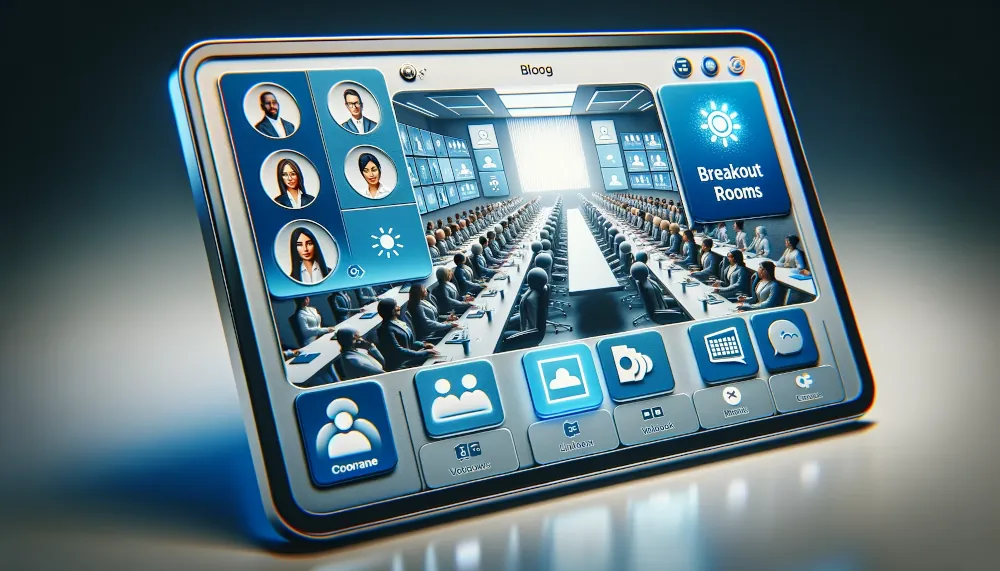
- Overview of Microsoft Teams as a Collaboration Tool
- Microsoft Teams, developed by Microsoft, is a comprehensive collaboration tool that amalgamates chat, meetings, calls, and document collaboration into a single, integrated app.
- It facilitates real-time collaboration and communication, enabling teams to collaborate seamlessly, regardless of geographical location.
- The Increasing Importance of Digital Communication Platforms for SMBs in the UK
- The digital transformation has accelerated, making digital communication platforms beneficial and essential for maintaining business continuity and fostering growth.
- For SMBs in the UK, where agility and efficiency are paramount, leveraging these platforms can lead to enhanced productivity, reduced overheads, and a more cohesive work environment.
- Introduction to the Concept of Teams Breakout Rooms
- Teams Breakout Rooms is a feature designed to enhance the functionality of Microsoft Teams by allowing meeting organisers to divide participants into smaller groups or ‘rooms’.
- This feature supports collaborative activities, including brainstorming sessions, workshops, and focused discussions, enriching the virtual meeting experience.
- It stands as a testament to Microsoft’s commitment to innovation. It addresses the nuanced demands of modern workplace collaboration and offers SMBs in the UK a tool to drive more engaging and productive meetings.
Understanding Teams Breakout Rooms
Teams Breakout Rooms in Microsoft Teams serve as dynamic spaces within virtual meetings where participants can engage in focused discussions, brainstorming sessions, or collaborative activities.
- Definition and Purpose of Breakout Rooms in Microsoft Teams
- Breakout Rooms are virtual spaces within a Teams meeting where participants can gather in smaller groups to discuss specific topics, brainstorm ideas, or work on tasks collaboratively.
- They offer a structured way to organise large meetings, ensuring that discussions remain focused and inclusive while allowing for deeper participant engagement.
- The Role of Breakout Rooms in Enhancing Virtual Meetings and Collaboration
- Facilitating Deeper Engagement: Breakout Rooms enable participants to engage in more intimate discussions, fostering a sense of ownership and involvement in the meeting proceedings.
- Encouraging Collaboration: By dividing participants into smaller groups, Breakout Rooms promote collaboration and teamwork, allowing individuals to share ideas, collaborate on tasks, and problem-solve more effectively.
- Supporting Diverse Meeting Formats: Whether it is brainstorming sessions, team-building activities, or focused discussions, Breakout Rooms offer flexibility to tailor the meeting format to suit the specific objectives and dynamics of the group.
- Enhancing Meeting Efficiency: Breakout Rooms streamline meeting processes by allowing parallel discussions to take place simultaneously, thereby reducing the overall duration of meetings and increasing productivity.
Grasping Teams Breakout Rooms’ essential function is pivotal for effectively leveraging this feature in virtual meetings as Managed Service Providers (MSPs); using Breakout Rooms in teams can enable businesses to explore novel pathways for team collaboration and innovation. This insight is especially crucial for small and medium-sized enterprises aiming to enhance their virtual meeting experiences and foster a culture of proactive engagement and creativity.
Key Features of Teams Breakout Rooms
Teams Breakout Rooms provide essential functionalities to streamline virtual meetings and enhance collaboration:
- Automatic and Manual Room Assignment: Organisers can assign participants to rooms automatically or manually, catering to specific meeting needs.
- Room Customisation and Management: Organisers can rename rooms, adjust settings, and manage room-specific options for a tailored meeting experience.
- Timer Functionality: Set time limits for breakout sessions to ensure efficient and focused discussions.
- Announcements to All Rooms: Organisers can simultaneously make announcements to all participants, fostering cohesive communication.
- Rejoining the Main Meeting: Participants can seamlessly rejoin the main meeting from their breakout rooms, facilitating smooth transitions between discussion phases.
- Breakout Room Chats and Files: Each room has its chat and file-sharing capabilities, encouraging collaboration and documentation of ideas.
These features empower organisers to orchestrate engaging and productive virtual meetings, efficiently driving collaboration and achieving desired outcomes.
Practical Applications of Teams Breakout Rooms in the UK Business Context
Teams Breakout Rooms offer versatile applications in various aspects of business operations, fostering collaboration and enhancing engagement in the UK business landscape:
- Team Building and Remote Workshops:
- Breakout rooms facilitate interactive team-building activities and remote workshops, promoting team cohesion and camaraderie.
- Teams can engage in icebreaker exercises, brainstorming sessions, or team-building games to strengthen bonds and foster a sense of belonging, even in remote settings.
- Client Meetings and Presentations:
- Tailoring breakout rooms for client meetings allows businesses to provide personalised attention and deliver bespoke presentations to clients.
- Organisers can host client meetings in separate breakout rooms, providing a conducive environment for discussions, demonstrations, and Q&A sessions tailored to clients’ needs and preferences.
- Training Sessions and Educational Workshops:
- Breakout rooms are ideal for hosting focused training sessions and educational workshops, allowing interactive learning and skill development.
- Trainers can divide participants into smaller groups based on skill levels or training objectives, facilitating targeted instruction, group discussions, and direct exercises to enhance learning outcomes.
These practical examples highlight the adaptability of Team Breakout Rooms in bolstering a wide array of business functions, from enhancing team cooperation and enriching client interactions to facilitating training and professional development. Through strategic utilisation of breakout rooms as part of Microsoft Office 365 Consultancy services, UK businesses are poised to discover innovative pathways for elevating productivity, driving innovation, and fostering growth.
Setting Up and Managing Teams Breakout Rooms
Setting up and managing Teams Breakout Rooms is a straightforward process that empowers organisers to tailor meeting experiences to their needs.
- Accessing Breakout Rooms:
- Open Microsoft Teams and initiate or join a meeting.
- Once the meeting has started, locate the toolbar at the bottom of the screen and click on the “…” (ellipsis) icon to reveal additional options.
- Creating Breakout Rooms:
- From the menu that appears, select “Breakout Rooms” to access the Breakout Rooms settings.
- Click “Create Rooms” to generate breakout rooms based on the desired number of groups or participants.
- Assigning Participants:
- Once breakout rooms are created, organisers can assign participants manually or automatically to each room.
- For manual assignment, organisers can drag participants into specific rooms based on preferences or requirements.
- Alternatively, organisers can opt for automatic assignment, allowing Teams to allocate participants to rooms based on predefined criteria such as department or role.
- Customising Room Settings:
- Organisers can customise room settings to align with the meeting objectives and participant dynamics.
- This includes renaming rooms, adjusting permissions and meeting options, and configuring room-specific options to enhance the meeting experience.
- Managing Breakout Rooms:
- Organisations can monitor and manage breakout rooms throughout the meeting to ensure smooth operation and address any issues.
- This includes reassigning participants, joining breakout rooms as a facilitator, or closing and recreating rooms as needed.
Organisations can effectively set up and manage Teams Breakout Rooms by following these simple steps, facilitating engaging and productive virtual meetings.
Best Practices for Using Teams Breakout Rooms
Maximising the effectiveness of Teams Breakout Rooms involves strategic preparation, engagement, and follow-up:
- Preparation Tips:
- Plan: Define clear objectives and assign roles for facilitators.
- Test Technology: Familiarise yourself with the feature and troubleshoot any issues beforehand.
- Engagement Techniques:
- Set Expectations: Communicate instructions clearly to participants.
- Encourage Participation: Use icebreakers and discussion prompts to engage participants.
- Facilitate Discussions: Guide conversations and use interactive tools.
- Follow-Up Actions:
- Summarise Insights: Reconvene to share key insights and action items.
- Document Action Items: Capture decisions and next steps for follow-up.
- Provide Feedback: Gather participant feedback for continuous improvement.
Future Developments and Enhancements in Teams Breakout Rooms
As technology continues to evolve, so too will the capabilities of Teams Breakout Rooms.
- Improved User Interface:
- Microsoft is constantly refining the user interface of Teams Breakout Rooms to enhance usability and streamline the meeting experience. Expect updates that make creating, managing, and navigating breakout sessions even easier.
- Enhanced Customisation Options:
- Look for additional customisation options that allow organisers to tailor breakout rooms to their specific needs. This could include advanced settings for room configurations, permissions, and access controls.
- Integration with External Applications:
- Microsoft may explore integration opportunities with external applications and services to further enrich the functionality of Teams Breakout Rooms. This could include seamless integration with project management tools, collaboration platforms, and more.
- Advanced Collaboration Features:
- Future updates may introduce advanced collaboration features within breakout rooms, such as real-time co-editing of documents, interactive whiteboards, and integrated task management capabilities.
- Enhanced Security and Compliance:
- Microsoft is committed to ensuring the security and compliance of Teams Breakout Rooms. Expect future enhancements that further strengthen data protection measures and align with regulatory requirements.
- AI-Powered Insights and Analytics:
- Look for AI-powered insights and analytics capabilities that provide organisers valuable data on meeting engagement, participation levels, and productivity metrics within breakout sessions. This information can help businesses optimise their meeting strategies and drive better outcomes.
By staying abreast of these future developments and enhancements, UK businesses can prepare to leverage the full potential of Teams Breakout Rooms to drive collaboration, innovation, and success in their virtual meetings and beyond.
Conclusion
In conclusion, Teams Breakout Rooms represent a transformative tool for enhancing collaboration and efficiency in virtual meetings. Through the strategic use of breakout sessions, businesses can unlock new opportunities for engagement, innovation, and productivity.
- Enhanced Collaboration: Breakout Rooms facilitate focused discussions and interactive activities, fostering deeper engagement and collaboration among participants.
- Increased Efficiency: By streamlining meeting processes and enabling parallel discussions, Breakout Rooms help to maximise meeting efficiency and productivity.
- Personalised Engagement: Tailoring breakout sessions to specific topics or groups allows for more personalised engagement and ensures that meetings are aligned with participants’ needs and objectives.
As businesses adapt to the shifting dynamics of remote work and digital communication, integrating Teams Breakout Rooms becomes a strategic necessity. For IT support companies, facilitating the adoption of this advanced feature is key to upgrading digital communication tactics and achieving impactful results in virtual meetings.
We encourage businesses to explore and adopt Teams Breakout Rooms as a vital component of their digital communication toolkit. By harnessing the power of Breakout Rooms, businesses can unlock new levels of collaboration, efficiency, and success in virtual meetings. Embrace the future of collaboration with Teams Breakout Rooms and propel your business forward in the digital age.