
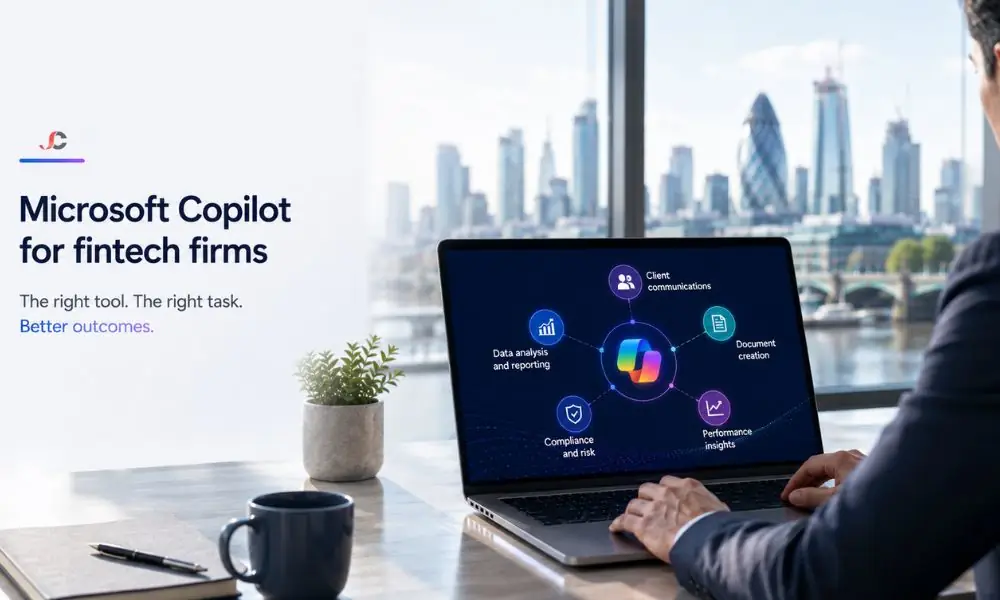
FinTech companies in the UK are seeing a growing number of support inquiries and receiving frequent regulatory updates from the FCA, while their headcount budgets stay stagnant. Microsoft 365 Copilot integrates AI into Outlook, Word, Excel, Teams, and Copilot Studio, enabling efficient operations within the existing Microsoft 365 ecosystem. This guide shows how Microsoft Copilot for FinTech firms can be implemented effectively using Copilot Studio. For organisations evaluating M365 Copilot deployment, the structure below provides an actionable adoption path rather than a generic list of features.
Key Takeaways
- Tool-to-task mapping: Copilot for Outlook helps prepare tickets, Copilot for Word prepares customer responses and compliance changes, Copilot for Excel analyses operational issue logs, and Copilot for Teams summarises internal meetings, saving fintech operations managers time on tedious tasks.
- Copilot Studio agents: Fintech companies can create customer-oriented FAQ and operations status agents in Copilot Studio, minimising L1 support tickets without hiring new employees.
- Permission-scoped security: Copilot discloses information accessible to the user logging into the system. Sensitivity classifications, DLP policies, and eDiscovery coverage apply to all Copilot scenarios.
- Adoption readiness matters: Companies that perform permission auditing, source cleansing, and piloting before Copilot activation show better adoption results than companies that activate licenses.
| M365 Copilot App | Fintech Task | User Role | Output |
| Copilot in Outlook | Summarise support ticket threads | Support Lead | Thread summary with action items |
| Copilot in Word | Draft customer response templates | Operations Manager | Reusable template document |
| Copilot in Word | Draft compliance update notices | Compliance Officer | Plain-language regulatory notice |
| Copilot in Excel | Analyse operational issue logs | Operations Manager | Trend charts, SLA breach flags |
| Copilot in Teams | Summarise internal discussions | Operations Lead | Meeting recap with decisions |
| Copilot Studio | Build customer-facing support agent | Support Lead / IT Admin | FAQ chatbot on web or Teams |
How Does Copilot in Outlook Help Fintech Teams Summarise Support Tickets?
Copilot in Outlook condenses lengthy email threads into structured summaries, extracts action items and flags priority escalations. For fintech support teams managing hundreds of inbound tickets per week, this removes the need to read every message in a thread before responding or routing the issue to a specialist.
When a support lead initiates a thread using the multi-reply feature, Copilot generates a plain-language summary of the issue, its status, and peers’ commitments. The multi-reply feature is especially useful during shift changeovers.
Copilot will also suggest responses based on the thread discussion. The Support Lead will review Copilot’s suggestions, tailor them to the company’s client relationships, and send them out without having to write them every time.
The output maintains sensitivity labels of the original emails. When a conversation is marked as confidential, the label is carried over to the Copilot-generated summary and draft email.
How Can Fintech Firms Use Copilot in Word to Draft Customer Response Templates?
Word Copilot provides customer-response templates in an easily reusable format by generating drafts from concise prompts. Fintech ops teams use this feature to unify the tone in regulatory correspondence and save time on creating repetitive documents.
Rather than keeping a static template library that drifts out of date, teams prompt Copilot to produce a response template for a specific scenario, for example, a standard acknowledgement for a payment investigation or a notification that an account review is complete. The output follows the document formatting already established in the organisation’s Word styles.
In a regulated environment, consistent customer communication matters. Copilot guarantees that all templates will be of the same quality and level of detail, which eliminates the possibility that some employees use language that could put you in compliance danger.
What Is the Best Way to Draft Compliance Updates with Copilot?
The fintech compliance team drafts customer-facing regulatory change notices by inputting a summary of the FCA rule change into Copilot, prompting it to produce plain-language text suitable for non-specialist readers. The output is then reviewed, approved and distributed through normal channels.
This process works best when the compliance team provides Copilot with a well-structured prompt: the regulatory reference, the change description, its impact on the client, and the required action. Copilot generates a first draft for the team to edit and add the proper sensitivity label.
The key here is efficiency, not substitution. What would have taken 90 minutes of the compliance officer’s time going through a draft and review cycle now takes mere minutes to reach the first-draft phase, giving him time to concentrate on the review.
How Does Copilot in Excel Analyse Fintech Issue Logs?
Copilot in Excel processes CSV or workbook-based issue logs to surface trends, identify recurring fault categories, flag resolution-time outliers, and highlight potential SLA breaches. Fintech operations managers use this to turn raw data into actionable insights without writing formulas or building pivot tables manually.
When an operations lead imports a monthly issue log into Excel, Copilot can answer natural-language questions such as “which issue category had the highest volume this month” or “show the average resolution time by priority level.” The response appears as a summary, a chart or a new data column, depending on the prompt.
When fintech companies grow rapidly, they may neglect log analysis because the person in charge must deal with real-time issues. With Copilot, log analysis takes only minutes, not hours. While the operations leader still interprets the data and decides on process improvements, Copilot automates the data-wrangling process.
The =COPILOT formula function extends this further. Typing a prompt directly into a cell, for example, classifying each log entry by sentiment or risk tier, produces a per-row output that can be dragged down across the entire dataset.
How Can Fintech Teams Summarise Internal Discussions with Copilot in Teams?
Copilot in Teams for collaboration generates meeting recaps, extracts action items and summarises channel threads. A fintech operations lead who cannot attend every standup or incident review can use this to stay informed without watching recordings or scrolling through message history.
After every meeting on Teams, Copilot produces an extensive summary of everything discussed, decisions made, and actions assigned to specific participants. Copilot can post the summary to the relevant channel or incident log right away.
Channel thread summarisation is equally important. In a fast-paced fintech operation, a Teams channel thread might fill up with many messages during a single incident. Copilot summarises the thread, highlighting critical updates and open questions. The operations lead gets a five-second summary instead of a five-minute scrolling experience.
How Do You Build a Copilot Studio Support Agent for a Fintech Firm?
A Copilot Studio support agent is a customer-facing chatbot that handles common enquiries about accounts, service availability and operational procedures, helping reduce first-line support tickets before human intervention is needed. Fintech firms build these agents by connecting approved knowledge sources, designing conversation topics and deploying the agent to a customer-facing channel.
Most fintech firms have not yet explored this capability, and it represents the strongest opportunity for differentiation in a Copilot deployment. While Copilot in Outlook, Word, Excel and Teams improves internal productivity, a Copilot Studio agent directly reduces the volume of inbound support requests.
The building process includes four major stages. The first stage involves connecting the knowledge base sources. These sources are typically SharePoint libraries that contain product documentation, FAQs, and procedures. The second stage involves developing topic designs that specify the conversation topics the bot can manage, such as ‘check my application status’, ‘what documentation should I upload’, and so forth. The third stage involves deploying the bot to the customer communication channel, such as a website chat or a Teams portal.
Data boundary controls become critical now. The agent can only provide information associated with it through its knowledge sources. It cannot access any data beyond what’s available in the knowledge-source library.
What Knowledge Sources Should a Fintech Support Agent Use?
A fintech Copilot Studio agent should draw on SharePoint-hosted FAQ libraries, product documentation and approved process guides, all curated and maintained by the operations or compliance team. The agent’s response quality depends entirely on the quality and currency of these sources.
Firms should avoid connecting broad, unstructured document libraries as knowledge sources. A focused, well-maintained FAQ library produces more accurate and relevant agent responses than a large document repository with inconsistent formatting. The operations team should review the knowledge sources quarterly to ensure they reflect current products, processes and regulatory requirements.
What Security Controls Does Copilot Respect in a Regulated Fintech Environment?
Microsoft 365 Copilot operates within the tenant’s existing security architecture. It respects Entra ID permissions, sensitivity labels, and data loss prevention policies, meaning it surfaces only the data the signed-in user is already authorised to access. Microsoft does not use tenant data to train its foundation models.
Many controls apply to FCA-regulated FinTech companies. The sensitivity classification marked on documents also applies to Copilot usage; if a document is classified as restricted, Copilot manages it accordingly when creating summaries and drafts.
The DLP policies govern further sharing of Copilot-produced content. If a user tries to share content created by Copilot that contains any information matching the DLP policies, for example, customer financial information, the policy stops or restricts the action prior to the content being shared outside the tenant. DLP does not prevent Copilot from exposing sensitive information to the user if the user has proper access to it.
eDiscovery and legal hold capabilities in Microsoft 365 extend to Copilot interactions. This supports the record-keeping obligations that FCA-regulated firms must meet, as outlined in the FCA’s operational resilience framework. Copilot prompts and responses are logged within the compliance boundary, making them available for audit and investigation if needed.
The most important pre-deployment step is a permissions audit. Copilot will surface any content the user can access, including content they may not have known they could access. Firms should review and tighten permissions for SharePoint, OneDrive, and Exchange before activating Copilot licences. For a broader review, cybersecurity solutions providers can assess the tenant’s security posture before deployment.
Microsoft’s official Copilot for Microsoft 365 documentation provides the full technical reference for data handling, compliance and architecture.
How Should Microsoft Copilot for FinTech Firms Be Rolled Out?
A structured rollout begins with a permissions audit, followed by knowledge-source hygiene, a defined pilot group and clear adoption metrics. Fintech firms that skip the readiness phase and activate licences broadly see lower adoption rates and inconsistent output quality.
Adopt the proposed strategy in the following sequence. First, review all permissions for SharePoint, OneDrive, and Exchange to ensure all users have appropriate permission scope levels. Second, assess the quality of the documents/data Copilot will use, because out-of-date knowledge base articles or messy Excel sheets can negatively affect Copilot’s performance. Third, initiate a pilot project with 10-20 people in operations/support, using structured prompts for Copilot over four to six weeks.
For firms that need support with Copilot deployment planning, Teams workflow automation or a pre-deployment security review, IT consultancy services provide a structured engagement model. Licensing prerequisites and platform configuration sit within the broader Microsoft 365 platform, and the rollout should be planned alongside existing tenant governance.
What is Microsoft Copilot and how does it work inside Microsoft 365 apps?
Microsoft 365 Copilot is an AI assistant embedded directly into Outlook, Word, Excel, Teams and other M365 applications. It uses large language models combined with the organisation’s data, including emails, documents, and chat messages, to generate summaries, drafts, and analysis. It runs within the user’s existing permissions and does not access data the user is not authorised to see.
Can Copilot summarise customer support emails in Outlook automatically?
Yes. When the user opens an email thread with multiple replies, Copilot creates a summary of the conversation, including the query, status, and commitment. Copilot also drafts replies for the user to edit and send.
How does Copilot in Word help fintech firms draft compliance updates?
The compliance department enters the regulatory change summary and gets Copilot to generate a simple-language customer notice. The generated notice includes the following information: regulation reference, change summary, customer impact, and action needed.
What types of issue log analysis can Copilot perform in Excel?
Copilot analyses CSV or workbook-based issue logs to find recurring fault categories, calculate average resolution times by priority, flag SLA breaches and surface volume trends. It responds to natural-language prompts and can produce charts, summaries or per-row classifications.
How does Copilot in Teams help operations leads who miss live discussions?
Copilot creates post-meeting recaps with decisions and action items and summarises channel threads. Operations leaders get the relevant information without watching the recording or scrolling through messages.
What is a Copilot Studio agent and how does it reduce support ticket volume?
A Copilot Studio Chatbot is a chatbot built with robust knowledge bases that helps manage customer queries about accounts, documentation, and services before forwarding them to live agents. This reduces L1 tickets.
Does Copilot access data beyond what the user already has permission to see?
No. Copilot respects Entra ID permissions, sensitivity labels and DLP policies. It only surfaces content the signed-in user is authorised to access. Microsoft does not use tenant data to train its foundation models.
What licensing does a fintech firm need to use Microsoft 365 Copilot?
The Copilot add-in license for Microsoft 365 is included with certain Microsoft 365 plans, such as Microsoft 365 Business Premium and E3/E5. Copilot Studio licenses vary and must be bought separately for agent development and deployment.