
AI agents built in Copilot Studio and Microsoft 365 Copilot now carry out tasks inside your tenant without a human typing every command. Each of these agents needs a way to prove who it is before it can touch email, files or business data. Microsoft Entra Agent ID is the identity layer Microsoft has built specifically for this purpose, and it changes how UK finance, legal and recruitment firms need to think about access control.
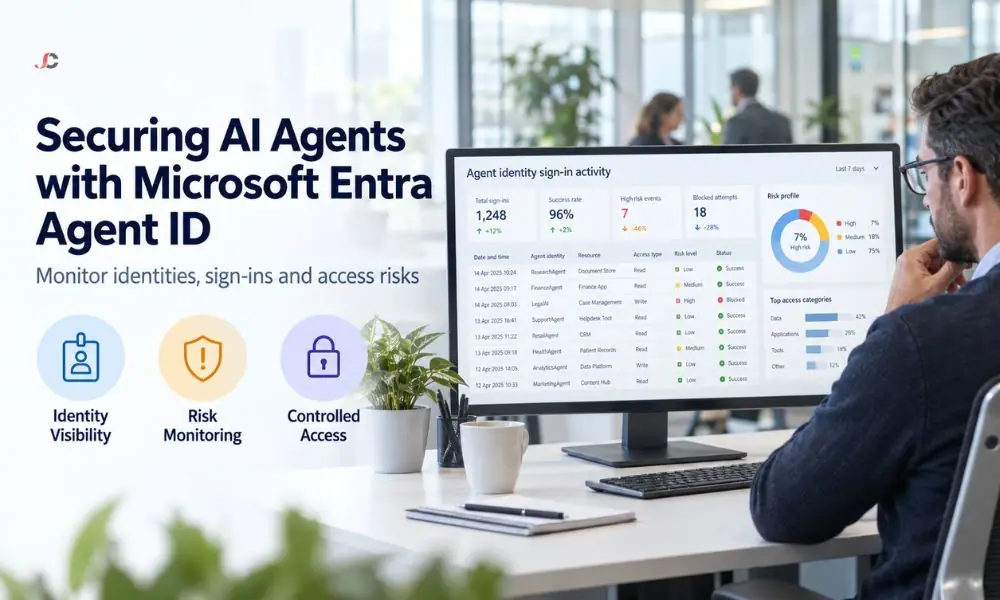
What are the key takeaways on Microsoft Entra Agent ID?
Agent identities now carry their own credentials, sponsorship and audit trail, separate from human user accounts. The four points below summarise what has changed and why it affects access control planning for regulated UK businesses.
- Automatic provisioning: Copilot Studio started provisioning an Entra Agent ID automatically for every new agent in 2026, resulting in the fact that almost all Microsoft 365 tenants have agent identities, with opt-out no longer available for new agents.
- Certificate-based authentication: Agent identities do not have passwords; they authenticate via certificates or federated identity credentials bound to an agent identity blueprint.
- Governance parity with human accounts: Conditional Access and Microsoft Entra ID Protection can now be used to manage agent identities, even block a risky agent in minutes.
- Named accountability: Every agent identity requires a human sponsor, so a specific person in the business is accountable if an agent is compromised or misbehaves.
What is Microsoft Entra Agent ID and why does it matter now?
The Microsoft Entra Agent ID is an identity in Microsoft Entra, designed specifically for AI agents rather than human users or application identities. This matters now because tools like Copilot Studio and Microsoft Agent 365 make it easy to create AI agents.
Before this feature existed, an agent built in Copilot Studio typically relied on a legacy Azure app registration. App registrations were designed for static software integrations, not for autonomous entities that make decisions and access data on their own initiative. That mismatch left security teams with limited visibility into what agents could reach and no consistent way to hold anyone accountable for an agent’s behaviour.
Entra Agent ID closes that gap by treating an AI agent as a first-class identity, alongside human users and devices. Extending an existing cyber security solutions programme to cover agent identities is a natural next step for firms that already treat staff account governance seriously.
An illustrative sample of anonymous audits found unsponsored agents in 4 of 20 clients (20%). This clearly shows the importance of establishing ownership and consistently conducting access reviews.
How is an agent identity different from a traditional service principal?
Agent identities are service principals with an “Agent” subtype created from a reusable template and must have a named human sponsor. Unlike regular service principals, an agent identity has no password credential type, appears in the logs for agent sign-ins, and can be targeted by Conditional Access policies.
Traditional service principals were designed for fixed workload jobs such as scheduled scripts or integrations. They usually have a client secret or certificate that an authorised administrator can read or regenerate at any time. Logs for such an account track the application rather than a responsible individual.
Agent identity helps fill in many of those gaps. An agent identity requires sponsorship to be created, logs audit information specific to the agent that can be distinguished from normal application traffic, and manages the full identity lifecycle using a blueprint.
What is an agent identity blueprint?
An agent identity blueprint is the parent template from which every agent identity is created, holding the credentials, permissions and shared configuration that all agents of that type inherit. A single blueprint can support up to 250 individual agent identities.
Blueprints are not passive templates. They are themselves a special identity type within the tenant, holding an OAuth client ID and the credential, typically a certificate or federated identity credential, that Entra ID uses to verify any agent created underneath them.
When Copilot Studio provisions your first agent, it silently adds a global blueprint to your tenant. Every subsequent agent becomes a child of that blueprint principal and automatically inherits its policies.
How do interactive and autonomous agents authenticate?
Interactive agents, typically built in Copilot Studio, acquire tokens through an On-Behalf-Of flow and act within the permissions of the signed-in user who invoked them. Autonomous agents, such as those built on Microsoft Foundry or Microsoft Agent 365, authenticate using their own identity and operate independently of any human session.
For interactive agents, Conditional Access policies targeting the human user apply in addition to any policy targeting the agent identity itself. Both sets of controls must be satisfied before access is granted.
Autonomous agents present a different governance challenge because there is no human session to fall back on. Their access is governed entirely by policies attached to the agent identity and its blueprint, which is precisely why sponsorship and blueprint-level controls matter so much for this class of agent.
For the full technical breakdown of how these authentication flows work, see the official Microsoft Entra Agent ID documentation.
What risks do non-human identities introduce to a UK SME network?
Non-human identities expand the attack surface of a Microsoft 365 tenant because each one can read email, access files or trigger workflows without ongoing human oversight. For regulated sectors such as finance, legal and recruitment, an unmonitored agent identity can create a compliance gap around who accessed client data and why.
A non-audited agent may accrue permissions based on its relationships with different data sources or processes, much like an ill-maintained service account. This is where regulated industries face potential problems because of their access and audit needs.
An anonymous audit revealed an AI agent with access to a document library containing operational and customer information, without a sponsor. In this case, the organisation limited the AI agent’s access while evaluating its access rights and purpose, and assigned it a sponsor. Additionally, the organisation developed an AI agent register to ensure all agents had a defined purpose, data access rights, a review date, and a sponsor.
How can Conditional Access and Identity Protection govern AI agents?
Microsoft Entra ID Protection can flag an agent identity as compromised, raising its risk level, and a Conditional Access policy can then block that agent from obtaining further access tokens within minutes. This gives security teams a near real-time control that did not previously exist for AI agents.
Conditional Access enforcement for agents applies at the point an agent requests its resource-scoped access token, not at the earlier credential exchange step. The initial exchange between an agent and its blueprint is always permitted, but the subsequent request to reach Microsoft Graph or another resource is where a block takes effect.
This distinction matters for operations because it lets security personnel deny access to the agent without disabling or destroying its blueprint, which would otherwise affect all agents based on it.
Who should own and sponsor an agent identity in your business?
Microsoft Entra Agent ID introduces three distinct roles: an owner responsible for technical configuration, a sponsor who provides business accountability, and a manager who acts as the operational lead for an agent’s associated user account. Every agent identity must have a named sponsor.
The sponsor role exists so that, when a security incident involves an agent, a real person can be contacted to explain the agent’s purpose and intervene. This deliberately departs from how most organisations have historically managed service accounts, where accountability was often diffuse or undocumented.
For SMEs, the department head who commissioned an agent should typically be recorded as its sponsor. IT retains the owner role for technical configuration, while the business retains accountability for what the agent is meant to do.
How do you get started securing agent identities in Microsoft 365 and Azure?
Start by reviewing the Microsoft Entra admin centre for any agent identities created in Copilot Studio without proper authorisation. Assign a sponsor to each agent, then review your Conditional Access policies to see whether they apply to agent sign-ins.
| Step | Action | Typical Owner |
| Audit | List all existing agent and blueprint identities in Entra ID | IT administrator |
| Assign | Name a business sponsor for every agent identity | Department head |
| Review | Extend Conditional Access policies to cover agent sign-ins | Identity administrator |
| Monitor | Check agent-specific sign-in logs monthly | IT support or MSP |
Firms without an in-house identity specialist typically fold this work into a wider IT infrastructure security review, since the audit steps overlap significantly with routine access control checks.
The underlying configuration usually sits across your existing Microsoft Azure services, so the review is best carried out alongside your regular Azure environment health check rather than as a standalone exercise.
What should finance, legal and recruitment firms do first?
Firms in regulated sectors should prioritise assigning sponsors to any agent identity staff have already created using Copilot Studio, since an unsponsored agent creates an accountability gap that a regulator or auditor may question. This is a low-effort, high-value first step.
Recruitment and legal firms tend to connect agents to email and document libraries early, given how central those systems are to daily casework. Reviewing exactly what data sources each agent has been granted access to should happen before wider adoption of Microsoft 365 Copilot accelerates across a team.
Firms without a current view of their Azure and Entra ID configuration often benefit from an external Azure advisory services review to establish a baseline before agent adoption goes further.
What common questions do businesses ask about agent identities?
Most questions from IT decision-makers focus on licensing, migrating older agents, and whether existing security tooling still applies. The answers below cover the most common points raised.
Does every Copilot Studio agent automatically get an identity?
Since Microsoft’s 2026 rollout, yes. New agents created in Copilot Studio automatically receive an Entra Agent ID, and opting out is no longer available for newly created agents.
Can this work alongside our existing Conditional Access policies?
Yes. Conditional Access policies can target agent identities directly, in addition to any existing policies that target the human users who interact with interactive agents.
What happens to agents created before this feature existed?
Agents created before the rollout typically still rely on legacy app registrations. Microsoft has stated these will be migrated in a future update, though manual migration is also possible via the Power Platform admin centre.
Do agent identities cost extra to licence?
The identity platform itself is included for Microsoft Entra customers. Governance features such as Identity Protection and Conditional Access for agents require either a Microsoft 365 E7 licence, which bundles this capability, or a Microsoft Agent 365 licence paired with at least Entra ID P1 or Microsoft 365 E3.
Who is responsible if an agent is compromised?
The named sponsor provides business accountability, while the technical owner typically handles remediation, such as revoking credentials or turning off the associated blueprint.
Can we block a specific agent without disrupting the rest of Microsoft 365?
Yes. A Conditional Access policy or a risk confirmation in Identity Protection can block a single agent identity from obtaining access tokens without affecting other agents created from the same blueprint.
Is Microsoft Entra Agent ID generally available, or is it still in preview?
The core platform is generally available for Microsoft Entra customers, though some associated Agent 365 governance features rolled out in stages through 2026 and are worth checking against Microsoft’s current release notes.
How is an agent identity different from a bot account we already use?
A bot account is typically a standard service principal or app registration with a static credential. An agent identity is a distinct identity subtype with enforced sponsorship, agent-specific audit logging and native Conditional Access targeting that a standard bot account does not have.