

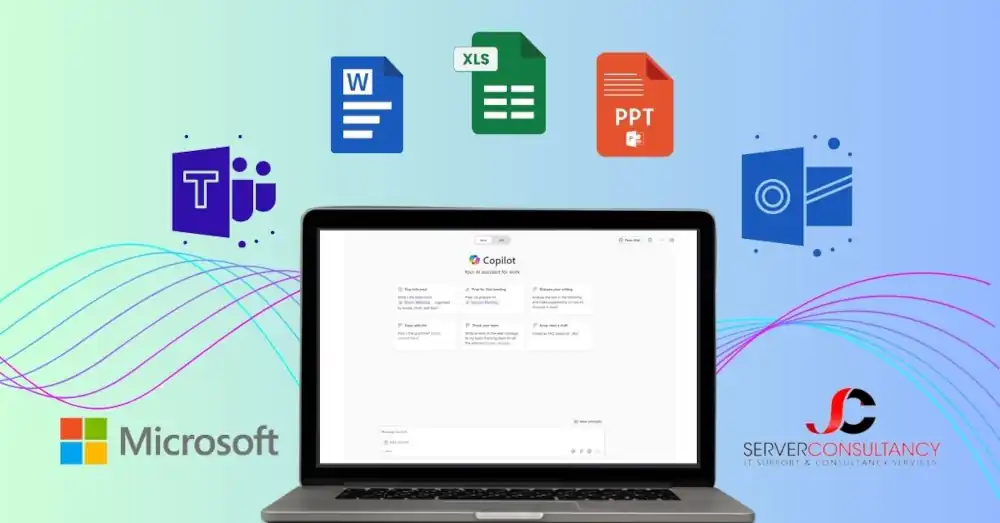
In today’s fast-paced business environment, organisations continually seek ways to enhance productivity and streamline operations. Microsoft Copilot emerges as a transformative tool that integrates advanced AI capabilities with the familiar suite of Microsoft applications. This guide will help you discover everything about Microsoft 365 Copilot, including its features, advantages, and potential to drive business success through enhanced productivity.
What is Microsoft 365 Copilot?
Microsoft 365 Copilot is a feature and a comprehensive AI integration within the Microsoft 365 suite designed to transform how you interact with digital workspaces. Here is a detailed breakdown of what makes Copilot a revolutionary tool for businesses:
AI-Powered Assistant: At its core, Copilot is an AI-powered tool that integrates deeply with Microsoft 365 applications to provide real-time assistance and automation.
Cross-Application Functionality:
Word
- Content Suggestions: Generates structured drafts for reports and documents.
- Language Enhancements: Offers real-time grammar, style, and tone corrections.
- Formatting Assistance: Automates tasks like adjusting headings and aligning text.
- Template Optimisation: Recommends or customises templates for specific purposes.
- Contextual Customisation: Suggests content based on document intent.
Excel
- Advanced Data Analysis: Identifies trends and actionable insights in datasets.
- Automated Calculations: Performs complex calculations and generates summaries.
- Data Visualisation: Creates charts and graphs for better data understanding.
- Predictive Insights: Uses historical data to forecast future trends.
- Formula Assistance: Suggests accurate formulas for analysis needs.
PowerPoint
- Design Suggestions: Provide slide layouts, themes, and colour palettes.
- Content Summarisation: Converts lengthy documents into concise slides.
- Image Integration: Recommends media to align with presentation themes.
- Slide Automation: Arrange slides in logical sequences for impactful storytelling.
- Audience Tailoring: Adjusts tone and style for specific audiences.
Outlook
- Clever Email Drafting: Composes professional emails with minimal prompts.
- Appointment Management: Suggests meeting times and schedules automatically.
- Thread Summarisation: Summarises long email chains into key points.
- Follow-up reminders: Flags unanswered emails for timely responses.
- Contextual Assistance: Suggests relevant attachments or links for emails.
Teams
- Discussion Summaries: Summarises meetings and chats with actionable takeaways.
- Action Tracking: Tracks and assigns tasks from discussions.
- Real-Time Insights: Highlights participant engagement during meetings.
- Cross-Tool Integration: Links with OneNote and Planner for task tracking.
- Enhanced Search: Quickly retrieves conversations, files, and notes.
User Interface: Copilot is designed to be seamlessly integrated into the Microsoft 365 interface, making it accessible directly within each application’s toolbar. This integration ensures all functionalities are just a click away without disrupting the workflow.
Customisation and Learning: Copilot adapts to the individual user’s style and preferences, learning from interactions to provide increasingly personalised and accurate assistance.
Security and Compliance: Built with Microsoft’s rigorous security frameworks, Copilot ensures that all interactions and data processing comply with industry-leading cybersecurity solution standards, protecting sensitive information while enhancing productivity.
The innovative features of Microsoft Copilot highlight its importance for businesses striving to use AI to enhance productivity and simplify operations. Businesses can significantly refine their operations and elevate their output by effectively using these capabilities.
Key Features of Microsoft 365 Copilot
Microsoft 365 Copilot enriches your Microsoft 365 experience by integrating AI across your favourite applications. Here are its transformative features, detailed for your understanding:
Natural Language Processing
- Command with Ease: Type natural language commands to interact with your documents and data.
- Intelligent Responses: Copilot understands and executes commands, from drafting emails to setting up meetings and streamlining your workflow.
Contextual Assistance
- Task-Specific Suggestions: Receive suggestions appropriate for the task you are currently performing, such as drafting an email or preparing a report.
- Adaptive Learning: The more you use Copilot, the better it understands your preferences and working style, tailoring its assistance to suit your needs.
Data Insights
- Advanced Data Analysis: Automatically analyse data in Excel to find trends, perform complex calculations, and generate summaries without manual input.
- Visual Data Interpretation: Transform raw data into clear, compelling visualisations, sharing insights and making informed decisions more straightforward.
Content Generation
- Automated Drafting: In Word, input a topic, and Copilot generates a well-structured draft, complete with sourced content and styled according to your preferences.
- Creative Presentations: In PowerPoint, describe the outcome you need, and Copilot assembles slides that include relevant images, formatted text, and professional layouts.
Collaboration Enhancement
- Meeting Efficiency: In Microsoft Teams, Copilot helps by summarising key points from meetings, suggesting follow-up tasks, and managing schedules.
- Streamlined Communication: Enhance collaboration using Copilot to draft responses or compile updates, ensuring consistent and effective communication with Microsoft Teams rooms.
These features of Microsoft Copilot are designed to increase productivity and foster a more collaborative and data-driven work environment. By automating routine tasks and generating updated content, Copilot allows you to focus on the strategic decisions that truly matter to your business’s growth.
Benefits of Using Microsoft 365 Copilot
Microsoft 365 Copilot is a technological enhancement and a transformative asset that revolutionises how businesses operate in today’s digital landscape. Here is an extended exploration of how Copilot can elevate your company’s productivity and creativity:
Boosted Productivity
- Task Automation: Simplifies everyday tasks like email management, data entry, and scheduling, enabling staff to focus on innovative solutions and priority project management.
- Efficient Information Retrieval: Rapidly searches and retrieves files, emails, and data across Microsoft 365, drastically cutting down the time employees spend navigating through information.
Enhanced Creativity
- Creative Suggestions: Generates innovative design and content ideas in PowerPoint and Word, helping staff overcome creative blocks and enhance their outputs’ aesthetic and narrative quality.
- Dynamic Content Adaptation: Automatically adjusts and enhances content based on the latest trends and organisational data insights, ensuring that all outputs are high-quality, topically relevant, and engaging.
Improved Decision-Making
- Data-Driven Insights: Processes and interprets complex datasets to provide clear, actionable insights, enabling staff to make well-informed decisions swiftly.
- Real-Time Analytics: Offers immediate analysis and data visualisation in Excel, which is crucial for responding to dynamic market conditions and internal performance metrics.
Seamless Integration
- User-Friendly Interface: Designed to integrate effortlessly with the Microsoft 365 suite, Copilot features a straightforward interface that blends into existing workflows, facilitating ease of use and minimal training.
- Consistency Across Tools: This ensures a uniform experience across various applications like Excel, Word, and Teams, which helps reduce the learning curve and accelerate the adoption process within teams.
Scalable Learning
- Personalised Learning: Continuously learns from individual user actions and preferences to tailor suggestions and support, enhancing personal productivity and satisfaction.
- Adaptable Implementation: It easily adapts to different business sizes and sectors, from small teams to large enterprises, making it a versatile tool for various operational needs.
Strategic Business Advantages
- Competitive Edge: By leveraging AI to automate and optimise routine processes, businesses can allocate more resources to strategic planning and innovation, maintaining a competitive edge in their industry.
- Cost Efficiency: By automating workflows and reducing manual intervention, businesses can significantly cut costs and achieve enduring financial efficiencies.
These extensive benefits illustrate why Microsoft Copilot is an essential tool for any business looking to harness the power of AI to enhance their operational efficiency, creativity, and decision-making capabilities. Integrating Copilot into your workflow ensures your business remains agile, innovative, and ahead of the curve in the rapidly evolving digital arena.
How Server Consultancy Personalises Your Microsoft 365 Copilot Experience
At Server Consultancy, we understand that each business has unique needs and challenges. Our approach is tailored to implement technology and transform it into a strategic asset that aligns with your business goals. Here is how we ensure that the Microsoft 365 Copilot subscription is uniquely advantageous for your operations:
Customised Integration Plan
- Bespoke Assessments: We thoroughly assess your existing business processes to identify key areas where Microsoft 365 Copilot can add the most value.
- Strategic Implementation: Based on this assessment, we craft a strategic plan to ensure that Copilot is integrated to enhance your specific workflows and business operations.
Tailored Training and Enablement
- Role-specific Training: Different teams have unique needs. We provide customised training sessions focused on the specific applications of Copilot that are relevant to each department’s tasks.
- Advanced Workshops: We offer workshops that delve into Copilot’s advanced features for power users, enabling your team to leverage its full potential for complex tasks and data analysis.
Dedicated Support System
- Proactive Technical Support: Our support goes beyond troubleshooting; we proactively monitor your Copilot integration to pre-empt challenges before they impact your business.
- Feedback-driven Iteration: Regular feedback sessions help us refine and optimise Copilot’s configuration and functionality to better meet your evolving needs.
Continuous Evolution
- Adaptive Enhancements: As Microsoft updates and expands Copilot’s capabilities, we ensure these enhancements are seamlessly integrated into your environment.
- Future-proofing Your Investment: We keep you ahead of the curve by regularly advising on how new AI developments can further enhance your business processes.
By choosing Server Consultancy, you are not just implementing a new tool but investing in a partnership that grows with your business. We are committed to ensuring that Microsoft 365 Copilot is not only a part of your digital transformation but a cornerstone of your operational success.
Ready to Propel Your Business into the Future?
Unlock the potential of AI in your workplace with Microsoft 365 Copilot. Transform your business operations with innovative technology that enhances efficiency, boosts creativity, and sharpens decision-making. Do not let your business lag in adopting these innovations—reach out to Server Consultancy today to schedule a consultation. Let us guide you through a tailored implementation strategy that ensures you fully leverage the power of Microsoft 365 Copilot to elevate your operations. Start your journey with us towards a more efficient, innovative, and competitive future.
What is Microsoft 365 Copilot, and how does it integrate with Microsoft 365 applications?
Microsoft 365 Copilot is an AI-powered assistant built directly into the Microsoft 365 suite. It enhances Word, Excel, PowerPoint, Outlook, and Teams applications. It works behind the scenes to automate tasks, summarise content, generate drafts, suggest designs, and analyse data—all based on your documents and usage patterns.
For example:
Word can create structured drafts or rewrite content based on tone.
Excel identifies patterns, builds charts, and explains data trends.
PowerPoint turns bullet points into visual slides.
Outlook helps write, summarise, and manage emails more efficiently.
Teams provides meeting summaries, action items, and scheduling help.
At Server Consultancy, London’s best IT support company, we help businesses implement Microsoft 365 Copilot effectively, ensuring it aligns with their specific workflows and data policies.
Is Microsoft 365 Copilot suitable for small businesses, too?
Absolutely. While it was initially rolled out to enterprise users, Microsoft is expanding access to small and mid-sized businesses. It’s beneficial for lean teams who want to:
-Reduce manual admin
-Improve consistency in communication
-Save time on data tasks
-Collaborate more effectively
Server Consultancy supports businesses of all sizes and offers cost-efficient solutions for smaller teams seeking to fully utilise Microsoft 365 Copilot’s capabilities.


