
The Need for an Intune Maturity Assessment in London SMBs
Many organisations deploy endpoint management tools without truly establishing operational scale or measuring service inconsistencies. Conducting a comprehensive Microsoft Intune assessment for London SMBs reveals the hidden gaps between basic deployment and advanced architectural maturity. Businesses must look beyond initial setup guides to evaluate their Microsoft Endpoint Manager capabilities critically.
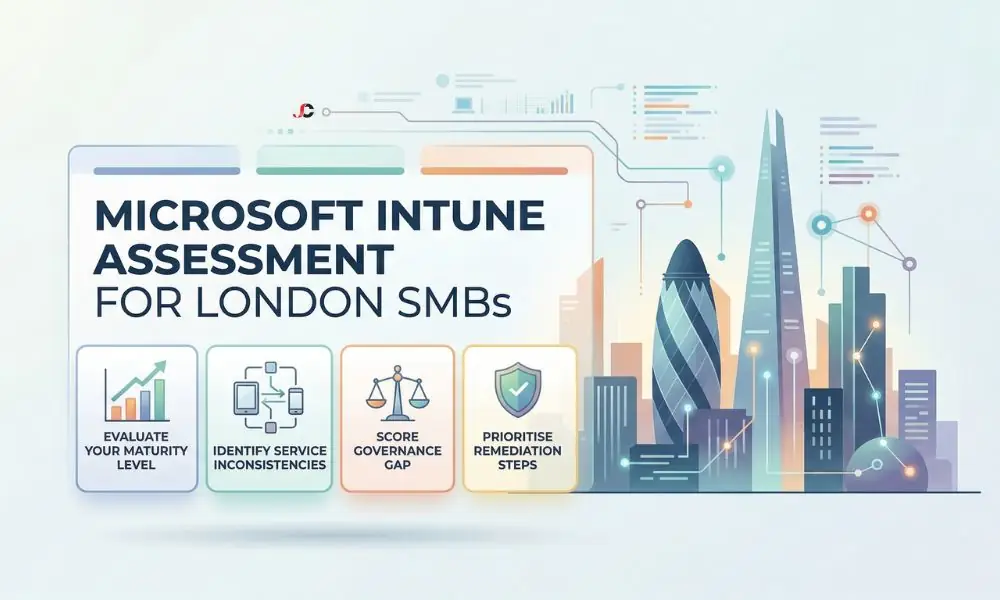
A thorough Intune service delivery assessment is vital for identifying vulnerabilities across hybrid work environments. Through such a systematic approach to assess policy targeting and governance, IT leaders can shift from merely repairing issues to automating processes. Such an assessment will help protect company information and assist in managing users’ computer hardware.
Defining the Microsoft Intune Delivery Maturity Model
Using a framework helps organisations gauge the current maturity level of their Microsoft Intune implementation compared to established industry standards. The matrix divides IT systems into three levels of maturity, namely manual, semi-automatic, and fully automatic.
Understanding these tiers empowers technology directors to prioritise remediation efforts effectively. Transitioning towards enterprise mobility and security standardisation ensures that device management aligns seamlessly with overarching compliance goals.
Level One: Ad-Hoc and Reactive Management
At this basic level, devices are normally configured manually when inexperienced staff members start working at the firm. No official Intune maturity evaluation model exists; therefore, compliance policies are either inconsistent or nonexistent. Security policies are often set by default, making the system vulnerable to external attacks.
Helpdesk teams spend excessive hours troubleshooting basic enrolment errors, such as the persistent Error Code 0x80180014 during Autopilot. Manual joiner-mover-leaver procedures make such a reactive strategy scale badly as the size of the labour force grows.
Level Two: Standardised Configuration and Compliance
Reaching the second maturity tier indicates that an organisation has established consistent configuration profiles across all endpoints. A Microsoft Intune assessment for London SMBs typically finds that these businesses enforce strict compliance policies before granting network access. Administrators leverage dynamic groups to assign applications based on specific departmental roles.
However, these environments often lack the automated reporting necessary to verify ongoing policy adherence. Engineers frequently find themselves manually chasing users whose devices enter a “Not Compliant” state due to failed BitLocker key rotation policies.
Level Three: Automated and Optimised Governance
The highest level of Intune automation maturity features complete zero-touch provisioning and self-healing configurations. Devices independently evaluate their state against corporate benchmarks and trigger automatic remediation scripts if discrepancies occur. This tier represents the pinnacle of operational efficiency for modern endpoint administration.
Organisations operating at this stage use comprehensive logging and advanced analytics to forecast potential compliance drift. They regularly review their Microsoft Intune delivery maturity to ensure alignment with evolving business requirements.
Key Assessment Criteria for Your Endpoint Strategy
An effective Microsoft Intune assessment for London SMBs demands a rigorous evaluation of specific operational metrics. Reviewers must scrutinise how efficiently the platform deploys software updates, patches, and mandatory applications. Furthermore, evaluating the granularity of role-based access controls determines whether privileged access remains appropriately restricted.
IT teams should also assess the reliability of their current device lifecycle management protocols. This can be checked against the official guidance from Microsoft Learn on Intune planning and design.
Evaluating BYOD Intune Governance and Data Protection
Integrating personal hardware into corporate networks necessitates a robust BYOD Intune governance assessment to mitigate data leakage risks. Organisations must verify that mobile application management policies adequately sandbox company information from personal applications. This ensures that a solid mobile device management framework is actively protecting sensitive assets.
Reviewers must confirm that the selective wipe capabilities function correctly and do not affect the employee’s personal data. Consulting the NCSC guidance on bring-your-own-device policies provides essential regulatory context for these specific data protection standards.
Analysing Intune Security Baseline Standardisation
It is necessary to conduct an Intune security baseline assessment to identify configuration drift and exploitable vulnerabilities. Comparing current tenant configurations with official security posture recommendations will reveal misconfigurations. Conducting a Microsoft Intune assessment of SMB organisations in London will reveal misalignments between legacy and zero-trust security practices.
Mapping these findings into a broader IT infrastructure security auditing process guarantees holistic network protection. Reviewers must audit for persistent “Conflict” or “Error” states—often caused when a new Windows 11 MDM Security Baseline overlaps with legacy Endpoint Protection policies.
How to Action Your Intune Service Delivery Assessment
Compiling the findings from a Microsoft Intune assessment for London SMBs is only the first step towards operational excellence. Technology leaders must translate the resulting scorecard into a prioritised remediation roadmap that addresses the most critical vulnerabilities immediately. Tackling high-risk compliance gaps first ensures rapid improvements to the overall security posture.
Finally, establishing a continuous review cycle prevents the endpoint environment from regressing into ad-hoc management habits. Proactive maintenance creates significant financial efficiencies, helping to optimise Microsoft 365 subscriptions across the enterprise.
What is a Microsoft Intune maturity assessment?
A maturity assessment evaluates how effectively an organisation uses Intune, going beyond basic software deployment to analyse operational procedures critically. It measures policy automation, governance structures, and baseline security alignment to identify critical service inconsistencies.
Why do London SMBs need an Intune service delivery assessment?
Endpoint management is adopted by many small and medium-sized enterprises on the surface, thus creating significant vulnerabilities regarding hardware protection and automation. An assessment of Microsoft Intune for London SMBs allows for the identification of such deficiencies in advance.
How do we measure Intune automation maturity?
Reviewers measure this by examining the reliance on manual processes versus the active usage of zero-touch deployment methodologies. The assessment also calculates the implementation rate of automated compliance routing and dynamic role-based access controls.
What role does BYOD play in an Intune governance assessment?
Assessing governance of personal devices helps ensure that corporate data is kept properly isolated from the hardware it runs on. This assessment finds the delicate balance between safeguarding corporate property and protecting employee privacy.
How often should we review our Intune delivery maturity?
It is highly recommended to assess your endpoint management maturity annually to maintain alignment with modern security standards. Businesses should also trigger immediate reviews whenever there is a significant shift in compliance requirements.
What is an Intune security baseline assessment?
This assessment evaluates current device configurations against the recommended industry-standard security baselines. This enables administrators to determine potential weaknesses, configuration changes, and non-compliance problems.