
Transitioning away from third-party hosted email solutions often presents unexpected technical challenges for businesses. Organisations frequently encounter severe GoDaddy email to Microsoft 365 migration problems when they attempt to move their infrastructure without specialised assistance. Companies seeking smooth transitions often rely on managed migration services in London to navigate these complex architectural shifts.
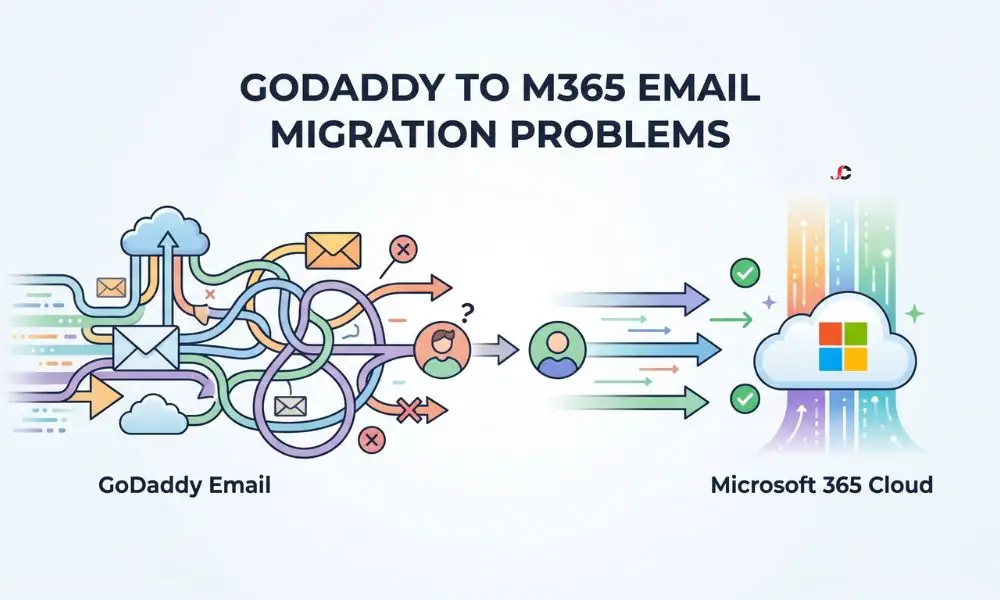
Mistakes by the administrator during this crucial stage could cause major delays and data loss. This article delves into the reasons for these delays and suggests foolproof ways of solving them.
Why GoDaddy to Microsoft 365 Migrations Go Wrong
The fundamental problem leading to these email migration challenges stems from the structure of the source environment. In the case of GoDaddy, the server acts as a syndicated application with limited administrative rights. By implementing this delegation-of-administration approach, one loses all capability to diagnose any underlying configuration issues.
Consequently, standard tenant-to-tenant migration procedures fail because the source environment does not behave like a standard Microsoft tenant. Administrators must recognise these structural deviations early to prevent catastrophic failures during the cutover phase.
The Hidden GoDaddy Tenant Trap
Many businesses do not realise that GoDaddy provisions a hidden Microsoft tenant running exclusively in the background. When organisations attempt to purchase direct Microsoft 365 subscriptions, they find their primary domain is already associated with this concealed infrastructure. This invisible association explicitly blocks the creation of a new, independent commercial tenant using the same domain name.
Businesses must systematically dismantle the syndicated environment before they can establish a native connection. Failure to execute this dismantling sequence correctly will result in prolonged email disruption.
Domain Verification and Defederation Hurdles
The hardest technical issue to resolve during this migration is the defederation of the domain. The identity federation connection between GoDaddy and Microsoft should be terminated completely; the necessary information is provided in the Microsoft Exchange Online migration documentation. The removal of this federation binding must be performed through proper PowerShell execution to free the domain from syndication. To unbind the federation, one must use a PowerShell script. This process can be accomplished by logging in using MS Online and executing the command Remove-MsolDomainFederationSettings.
If administrators attempt to verify the domain in the target tenant before fully severing these ties, the system will generate persistent error codes. These verification failures represent one of the most frequent problems migrating GoDaddy email to Microsoft 365 that internal IT teams encounter.
Autodiscover Issues and Mailbox Profile Confusion
Local caching issues may cause major disruptions after the cutover process. The desktop-based mail client may retain outdated Autodiscover information, preventing it from identifying the newly created Exchange Online settings. The DNS cache stores the information that results in no traffic whatsoever, leading to communications failures.
Besides, current Outlook profiles are easily corrupted if the server identity is changed suddenly without warning. All endpoints must perform manual profile rebuilding to ensure a smooth connection to the new mailboxes.
Overcoming Legacy Control Limitations
Navigating the proprietary management dashboard presents a significant operational hurdle for technical teams. The graphical user interface of the system intentionally masks routing details, security transport configurations, and trace logs. This lack of transparency directly contributes to escalating GoDaddy email to Microsoft 365 migration problems when troubleshooting complex mail flow errors.
Bypassing these limitations requires advanced scripting techniques to extract necessary user data and diagnose routing failures. Engineers must utilise the Exchange Online PowerShell V3 module (EXO V3) to run Get-MessageTrace manually, bypassing the restricted graphical interface to identify exact mail flow bottlenecks.
Dealing with User Sign-In and Password Sync Errors
The failure of identity synchronisation will be frequent in these environments. Since the source environment is the controlling identity provider, users’ credentials cannot be seamlessly transferred to the independent target environment. Users will experience persistent authentication loops if administrators do not reset and distribute new credentials synchronously with the final cutover.
Resolving these authentication loops quickly is critical to maintaining workforce productivity during the transition window. Retaining access to dedicated Office 365 support ensures that helpdesk technicians can immediately address these credential mismatches as they arise.
Addressing Multi-Factor Authentication Resets
The migration of a native tenant nullifies all previously set up multi-factor authentication tokens. The end users will need to re-enrol in the authenticator application. Failing to communicate the importance of this task can lead to panic within the organisation.
IT departments must enforce strict security policies during this vulnerable re-registration phase to prevent credential interception. Linking these protocols to the UK National Cyber Security Centre’s official guidance on cloud security will help ensure the safety of company data from unauthorised access.
Mail Flow Checks and Post-Migration Data Loss
Prematurely updating Domain Name System records is a primary cause of post-migration data loss. If administrators alter the Mail Exchanger records before the target mailboxes are fully provisioned, inbound correspondence will bounce back to the sender. This specific timing failure highlights why GoDaddy email to Microsoft 365 migration problems are inherently risky for commercial operations.
Technical teams need to perform full mail flow validation tests right after the DNS propagation period ends. Message trace logs from the new native environment prove that the routing works perfectly.
How to Prevent Microsoft 365 Email Migration Errors
Successful transitions require meticulous preparation, aggressive timeline management, and comprehensive data backup protocols. Administrators need to note down the correct order of defederation, synchronisation, and manipulation of DNS before implementing any changes. Proactive planning isolates potential failure points and dramatically reduces the risk of encountering critical GoDaddy email to Microsoft 365 migration problems.
External expertise adds another layer of security and strategy for more intricate enterprise-level deployments. Securing expert Office 365 consultancy ensures that businesses bypass legacy restrictions and establish a robust, fully compliant communication platform.
What is the most common GoDaddy Microsoft 365 mailbox problem?
The most prevalent issue is domain defederation failure during the initial setup phase. The proprietary environment locks the custom domain to a hidden background tenant, preventing administrators from easily registering it in the native portal.
How long does it take to release a domain from GoDaddy?
Removing the domain from the syndicated environment can take anywhere from a few hours to several days. Technical teams must meticulously account for this global replication delay during their initial project planning.
Will I lose emails during the GoDaddy to Microsoft 365 email cutover?
Data loss is completely avoidable if the transition is executed systematically and carefully. Administrators must ensure all Mail Exchanger records point to the correct destination only after the final delta synchronisations are finished.
Why does Outlook keep prompting for my old GoDaddy password?
This authentication loop occurs because the desktop client is caching legacy Autodiscover configuration records. IT support professionals must clear the local Windows credential manager and force a completely new profile to be created.
Do I need to change my MX records before or after the migration?
You must synchronise all historical mailbox data before you change the routing records. Modifying the Mail Exchanger records is the absolute last step to redirect live traffic to the new infrastructure.
How do I fix GoDaddy Microsoft 365 DNS issues post-migration?
You must log directly into your domain registrar portal and explicitly remove all legacy syndicated text records. Subsequently, you must publish the exact standard records provided by the native Microsoft administration centre.
Can I migrate my emails without cancelling my GoDaddy subscription first?
You cannot successfully verify your domain in a native tenant while the active syndicated subscription holds the federation lock. You must precisely coordinate the cancellation and the domain release to prevent prolonged business outages.