
The New Catalyst for a Google Workspace to Microsoft 365 Migration for Copilot
Artificial intelligence has fundamentally altered how enterprises evaluate their technology infrastructure in the current business climate. The need to embed advanced generative capabilities directly into daily workflows often requires migrating from Google Workspace to Microsoft 365 to prepare for Copilot. Business leaders now recognise that a robust artificial intelligence strategy requires an underlying ecosystem capable of unifying fragmented datasets.
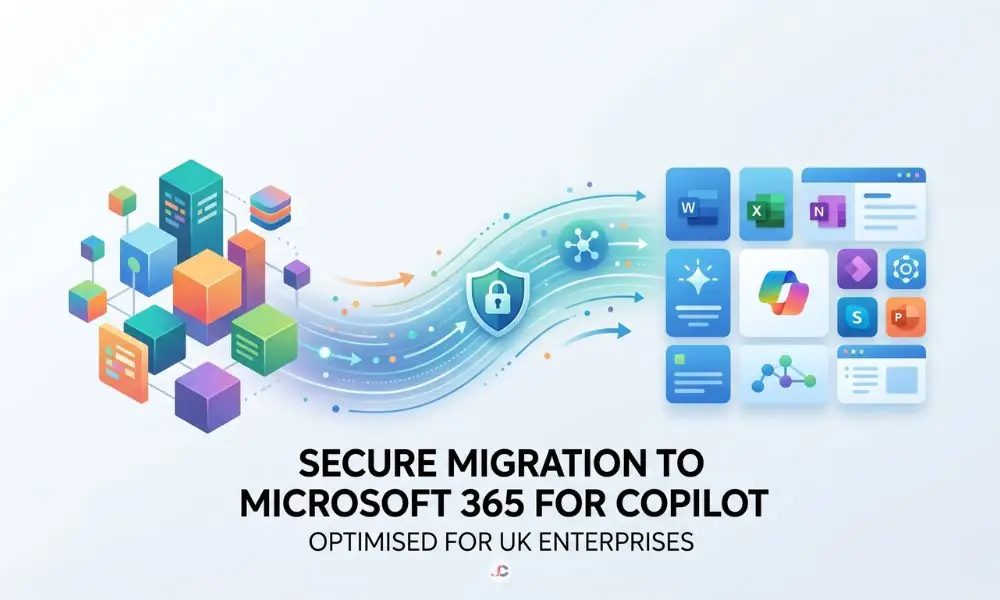
As decision-makers evaluate their options, adopting Microsoft 365 Copilot for business emerges as a primary objective for enhancing productivity. The platform is equipped with highly advanced data orchestration features that go beyond simple automation by ensuring contextual awareness across the entire enterprise directory.
M365 Copilot vs Google Gemini in Day-to-Day Business
When assessing these AI-based assistants, the most crucial point of difference lies in how these systems have been architecturally integrated and aligned with workflows. Copilot uses the Semantic Index and Microsoft Graph to securely access enterprise information. Conversely, while Google Gemini integrates natively within its browser-based Workspace apps, it currently lacks the deep, cross-tenant architectural grounding that Microsoft provides. Copilot’s true advantage is its ability to cross-reference a Word document instantly, an Outlook email thread, and a Teams meeting simultaneously via the Microsoft Graph.
This distinction in application constructive collaboration is precisely why many modern enterprises consider a targeted Google Workspace to Microsoft 365 migration for Copilot. The professionals need an AI system that can handle complex spreadsheets, draft full-fledged offline reports, and summarise meetings in one go. This is where Microsoft’s system’s capability to integrate its AI with practical, application-specific information stands out.
Integration Across Desktop and Cloud Workspaces
One unique feature of Copilot is its deep integration into the rich, locally installed desktop applications that professionals prefer. Thus, employees will have the opportunity to use AI through the same programs they already know and love — such as Word, Excel, and PowerPoint — instead of being forced to use a browser-only interface. Although both Copilot and Google Gemini rely on Internet access to function properly, Microsoft provides better integration.
Security and Compliance Capabilities for AI
The security of enterprise data is critical when implementing Generative Artificial Intelligence within an organisation’s ecosystem. Microsoft 365 takes into consideration all compliance, sensitivity, and retention policies while building the Copilot feature. The existence of a regulatory framework is a relief to IT professionals and other business people operating under highly regulated regimes such as the UK GDPR. By adhering to ICO regulations and maintaining effective data residency policies, Microsoft can ensure that all its data is fully compliant.
To understand the specific administrative prerequisites, technical teams should review the official Microsoft 365 Copilot setup documentation before initiating project plans. The strict implementation of these security measures is sure to prevent any sensitive data from being exposed to unauthorised access.
Solving the UK SME Hybrid Work Challenge
Small and medium enterprises throughout the UK face challenges in managing their hybrid workforce due to offices in London and their respective remote locations. Such organisations need communication tools that help ensure a smooth flow of communication for workers with potentially fluctuating internet access. With Microsoft’s range of desktop applications, artificial intelligence is accessible regardless of physical work location.
Addressing the challenges posed by geography and technology can sometimes make a complete transition from Google Workspace to Microsoft 365 worthwhile for Copilot. By using Teams and smart assistants integrated into their processes, companies can close the operational divide between in-person and telecommuting workers.
Why Copilot Readiness Starts Before the Migration
Approaching a Google Workspace to Microsoft 365 migration for Copilot requires meticulous preparation, long before any data is transferred. AI helpers function according to the specific level of access rights that each account possesses. Neglecting to account for current data permissions can result in the unintentional disclosure of sensitive human resources and finance-related documentation to all employees.
This scenario highlights the absolute necessity of conducting thorough data hygiene audits and planning a secure data migration in London alongside qualified professionals. This will require organisations to devote effort to identifying overshared directories, eliminating outdated documents, and implementing stringent role-based access controls.
The Crucial Role of Permissions Cleanup
Oversharing is the most significant security risk when deploying generative artificial intelligence platforms within corporate networks. A thorough permissions audit entails auditing the current Google Drive environment for public URLs and wide-ranging permission groups. Remedying such vulnerabilities is necessary to ensure that only authorised users can access critical information through smart prompts.
Restructuring Data for Accurate AI Context
Just transferring a messy file structure from one system to another reduces the efficiency of the cognitive assistance software. The administrator should flatten deeply layered folders and establish metadata tagging to provide the proper semantic meaning for the artificial intelligence. Optimising and restructuring your SharePoint Online environment is critical to enabling swift, relevant data retrieval.
A well-architected data landscape is the foundation of a successful Google Workspace to Microsoft 365 migration for Copilot. If the underlying information architecture is rational and appropriately labelled, the generative assistant will be able to produce intelligent reports and answers without delay.
Planning Your Secure Migration Path
The smooth transition of the infrastructure will require an organised, systematic process to ensure no disruption. The technical migration plan will start with the discovery phase, followed by synchronisation and piloting before the cutover. In addition, engineers need to choose the right tools that will assist them, such as the native Microsoft 365 Migration Manager or enterprise-grade third-party solutions. It would be essential for the technical team members to keep in mind a few practical considerations, including API throttling on weekends and appropriate file conversion mappings from Google Drive to SharePoint Online. It is important to establish communication protocols to help prepare users for their relocation to the new virtual world.
Next Steps for Your AI Journey
Moving your productivity platform requires careful planning and advanced technical expertise to ensure everything goes smoothly. Engaging with an expert Microsoft 365 consultancy provides the guidance needed to align your technology infrastructure with your long-term artificial intelligence objectives. These individuals possess the knowledge base necessary to handle complicated architectures as well as compliance concerns.
Moreover, maintaining peak performance requires ongoing care even beyond the initial implementation phase. Partnering with a reliable provider for ongoing Microsoft 365 IT support guarantees that your hybrid workforce remains productive and your intelligent assistants operate securely. Taking these deliberate steps ensures that transitioning from Google Workspace to Microsoft 365 for your Copilot deployment delivers transformative business value.
Why is artificial intelligence driving businesses to migrate?
Organisations are turning to Microsoft 365 Copilot because it integrates natively with rich desktop applications, offering a more robust and familiar assistant than purely web-based tools. Through such an integration, the software can handle complicated documents and spreadsheets on the computer.
What is the primary difference in daily tasks between the platforms?
Copilot functions seamlessly across locally installed applications and cloud services, using the Microsoft Graph to securely contextualise enterprise data. Google Gemini is highly effective for drafting and research, but it remains primarily confined to web-based interactions.
Why must we clean up data permissions first?
Copilot surfaces information strictly based on existing user permissions, meaning legacy data with broad access could inadvertently expose sensitive internal documents. A pre-migration audit ensures that users see only the data they are authorised to view.
Does Microsoft 365 better support a hybrid workforce in the United Kingdom?
Microsoft 365 excels in hybrid environments by offering robust offline applications and centralised communication through Teams. This ensures that remote staff remain securely connected and productive even when internet speeds fluctuate.
How long does an artificial intelligence-focused data migration take?
The timeline depends entirely on data volume and the complexity of permissions and often requires several weeks of discovery and cleanup before the transfer begins. Rushing this phase significantly increases the risk of post-migration security breaches.
Will our legacy folder structures remain intact?
Your structures can be mapped accurately, but transitioning presents the perfect opportunity to flatten hierarchies for better artificial intelligence retrieval. Flatter structures heavily reliant on metadata allow Copilot to discover and synthesise information much faster.