
SharePoint customisation for law firms refers to the process of configuring Microsoft SharePoint Online to meet the specific requirements of legal practices. Legal work involves complex case structures, strict confidentiality, and regulatory compliance, which generic document management systems often struggle to address fully. Through customisation, SharePoint becomes a centralised platform designed to support efficient, secure, and fully compliant legal operations.
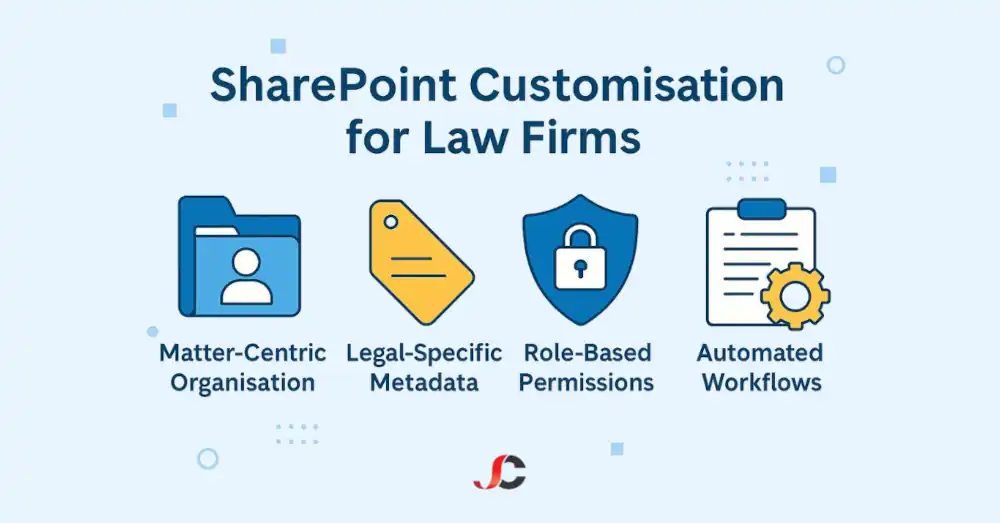
Key elements of SharePoint customisation for law firms include:
- Organising documents by client, legal matter, and case stage.
- Applying legal-specific metadata and taxonomies.
- Establishing role-based permissions and ethical walls.
- Implementing version control and audit trails.
- Automating legal workflows.
By tailoring SharePoint to fit legal case management processes, law firms can reduce administrative burden, mitigate risk, and enhance overall productivity. This risk reduction can instil a sense of security and confidence in the firm’s operations.
Why it matters for London SMB law firms:
In London, small and medium-sized legal firms face unique challenges. They manage vast stores of client-sensitive information while navigating strict data protection laws such as GDPR. Relying on basic file storage systems often results in disorganised files, inconsistent document handling, and heightened compliance risks. Customising SharePoint Online provides a tailored solution to these specific legal sector challenges.
- Improved case management: Documents are logically organised by client and matter, enabling quicker retrieval and better oversight.
- Enhanced collaboration: Legal teams can work simultaneously on shared documents, both in-office and remotely, with complete version control confidence.
- Compliance assurance: Legal holds, retention policies, and audit logs ensure adherence to strict regulatory standards.
- Data security: Encryption, ethical walls, and granular permissions safeguard sensitive client information.
- Operational efficiency: Automating routine tasks allows legal professionals to dedicate more time to client services.
For London SMB law firms, SharePoint customisation offers a robust, scalable platform that supports secure, compliant, and efficient legal operations.
The MSP advantage: Server Consultancy’s role in optimising SharePoint Online:
While SharePoint Online offers a comprehensive platform, effective customisation requires specialised expertise to address the legal sector’s unique demands. This is where a Managed Service Provider (MSP) like Server Consultancy adds significant value.
Server Consultancy supports law firms in implementing SharePoint customisation for law firms by:
- Designing site structures aligned with legal matter management.
- Configuring metadata, content types, and permissions.
- Integrating with Microsoft Teams, OneDrive, and AI-powered legal tools.
- Implementing governance frameworks and security protocols.
- Providing ongoing training, technical support, and optimisation.
With Server Consultancy’s guidance, London SMB law firms can fully realise the benefits of SharePoint customisation, creating a secure, compliant, and highly efficient digital legal workspace.
The Business Case for SharePoint Customisation:
Usual challenges faced by law firms:
The legal sector is governed by rigorous regulations, where maintaining precision, protecting sensitive information, and meeting compliance obligations are essential. Managing growing volumes of sensitive client data and complex legal matters often exposes several operational challenges.
- Inefficient case management: Without a structured system, legal teams struggle to organise, track, and retrieve case files, correspondence, and evidence quickly and accurately.
- Fragmented document collaboration: Documents are often stored in multiple locations or systems, resulting in version conflicts, duplication, and delays in decision-making.
- Compliance risks: Legal practices face stringent regulatory demands, such as those imposed by the GDPR, necessitating ongoing compliance. Without comprehensive audit trails, version histories, and access controls, firms face heightened regulatory and reputational risks.
Why standard SharePoint configurations fall short for legal operations:
Microsoft SharePoint Online offers a solid foundation for document management and collaboration. However, its standard configuration is designed for general business needs, which do not fully address the specific requirements of legal firms.
- Lack of matter-centric organisation.
- Absence of legal-specific metadata and taxonomy structures.
- Limited default workflows are suited for complex legal processes.
- Insufficient permission granularity to enforce ethical walls and client confidentiality.
- Generic retention policies that may not align with legal hold obligations.
How customisation directly resolves these sector-specific issues:
SharePoint customisation for law firms transforms SharePoint Online into a fully tailored legal platform capable of meeting the unique operational, compliance, and security needs of legal practices.
- Matter-centric structure: Legal matters are organised by client and case, providing clear visibility and fast document retrieval.
- Legal-specific metadata: Custom taxonomies ensure precise document classification, making search and reporting more accurate and efficient.
- Advanced permissions: Role-based access controls and ethical walls protect client confidentiality and restrict access to sensitive information.
- Automated legal workflows: Customised workflows streamline processes such as document intake, review cycles, approvals, and archiving.
- Compliance support: Built-in features include legal holds, retention policies, audit trails, and reporting tools, ensuring full regulatory compliance.
Through SharePoint customisation for law firms, legal practices can confidently manage complex operations while reducing risk and improving overall efficiency.
Key Objectives of SharePoint Customisation for Law Firms:
The goal of SharePoint customisation for law firms is to adapt SharePoint Online to the exact operational and compliance requirements of legal practices, rather than merely implementing new technology. SharePoint customisation for law firms focuses on achieving several core objectives that directly support secure, efficient, and compliant legal practice management.
Matter-centric structure with tailored metadata and taxonomy:
Legal firms manage vast quantities of documents that must be accurately categorised and easily retrievable. A matter-centric structure ensures that all documents are logically organised under each client and corresponding legal matter.
- Clear organisation: Documents are stored according to client, matter, and case stage, enabling efficient navigation and management.
- Custom metadata: Including legal-specific fields such as matter type, authority, and filing status, enables precise classification.
- Consistent taxonomy: Standardised terms and classifications ensure consistency across the entire document library.
Secure, role-based permissions and ethical walls:
Law firms handle highly confidential information that must be protected at every level. SharePoint customisation for law firms allows granular control over who can access specific documents and matter files.
- Role-based permissions: In SharePoint customisation for law firms, access levels are set according to specific roles, including partners, solicitors, paralegals, and administrative users, ensuring secure, role-based control.
- Ethical walls: Barriers are established to prevent unauthorised access to sensitive client matters, ensuring confidentiality and compliance with professional standards.
- Controlled sharing: External sharing options are carefully managed to protect client confidentiality while enabling authorised collaboration.
Version control, retention policies, and full audit trails:
Maintaining accurate records and tracking document changes is crucial for ensuring legal compliance and effective risk management.
- Version control: Every document change is tracked, allowing users to access previous versions when necessary.
- Retention policies: Customised retention schedules ensure documents are preserved or disposed of according to legal and regulatory obligations.
- Audit trails: Detailed logs record user activity, providing a complete history of document access, modifications, and approvals.
Workflow automation to reduce manual legal processes:
Legal processes often involve multiple stages of document handling, approvals, and reviews. SharePoint customisation for law firms enables the automation of these processes, improving efficiency and reducing administrative workload.
- Automated workflows: Common tasks such as document intake, review, approval, and archiving are streamlined through automation.
- Notifications and reminders: Built-in alerts ensure deadlines are met and tasks are completed promptly.
- Consistent processes: Standardised workflows help maintain consistency across all cases and matters.
By focusing on these key objectives, SharePoint customisation for law firms creates a secure, compliant, and highly efficient platform that supports the complex operational demands of legal practices.
Technical Components of a Customised SharePoint Solution:
Effective SharePoint customisation for law firms requires a carefully planned technical framework that reflects the unique structure and workflow of legal operations. The technical components form the foundation upon which security, compliance, and efficiency are built.
Designing the site architecture: client and matter-based sites, libraries, document sets:
A well-structured SharePoint environment ensures that documents are stored logically, reducing complexity and improving accessibility for legal professionals.
- Client and matter-based sites: Each client is assigned a dedicated site, with individual matter sites created for each legal case or project.
- Document libraries: Documents are organised within specific libraries that reflect key stages of the legal process, such as intake, discovery, pleadings, and closing.
- Document sets: Related documents within a matter are grouped into document sets, allowing teams to manage bundles of files as a single unit for easier access and version control.
Metadata configuration for efficient legal document management:
Metadata plays a critical role in legal document management by enhancing searchability, consistency, and classification accuracy across large volumes of information.
- Custom metadata fields, such as legal-specific fields like matter number, case type, authority, client name, and document status, enable precise categorisation.
- Standardised taxonomy: Controlled vocabularies ensure that all users classify documents consistently, reducing duplication and confusion.
- Enhanced search functionality: Metadata-driven search enables legal professionals to quickly locate documents based on relevant legal criteria.
Permissions design for partners, solicitors, clients, and third parties:
Controlling access to sensitive legal information is crucial for maintaining client confidentiality and fulfilling ethical obligations. SharePoint customisation for law firms enables the creation of detailed permission models, ensuring that only authorised users can access specific information.
- Role-based access: Permissions are assigned based on clearly defined roles, ensuring that partners, solicitors, paralegals, administrative staff, and external parties have appropriate access levels.
- Ethical walls: Restrictions are applied to prevent conflicts of interest by limiting access to specific client or matter files.
- Secure external sharing: Access for third parties, such as expert witnesses or co-counsel, can be granted securely with time-limited or restricted permissions.
By implementing these technical components, SharePoint customisation for law firms delivers a highly organised, secure, and scalable platform that fully supports legal practice management while ensuring strict compliance with regulatory and ethical standards.
Streamlining Legal Workflows with Automation:
Legal processes often involve multiple stages of document handling, reviews, approvals, and compliance checks. Without proper workflow automation, these processes can become time-consuming, error-prone, and administratively burdensome. SharePoint customisation for law firms enables automation of these critical workflows, helping legal teams improve efficiency, reduce manual effort, and ensure consistent outcomes.
Workflow examples: intake forms, document approvals, and billing processes:
Automating routine legal tasks enables law firms to concentrate on client service rather than administrative tasks.
- Intake forms: Client information, case details, and required documentation are collected through automated digital forms, which reduce paperwork and streamline the onboarding process.
- Document approvals: Draft contracts, pleadings, or agreements move through defined approval stages, with automated notifications prompting timely reviews and signoffs.
- Billing processes: Time recording and billing workflows ensure accurate and consistent invoicing, linking billable hours directly to specific matters.
Power Automate integration: triage, reviews, e-signatures, archiving:
By integrating Microsoft Power Automate into SharePoint customisation for law firms, legal teams can automate complex multi-step processes with ease.
- Triage automation: New matters are automatically assigned to appropriate legal teams based on predefined criteria such as authority or practice area.
- Review processes: Documents are reviewed through a structured set of stages, with automated routing and task assignments.
- E-signature integration: Agreements and legal documents can be signed electronically, accelerating contract execution while maintaining full compliance.
- Archiving workflows: Closed matters are automatically archived by retention policies, ensuring compliance with regulatory obligations.
Notifications, alerts, and deadline management:
Legal matters often involve strict deadlines. Automated alerts and reminders help legal teams stay on track.
- Task notifications: Team members receive alerts when actions are required, ensuring that no steps are missed.
- Deadline reminders: Upcoming court dates, filing deadlines, or contract renewals trigger automated reminders.
- Escalation alerts: Missed deadlines or overdue tasks automatically escalate to supervisors for prompt resolution.
By integrating workflow automation into SharePoint customisation for law firms, legal practices can achieve greater consistency, accuracy, and speed across all their operations while maintaining complete control over compliance and risk management.
Enhancing Collaboration and User Experience:
For legal teams, seamless collaboration and an intuitive user experience are essential for efficient daily operations. SharePoint customisation for law firms enables legal professionals to collaborate securely, access information easily, and work productively from any location, while maintaining full compliance with regulatory obligations.
Integration with Microsoft Teams, OneDrive, and AI-powered tools:
Integrating SharePoint with other Microsoft 365 tools allows legal teams to collaborate effectively across various platforms.
- Microsoft Teams integration: Instead of switching between different applications, legal professionals can review documents, discuss matters, and hold online meetings all directly within Teams.
- OneDrive integration: Personal document storage synchronises with SharePoint libraries, enabling seamless file access across devices while maintaining centralised control.
- AI-powered tools: Advanced AI features assist with document tagging, search optimisation, contract analysis, and predictive legal insights, improving decision-making and reducing manual research time.
Secure remote access for mobile legal professionals:
In today’s flexible working environment, legal professionals need reliable access to critical case information from any location without compromising security.
- Cloud-based accessibility: SharePoint customisation for law firms ensures that authorised users can securely access case files from any device, including office desktops, laptops, tablets, or mobile devices.
- Data encryption: Client data remains protected at all times through encryption, whether in transit or stored remotely.
- Multi-factor authentication (MFA): Additional security measures safeguard against unauthorised access while allowing convenience for remote users.
Optimising user experience: branding, navigation, and quick-access features:
A well-designed SharePoint environment not only improves efficiency but also enhances user satisfaction by creating a familiar and professional interface.
- Branding: Through SharePoint customisation for law firms, tailored branding elements, such as logos and colours, deliver a consistent, professional interface firm-wide.
- Simplified navigation: Clear menus, intuitive site structures, and quick links enable legal teams to locate information quickly with minimal training.
- Quick-access features: SharePoint customisation for law firms ensures that frequently accessed documents, templates, and legal tools are readily available, streamlining routine workflows.
By focusing on collaboration and user experience, SharePoint customisation for law firms supports more efficient working practices, enabling legal professionals to collaborate securely and work productively from anywhere.
Meeting Legal Security and Compliance Standards:
Legal practices are required to operate under strict security and regulatory frameworks to protect client confidentiality and ensure compliance with professional standards and ethics. SharePoint customisation for law firms enables law firms to meet these obligations by embedding comprehensive security controls and compliance measures directly into the platform.
GDPR, ISO standards, legal hold, and retention policies:
SharePoint customisation for law firms supports complete alignment with legal and regulatory standards, ensuring that client data is handled responsibly and in compliance with the law.
- GDPR compliance: Client personal data is managed in accordance with GDPR principles, ensuring lawful processing, data minimisation, and secure storage.
- ISO standards: SharePoint can be configured to support ISO 27001 and related information security standards, reinforcing best practice across the legal firm’s operations.
- Legal hold capabilities: Documents involved in ongoing litigation or investigations are preserved automatically, preventing accidental deletion or modification.
- Retention policies: Custom retention schedules ensure documents are retained for required periods and securely disposed of when no longer needed.
Encryption, access controls, ethical walls, and audit logs:
SharePoint customisation for law firms applies robust security protocols to limit access to confidential legal data exclusively to authorised personnel, maintaining client privacy throughout every process.
- Encryption: Sensitive information is secured through encryption applied during both transmission and storage, preventing unauthorised interception or access.
- Access controls: Role-based permissions limit access to specific documents or matter files according to user responsibilities.
- Ethical walls: Confidentiality barriers are implemented to prevent unauthorised access to information that could create conflicts of interest.
- Audit logs: All user activity is recorded, creating a complete audit trail that supports compliance reporting and internal governance.
Ongoing monitoring with SharePoint reporting features:
Continuous monitoring and reporting ensure that security and compliance standards are maintained over time.
- Compliance dashboards: SharePoint reporting tools provide real-time visibility into document access, permissions, and retention status.
- Proactive alerts: Notifications can be configured to flag unusual activity or potential security breaches for immediate investigation.
- Regular reviews: Periodic compliance reviews ensure that policies remain aligned with evolving regulatory requirements and firm practices.
By embedding robust security and compliance controls into SharePoint customisation for law firms, legal practices can confidently manage sensitive client data, meet regulatory obligations, and protect their reputation.
Governance and Ongoing Management:
For SharePoint customisation for law firms to remain secure, efficient, and legally compliant, effective governance must be consistently applied and maintained. Governance frameworks provide clear policies, controls, and procedures to manage the long-term stability and sustainability of the SharePoint environment.
Governance policies: site lifecycle, archival, sprawl prevention:
Without proper governance, SharePoint environments can quickly become disorganised, increasing security risks and reducing operational efficiency. SharePoint customisation for law firms addresses these risks through defined governance policies.
- Site lifecycle management: Clear policies govern the creation, maintenance, and decommissioning of client and matter sites, preventing unnecessary growth and ensuring relevance.
- Archival procedures: Closed matters and inactive files are archived in accordance with defined retention policies, ensuring long-term storage remains compliant and manageable.
- Sprawl prevention: Governance controls limit uncontrolled site and folder creation, maintaining a streamlined, organised structure that supports efficient document management.
MSP-led governance frameworks for London SMBs:
Implementing and maintaining governance policies requires ongoing oversight and technical expertise. A Managed Service Provider (MSP) plays a vital role in supporting London small to medium-sized businesses (SMBs) with SharePoint customisation.
- Policy development: The MSP collaborates with legal leadership to establish governance policies that reflect the firm’s specific operational and compliance needs.
- Technical enforcement: Automated controls and configurations are implemented to consistently enforce policies across the SharePoint environment.
- Regular governance reviews: The MSP conducts periodic assessments to ensure governance policies remain effective as the firm’s needs and regulatory landscape evolve.
Staff training, onboarding, and continuous change management:
Even the most advanced SharePoint solution requires well-trained users who understand how to follow processes and use the system effectively. SharePoint customisation for law firms includes comprehensive support for staff education and ongoing adaptation.
- Training programmes: Structured training ensures all users understand how to navigate the system, follow workflows, and comply with firm policies.
- Onboarding support: Inexperienced staff receive tailored onboarding, enabling them to become productive quickly while adhering to established governance standards.
- Change management: As legal processes or technology evolve, continuous training and communication ensure that users adapt smoothly to new features and updated procedures.
With strong governance and ongoing management, SharePoint customisation for law firms delivers lasting operational stability, consistent compliance, and sustained efficiency for London small to medium-sized businesses (SMBs).
Strategic Benefits for London SMB Law Firms:
Investing in SharePoint customisation for law firms offers long-term strategic advantages for small and medium-sized legal practices in London. By aligning technology with the specific demands of legal operations, firms can achieve greater efficiency, security, and scalability while maintaining full compliance with regulatory obligations.
Improved team collaboration across offices and remote work:
Modern theming solutions enable legal teams to operate across multiple offices, client locations, and remote working environments. SharePoint customisation for law firms ensures seamless collaboration, regardless of physical location.
- Centralised document access: All authorised team members can access the same up-to-date documents from any location, eliminating duplication and confusion.
- Real-time collaboration enables multiple users to work on a single document concurrently, with every edit tracked, and version control preserving document integrity.
- Integrated communication: Microsoft Teams integration allows legal professionals to collaborate, share updates, and hold virtual meetings directly within the platform.
Simplified compliance with reduced legal risk:
SharePoint customisation for law firms supports full compliance with legal standards, securing client interests and protecting the firm’s reputation. SharePoint customisation for law firms embeds compliance features directly into everyday workflows.
- Automated compliance controls, including retention policies, legal holds, audit trails, and ethical walls, operate automatically to support regulatory obligations.
- Reduced risk exposure: Accurate audit records and controlled access permissions minimise the chance of unauthorised access or data breaches.
- Regulatory readiness: The system provides comprehensive reporting capabilities, simplifying internal audits and external regulatory reviews.
Scalable, cost-effective solution backed by expert MSP support:
As law firms grow or adjust to changing business needs, SharePoint customisation for law firms provides a flexible platform that can scale easily without incurring excessive costs or disruption.
- Scalable architecture: New client matters, additional users, and evolving processes can be integrated into the system without complex redevelopment.
- Cost efficiency: Administrative tasks are significantly reduced through automation, while adopting cloud-based infrastructure eliminates reliance on costly, space-consuming hardware installations.
- Expert MSP support: Ongoing technical expertise from a Managed Service Provider ensures continuous optimisation, governance, and alignment with evolving legal requirements.
By adopting SharePoint customisation for law firms, London SMB law firms gain a secure, compliant, and highly efficient digital platform that fully supports their legal practice, both now and as the firm continues to grow.
Why Choose Server Consultancy:
Implementing SharePoint customisation for law firms requires more than technical configuration; it demands sector-specific expertise, ongoing support, and a deep understanding of legal operations. Server Consultancy offers London SMB law firms a trusted partnership to design, deliver, and maintain a fully optimised SharePoint environment.
Server Consultancy is the best IT support company in London, trusted by legal firms for secure, compliant, and efficient technology solutions.
Sector expertise in SharePoint legal document management:
Legal document management presents unique challenges that differ from standard business processes. Server Consultancy brings specialist knowledge of legal workflows, compliance standards, and confidentiality requirements.
- Tailored solutions: SharePoint environments are designed to reflect the structure and complexity of legal matter management.
- Legal-specific configurations: Document structures, permissions, and metadata are explicitly configured to address the unique operational requirements of legal teams.
- Compliance-driven design: Solutions for all SharePoint are built with GDPR, legal hold, audit trail, and retention policies fully integrated from the outset.
Dedicated MSP support for London SMBs:
As a Managed Service Provider with extensive experience supporting London’s small to medium-sized law firms, Server Consultancy provides the ongoing support and expertise necessary to maintain operational excellence.
- Proactive monitoring: Systems are continually reviewed to ensure ongoing performance, security, and compliance.
- Responsive technical support: Any issues are addressed promptly by a dedicated support team with specialised knowledge in the legal sector.
- Continuous improvement: Regular reviews identify opportunities to refine workflows, improve processes, and implement system enhancements.
Integration of AI-powered Microsoft cloud tools for legal efficiency:
Server Consultancy leverages advanced Microsoft cloud technologies to maximise the benefits of SharePoint customisation for law firms.
- AI-powered search: Intelligent search capabilities enable legal professionals to quickly and accurately locate relevant documents.
- Document analysis: AI tools help identify key clauses, suggest contract revisions, and assist with legal research.
- Process automation: AI-driven automation enables the more efficient handling of repetitive administrative tasks, allowing legal teams to focus on delivering exceptional client service.
With Server Consultancy’s expertise and ongoing support, London SMB law firms can confidently deploy SharePoint customisation as a secure, compliant, and highly efficient foundation for modern legal practice.
Conclusion & Call to Action:
SharePoint customisation for law firms offers a comprehensive solution that transforms how legal practices manage documents, collaborate, and maintain compliance. By tailoring SharePoint Online to reflect the specific operational, regulatory, and security needs of legal teams, firms can achieve measurable improvements in efficiency, risk management, and client service.
Summary of key outcomes:
- Improved case management: Clear organisation of client and matter files enables faster document retrieval and better oversight.
- Enhanced collaboration: Legal teams work together efficiently across offices and remote locations, with secure, real-time access to documents.
- Stronger compliance: Automated retention policies, legal holds, and detailed audit trails support full regulatory compliance.
- Robust security: Encryption, ethical walls, and granular permissions protect sensitive client information.
- Operational efficiency: By automating workflows, manual tasks are minimised, enabling legal professionals to concentrate on their core legal responsibilities.
Invitation to explore a customised SharePoint solution:
Every legal practice has unique operational challenges and compliance obligations. SharePoint customisation for law firms can be designed to address your firm’s exact needs, creating a scalable and secure platform that evolves in tandem with your business.
Server Consultancy is ready to help you explore how a fully customised SharePoint solution can support your legal operations, simplify compliance, and enhance client service.
Next steps for London SMB law firms:
- Schedule a consultation: Speak with our SharePoint experts to assess your firm’s current systems and requirements.
- Review tailored recommendations: Receive a customised solution plan aligned with your firm’s size, structure, and long-term goals.
- Begin your SharePoint transformation by Partnering with Server Consultancy, the leading IT support company in London, to implement a secure, compliant, and efficient legal document management system.
With expert support, SharePoint customisation for law firms provides the foundation for long-term success in today’s demanding legal landscape.
What is SharePoint customisation for law firms?
SharePoint customisation for law firms refers to the process of tailoring Microsoft SharePoint Online to meet the specific needs of the legal sector. Instead of using SharePoint’s default business settings, law firms can customise site structures, permissions, metadata, and workflows to fit legal case management, client confidentiality, and compliance requirements. This allows legal professionals to securely organise client matters, automate routine processes, and collaborate efficiently across teams, whether in the office or working remotely.
Why do law firms need customised SharePoint instead of using the default version?
While standard SharePoint offers excellent document management tools, legal practices have particular needs that go far beyond general business functionality. SharePoint customisation for law firms ensures:
-Client, matter, and case stage organise documents.
-Strict ethical walls and role-based permissions protect client confidentiality.
-Legal workflows, such as document approvals or billing processes, are automated.
-Compliance features, such as legal holds, audit trails, and retention policies, are built directly into daily operations.
With customisation, law firms can align SharePoint with the complex realities of legal work while staying fully compliant with regulations such as GDPR.
Is SharePoint customisation for law firms secure enough for handling confidential legal data?
Yes — when properly customised and managed, SharePoint customisation for law firms offers exceptionally high levels of security. Features include:
Encryption of data both in transit and at rest.
Granular access controls so only authorised users can access sensitive information.
Ethical walls to prevent conflicts of interest.
Full audit trails to track user activity.
Working with a trusted Managed Service Provider (MSP) like Server Consultancy ensures that security best practices are followed, making the system highly secure and fully compliant with regulatory obligations. MSPs can help you set up even a SharePoint intranet template.