
For many small and medium-sized businesses (SMBs) in London, Microsoft 365 serves as the backbone of their daily operations. It powers essential tasks—managing emails in Outlook, drafting Word documents, and holding Teams meetings. Yet, while widely adopted, most businesses only rely on their core apps and overlook the broader capabilities included in their subscription. Exploring Microsoft 365’s hidden features for London small to medium-sized businesses (SMBs) can unlock significant value, helping teams work smarter and get more out of the tools they already use. Unlocking the full potential of your subscription often comes down to familiarising yourself with the wealth of Microsoft 365 Hidden Features embedded across the entire suite.
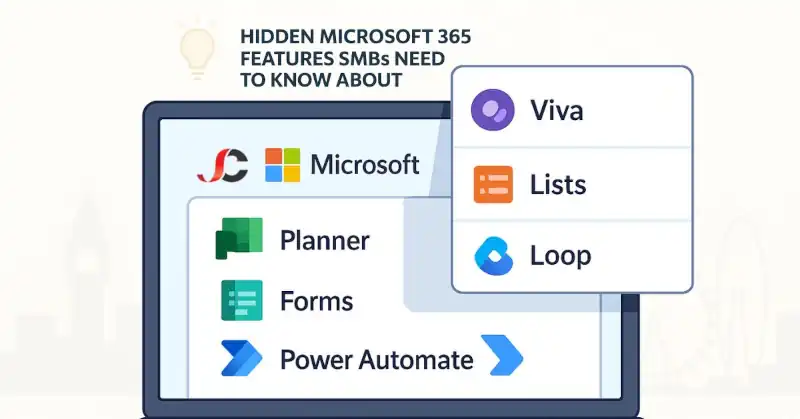
Many small to medium-sized businesses (SMBs) in London only scratch the surface of their potential. Beyond the popular apps lies a suite of underused tools already included in your plan—Microsoft 365 hidden features that could streamline workflows, encourage collaboration, and save valuable time and resources.
This article will explore the hidden features of Microsoft 365 that your business may already have but has not yet utilised. These tools are not just optional extras—they are designed to improve efficiency, reduce dependency on third-party software, and enhance your team’s work.
What you will discover in this article:
- Tools you have access to but may not be using.
- Features that integrate naturally with your existing Microsoft Office 365 environment
- Practical benefits for London SMBs looking to modernise operations.
- Simple ways to start using these tools effectively.
With the proper guidance, unlocking these Microsoft 365 hidden features can offer immediate improvements without requiring a change in platforms or the need for additional software.
The Case for Exploring Microsoft 365 Hidden Features
Many small to medium-sized businesses (SMBs) in London invest in Microsoft 365 to streamline communication, enhance collaboration, and improve daily operations. While it delivers on these fronts, much of its value often goes untapped. Most businesses stick to the basics—using Outlook for email, Word for documents, and Teams for virtual meetings—without exploring the broader capabilities already included in their subscription.
Microsoft 365 is more than a collection of Office tools. It is a complete productivity suite with a wide range of integrated apps designed to simplify tasks, automate processes, and support business growth. When these tools are overlooked, businesses risk missing features that make daily operations more efficient and cost-effective.
Understanding and utilising Office 365 features can help your business:
- Maximise return on investment by using tools already included in your plan.
- Reduce reliance on third-party apps and associated costs.
- Reduce manual repetition and boost efficiency with automated processes.
- Improve collaboration and visibility across departments.
- Support flexible and hybrid working environments with integrated digital solutions.
The full potential of Microsoft 365 hidden features is not limited to its most recognisable applications. By exploring what lies beneath the surface, London SMBs can unlock tools that enhance productivity and streamline their approach to IT, without needing to look outside the platform they already trust.
Microsoft Planner: Your Team’s Visual Task Manager
Among the most overlooked Microsoft 365 hidden features is Microsoft Planner—a straightforward yet powerful task management tool that many London small to medium-sized businesses (SMBs) already have access to but rarely utilise to its full potential.
Microsoft Planner enables teams to create, assign, and track tasks using a straightforward board format. The clear visual layout helps teams manage workloads, meet deadlines, and oversee ongoing projects without relying on third-party software.
What is Microsoft Planner, and how does it work?
Planner is a web-based application included in most Microsoft 365 business subscriptions. It enables you to:
- Create boards for specific projects or teams.
- Add task cards with due dates, priorities, attachments, and comments.
- Assign tasks to individuals or groups.
- Monitor progress using built-in charts and dashboards.
Each task can be moved across different columns (such as “To Do,” “In Progress,” and “Completed,” for example), providing a brief snapshot of project status.
Ideal uses for London SMBs
For small and medium-sized businesses in London, Planner is handy for:
- Managing internal projects such as IT rollouts, marketing campaigns, or onboarding processes
- Organising daily workflows using personalised to-do lists
- Improving collaboration across departments by making task responsibilities transparent
Because Planner is simple to use and easily accessible via desktop or mobile, it is an ideal starting point for SMBs looking to improve organisation without overwhelming their teams.
Seamless integration with Teams and Outlook
Because it fits right into existing workflows, Microsoft Planner is easy to adopt and use effectively:
- Within Microsoft Teams hidden features, each channel can link directly to a Planner board, keeping all project tasks and conversations in one place.
- Tasks assigned in Planner automatically appear in Outlook’s calendar and task list, so deadlines are not missed.
- Edits are shared instantly across platforms, keeping all users on the same page and preventing overlap.
By incorporating Microsoft Planner into daily operations, London SMBs can simplify task management and ensure teams work efficiently and collaboratively. As one of the most practical Microsoft 365 hidden features, it offers immediate benefits without requiring additional investment or training.
Microsoft Forms: Smarter Data Collection Without Extra Tools
Often overlooked, Microsoft Forms is a hidden gem within Microsoft 365 that enables quick and efficient data collection. Already included in many Microsoft 365 subscriptions, Forms allows London SMBs to create custom surveys, polls, and questionnaires without needing any third-party software or technical skills.
Why is Microsoft Forms an asset?
Microsoft Forms is designed to simplify collecting data from customers, employees, or external stakeholders. It offers:
- Easy-to-build surveys and polls with drag-and-drop simplicity.
- Multiple question types are available, including ratings, multiple-choice questions, text fields, and rankings.
- Designed to function smoothly across both mobile and desktop platforms.
- Automatic data collection with built-in analytics
Because it is cloud-based, responses are gathered in real time and stored securely within your Microsoft environment.
Integration with Excel for real-time analysis
Excel integration enhances the functionality of Microsoft Forms, simplifying data review:
- Responses from a form can be linked directly to a live Excel spreadsheet.
- Data is updated automatically as new responses come in.
- You can apply filters, charts, and formulas within Excel to quickly review trends and insights.
This direct integration eliminates the need for manual data export, ensuring you always have the most up-to-date information.
Practical use cases for London SMBs
Microsoft Forms can be used in a wide range of everyday scenarios, such as:
- HR surveys – for employee satisfaction, training feedback, or return-to-office planning
- Customer feedback – to capture satisfaction scores, service opinions, or event evaluations.
- Internal reporting – collecting IT issue reports, equipment requests, or meeting preferences.
Microsoft Forms enables London small and medium-sized businesses (SMBs) to capture data for more informed business decisions at no additional cost and with minimal effort.
As a more practical Microsoft 365 hidden feature, it helps SMBs streamline data collection without overcomplicating the process or relying on additional software.
Microsoft Viva: Supporting Employee Engagement and Wellbeing
Among the most forward-thinking features of Microsoft 365 is Microsoft Viva, a suite of tools designed to support employee experience, engagement, and personal development. For London SMBs managing hybrid or remote teams, Viva offers a modern solution to help staff stay connected, informed, and supported without relying on third-party platforms.
Viva comprises several modules that address distinct aspects of employee well-being and workplace efficiency.
Breaking down the core components of Microsoft Viva
- Viva Insights – Provides personalised recommendations and team analytics to support focus time, reduce burnout, and improve meeting habits.
- Viva Learning – Centralises learning content from LinkedIn Learning, Microsoft Learn, and your internal training materials to promote continuous development.
- Viva Connections—This service serves as a company-branded hub within Microsoft Teams, where employees can access announcements, policies, and updates in a single location.
These tools are integrated directly into Microsoft Teams, ensuring they are accessible during daily work.
Why it matters for hybrid and remote teams in London.
For many London-based businesses, the shift to hybrid working has brought new challenges in maintaining company culture, communication, and employee wellbeing. Microsoft Viva helps address these issues by:
- Improving transparency and access to information
- Offering real-time insights into how teams are working.
- Promoting wellbeing by supporting regular breaks and uninterrupted focus periods
- Supporting a culture of learning and development, regardless of location
By embedding these Microsoft 365 hidden features into your team’s tools, Viva removes friction and promotes a more connected and informed workplace. There are numerous online tutorials dedicated to unveiling the less obvious Microsoft 365 Hidden Features, from advanced data manipulation in Excel to sophisticated presentation tools in PowerPoint.
Encouraging work-life balance and ongoing development
Employee well-being is more than a trend—it is necessary for sustainable growth. With Viva:
- Managers can identify signs of digital overload or meeting fatigue.
- Staff can manage their time with daily and weekly planning tips.
- Learning opportunities become part of the workday, not an afterthought.
As one of the most impactful Microsoft 365 hidden features, Viva offers SMBs a way to proactively support their workforce without needing additional platforms or costly HR tools.
Microsoft Lists: Managing Info Without the Spreadsheet Chaos
Microsoft Lists is one of the most practical yet often overlooked Microsoft 365 hidden features. While many London SMBs default to Excel for organising data, Lists provides a more structured, user-friendly way to manage information, especially when collaboration and visibility are key.
Designed for tracking and managing data, Lists allows teams to organise information clearly and consistently, without the complexity of traditional spreadsheets. It works particularly well when paired with Microsoft Teams or SharePoint, where it becomes part of a seamless workflow with the Microsoft 365 hidden features.
What makes Microsoft Lists different from Excel?
Although both tools involve managing data, Lists is built with usability and collaboration in mind:
- Offers templates designed explicitly for task tracking, issue logging, and inventory management.
- Provides built-in formatting options that are easier to customise than Excel formulas.
- Users can set rules, reminders, and alerts based on changes or deadlines.
- Designed for shared use, reducing the risk of version control issues.
With the Microsoft 365 hidden features, the Lists focus on structure and clarity rather than complex calculations, making it ideal for business operations that require consistency over computation.
Practical use cases for London SMBs
Microsoft Lists is especially valuable for businesses looking to move beyond scattered spreadsheets. Every day use cases include:
- Asset tracking – keeping records of equipment, serial numbers, warranties, and statuses.
- Issue logging – documenting technical issues, maintenance tickets, or customer complaints.
- Content calendars – planning blog posts, marketing campaigns, or social media activity
These use cases help teams stay aligned, reduce duplication, and ensure that no task or item is overlooked, thanks to the hidden features of Microsoft 365.
How it fits into Teams and SharePoint
One of the main advantages of Microsoft Lists is how well it integrates into existing Microsoft 365 workflows:
- Lists can be added directly as a tab in Microsoft Teams, making them easily accessible during conversations or project work.
- Syncs seamlessly with SharePoint for document libraries, intranet content, and internal processes
- Changes are updated in real time, with shared permissions controlled through Microsoft 365 admin settings.
Using Microsoft Lists, London SMBs can structure and visualise their data without the headaches of maintaining shared Excel files. One of the more versatile Microsoft 365 hidden features is that it supports smoother collaboration, better organisation, and more efficient project tracking.
Clipchamp: Easy Video Editing for Marketing and Brand Visibility
Among the Microsoft 365 hidden features London SMBs are least familiar with, Clipchamp is a powerful, yet accessible video editing tool designed to support in-house content creation. While many businesses turn to third-party platforms for video production, Clipchamp makes producing polished, branded content easy without needing expensive software or specialist skills. For those looking to streamline their workflow, discovering the Microsoft 365 hidden features within Teams, such as message pinning or immersive reader, is highly recommended.
For businesses seeking to enhance online visibility, promote their services, or communicate directly with customers, Clipchamp offers a straightforward solution to bring your messaging to life using Microsoft 365’s hidden features.
Why Clipchamp is Ideal for Content Creation.
Clipchamp’s user-friendly design enables teams to create professional-quality videos in minutes. Key capabilities include:
- Drag-and-drop editing with real-time previews.
- Built-in templates for promotional content, event highlights, and product showcases
- Enables users to enhance their projects using built-in, copyright-free media resources.
- Tools to add branding elements like logos, colours, and subtitles.
These are part of the Microsoft 365 hidden features that empower SMBs to create dynamic content that engages audiences across social media, websites, and customer newsletters.
Practical applications for London SMBs
Unlike other Microsoft 365 tools focusing on internal processes, Clipchamp is purpose-built for outward-facing content. Common business uses include:
- Marketing videos – product explainers, promotional campaigns, or service overviews
- Customer updates – visual newsletters, announcements, or how-to guides
- Event highlights – recaps of conferences, workshops, or webinars
By producing short, engaging videos in-house, businesses can enhance brand reach while maintaining creative control and reducing their reliance on agencies.
Integration with the Microsoft 365 ecosystem
As part of the broader Microsoft suite, Clipchamp integrates smoothly with tools already in use:
- Save and access projects through OneDrive or SharePoint
- Share videos directly in Microsoft Teams or embed them in presentations.
- Maintain compliance with Microsoft’s secure cloud infrastructure.
Clipchamp stands out as one of the most versatile features of Microsoft 365. It provides London SMBs with a cost-effective way to strengthen their digital presence, connect with customers, and refine marketing strategies—all within their existing Microsoft environment.
Microsoft Loop: Next-Gen Collaboration for Dynamic Workflows
Microsoft Loop is one of the most forward-looking features in Microsoft 365. It introduces a new way for teams to collaborate in real time across different apps. Designed to keep pace with the fast-paced modern work environment, Loop brings flexibility, fluidity, and context to collaboration, making it particularly valuable for small to medium-sized businesses (SMBs) in London that manage projects across departments or locations.
Unlike traditional tools, where content lives in one place, Loop components are dynamic and portable, allowing teams to stay aligned and agile without switching between multiple apps.
What is Microsoft Loop, and how is it changing teamwork?
Microsoft Loop enables real-time collaboration using shared components—small pieces of content such as tables, lists, or notes—that stay updated wherever they are used. It supports:
- Creating shared workspaces for projects, departments, or teams
- Co-authoring text, checklists, or task updates simultaneously
- Keeping content coordinated across Microsoft 365 apps like Outlook, Word, and Teams
This real-time flexibility means that updates made in one app instantly appear in all others, helping teams stay connected without duplication or confusion, thanks to the Microsoft 365 hidden features.
How live content blocks improve productivity.
At the heart of Loop are its components—interactive blocks of content that can move freely between platforms. These enable teams to:
- Update shared project information without needing to open multiple apps.
- Collaborate in chat, email, or documents with the same data.
- Reduce errors caused by outdated or conflicting files.
Because Loop is designed for mobility and adaptability, it helps maintain context and continuity, even as tasks evolve or team members change.
Tailored for flexible work in London SMBs
For businesses embracing hybrid work or cross-functional collaboration, Loop simplifies how people work together by:
- Creating dedicated spaces for planning, brainstorming, and decision-making
- Allowing contributors to jump in and out without losing context
- Supporting fast-moving projects that require real-time updates and input.
As one of the most innovative Microsoft 365 hidden features, Loop redefines collaboration by focusing on fluidity and accessibility. It makes it easier for London’s small to medium-sized businesses (SMBs) to stay productive, aligned, and agile in an increasingly digital workplace.
Power Automate: Set It and Forget It (Almost)
Power Automate is one of the most practical Microsoft 365 hidden features, especially for London SMBs with limited administrative support or repetitive workflows. It allows businesses to automate routine tasks, saving valuable time, reducing human error, and freeing staff to focus on more strategic work.
Whether sending out alerts, managing approvals, or moving files between systems, Power Automate helps streamline everyday processes without requiring advanced technical knowledge.
Automate routine tasks with ease.
Power Automate enables users to create workflows—known as “flows”—that connect apps and services to automate specific tasks. These can include:
- Notifications and alerts – Receive email or Teams messages when files are updated or tasks are assigned.
- Approval processes – Automate document, expense, or holiday request approvals with built-in tracking.
- File management – Automatically save email attachments to SharePoint or backup documents to OneDrive.
Most tasks can be automated in moments, using the extensive library of preset templates.
Time-saving benefits for busy teams
For London-based small to medium-sized businesses (SMBs), manual administrative tasks can quickly become a time-consuming burden. Power Automate reduces this burden by:
- Eliminating repetitive data entry and file transfers
- Ensuring consistency in standard processes, such as onboarding or compliance checks
- Allowing workflows to run in the background, with minimal supervision
These time savings enable small teams to focus on higher-value activities and respond more quickly to business needs.
Ideal for SMBs with lean operations
Not every business has a full-time IT department or dedicated operations team. Power Automate is a valuable solution for SMBs that need to do more with fewer resources:
- No-code design – Most flows can be built using simple visual tools.
- Flexible integration – Connects with both Microsoft and third-party applications.
- Scalable automation – Start with basic tasks and grow into more complex workflows as your needs evolve.
As one of the most efficient Microsoft 365 hidden features, Power Automate offers small businesses enterprise-level automation at no additional cost, enabling them to work smarter and remain competitive.
Microsoft 365 Copilot: AI That Helps
Microsoft 365 Copilot is one of the most powerful and innovative features in Microsoft 365. By combining familiar Microsoft 365 applications with advanced AI capabilities, Copilot is transforming how businesses approach everyday tasks. It makes creating, analysing, and communicating easier, all within the tools users already know.
For London small to medium-sized businesses (SMBs), this technology presents an opportunity to boost productivity, improve consistency, and better utilise internal resources without increasing workload.
A new era of AI-powered productivity
Copilot utilises generative AI to assist users in real-time. Integrated directly into apps like Word, Excel, Outlook, and Teams, it supports everyday workflows by:
- Draft emails and documents based on prompts or summarised meeting notes.
- Summarising meetings – with captured action points, decisions, and key insights.
- Building reports and presentations – from existing data or structured templates
These capabilities help employees save time while improving the quality and clarity of their work.
Practical benefits for day-to-day tasks
Unlike standalone AI tools, Microsoft 365 Copilot works within your existing environment. This means:
- No need to switch between platforms to complete tasks.
- AI suggestions are based on your organisation’s data and context.
- Teams can collaborate more efficiently with shared AI-generated outputs.
Copilot enables staff to focus on decision-making, strategy, and innovation by streamlining routine work.
Preparing London SMBs for responsible AI adoption
While the benefits are clear, introducing AI into the workplace should be done thoughtfully and carefully. To prepare for Copilot, London SMBs should:
- Review data governance policies to ensure that the information used by AI tools is secure and compliant.
- Educate teams on responsible usage – focusing on where AI adds value and when human input is essential.
- Start with guided use cases, such as drafting responses, summarising meetings, or preparing proposals.
Microsoft 365 Copilot is not about replacing people but enhancing their ability to work smarter. As one of the most advanced Microsoft 365 hidden features, it offers real-world advantages to businesses ready to embrace AI practically and responsibly.
Conclusion: Why These Microsoft 365 Hidden Features Matter
Microsoft 365 offers far more than the standard applications most businesses rely on daily. From task management and automation to employee engagement and AI-driven insights, the tools explored in this article go well beyond the basics, and they are already included in your current subscription.
These Microsoft 365 hidden features present valuable opportunities for London SMBs to:
- Get the most value out of their Microsoft 365 subscription.
- Improve efficiency, collaboration, and decision-making.
- Streamline day-to-day operations without additional software costs.
If you have been using Microsoft 365 primarily for email and document creation, now is the time to explore the tools that better align with your business goals. Whether you need more organised workflows, better internal communications, or more intelligent automation, many solutions are already at your fingertips.
Call to Action
If you’re unsure where to start or want to assess which Microsoft 365 hidden features will have a significant impact on your operations, we’re here to help.
As one of the most trusted IT support companies in London, Server Consultancy specialises in helping small and medium-sized businesses unlock the full potential of their Microsoft 365 subscriptions.
- Book a free Microsoft 365 feature audit to identify the tools your business may already have but are not using effectively.
- Please take advantage of our tailored services, including staff training, workflow automation, and Microsoft 365 support, specifically designed to meet the needs of small to medium-sized businesses (SMBs) in London.
- Get expert guidance and hands-on help from a team that understands how to align technology with tangible business outcomes.
Let Server Consultancy, your local partner in business IT support, help you take advantage of the hidden features in Microsoft 365.
What are some Microsoft 365 hidden features most businesses overlook?
Many businesses stick with the basics—Outlook, Word, Excel, and Teams—but Microsoft 365 includes several lesser-known tools that can make a real difference to your workflow. For example:
-Planner helps teams manage tasks visually.
-Forms lets you collect feedback or survey data in minutes.
-Lists keep track of assets, issues, and content calendars.
-Loop enables real-time collaboration across apps.
-Power Automate saves time by automating routine tasks.
– Exploring the Microsoft 365 hidden features in Outlook, such as the “Ignore Conversation” button, can help declutter your inbox efficiently.
These Microsoft 365 hidden features are already included in most subscriptions, so you’re not getting the full value if you’re not using them. Server Consultancy, known as the best IT support company in London, can help you explore these tools and integrate them into your daily operations.,
Why should London SMBs care about these hidden Microsoft 365 features?
Great question! Time and resources are often limited for small and medium-sized businesses in London. Microsoft 365 hidden features can help SMBs:
Work more efficiently without needing to invest in additional software
Streamline communication and internal processes
Improve collaboration, especially across hybrid or remote teams
It is all about doing more with what you already have. Server Consultancy can help you get started without overwhelming your team or disrupting your existing workflows.
Can using Microsoft 365’s hidden features help reduce software costs?
Absolutely. Many users are unaware of the powerful Microsoft 365 hidden features that can significantly enhance productivity within Word, Excel, and PowerPoint. Instead of paying for third-party apps to manage tasks, collect feedback, or automate admin work, you can use Microsoft 365’s hidden features at no extra cost. For example:
-Forms can replace paid survey tools
-Planner can reduce the need for standalone project management apps
-Power Automate may reduce your reliance on manual admin processes
At Server Consultancy, we regularly help London SMBs consolidate their tools and reduce unnecessary subscriptions by optimising their use of Microsoft 365.