
There is little doubt that our interactions have changed over the past few years. Microsoft Teams Communities technology has enabled us to work virtually anywhere and reduce the number of unnecessary face-to-face meetings. However, in a hybrid society, some things remain the same, including our desire for community and interpersonal ties.
Communities in Microsoft Teams are a new experience that lets people connect, share, and collaborate. We are thrilled to unveil Microsoft Teams Communities in a recent announcement by Microsoft. This unique experience offers groups of all sizes a digital place to stay connected before, during, and after gatherings, regardless of the type of groups they belong to, such as a parent-teacher association, recreational sports team, event planning committee, or even a small business. Microsoft Teams’ free version is gradually rolling across Communities.
Share details, plan activities, and maintain communication with your neighbourhood groups.
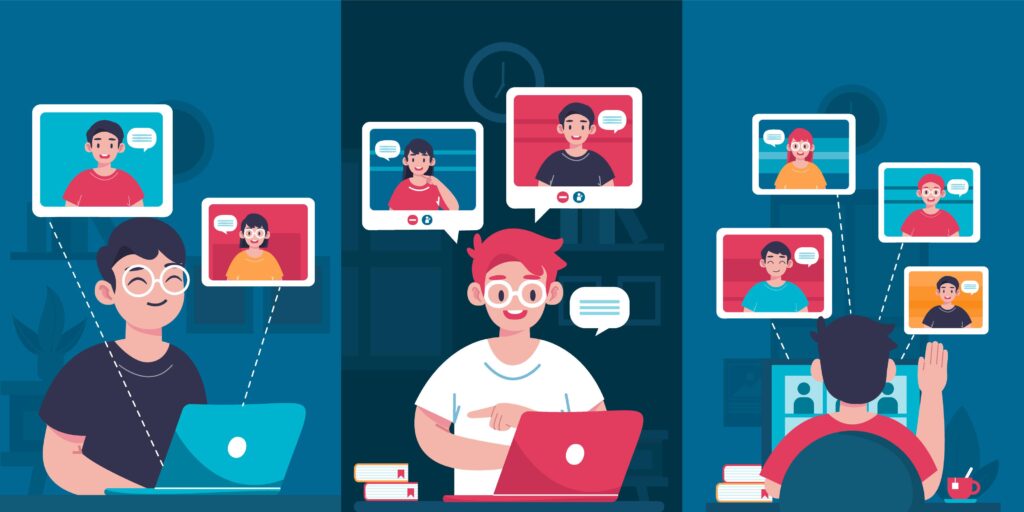
In addition to Microsoft Teams, such as sending chats, making calls, and exchanging files or images, you can also set up a location for neighbourhood groups to meet, plan events, and exchange ideas. Microsoft Teams Phone with Calling Plan provides excellent PSTN phone services.
You will be able to: use this new community experience.
- Posting messages to the entire group is simple and easy.
- Create events and add them to the public calendar so everyone can see them.
- Share and save papers created if you are working in groups.
- You can easily access images, videos, events, and links by filtering the material.
Start Microsoft Teams Communities with your neighbourhood.
It is simple to begin. Create a community using one recommended community kind on the home screen, and you can also include branding components for your community, such as a group photo. After that, invite group members by phone or email. For the group to join instantly, Send the link or QR code.
Lastly, Owners of communities can control settings, establish community rules, and monitor material by adding or removing users and posts as needed to make sure community members are at ease.
Organise and plan Microsoft Teams Communities events
A new event management capability in Communities in Teams may be used to organise hybrid, online, or physical events. For instance, you may add recent get-togethers or events to your community calendar, invite visitors, keep track of attendance, and contact in-person attendees to follow up. Online events make it simple to include dial-in details and a URL so participants can participate without hassle. You may also specify a location for live events and give attendees precise instructions using a visual map.
Virtual and hybrid attendees can use any device to participate in events via voice or video. Tools like adding an event cover picture, screen sharing and together mode can help foster involvement during meetings regardless of where everyone is located.
Soon on Microsoft Teams Communities
In 2023, users can use Signup Genius from within Teams to find volunteers, plan events, and manage other signups. The Lumaverse Technologies platform, which makes it easier for people to change the world by streamlining volunteer and member management, event planning, scheduling, and fundraising, includes Signup Genius as one of its top solutions.
As we continue to develop fresh and engaging experiences in Teams, we anticipate collaborating with more communities and organisations in 2023 and beyond.
Use Microsoft Teams Communities features to grow your small business.
A close-knit small business with a devoted clientele can operate similarly to a neighbourhood association. You can foster and encourage these more cordial working connections by allowing your employees and consumers to collaborate in online shared areas.
Your small business can smoothly transition from customer calls to team activities and everything in between with communities in Teams. You can quickly start a virtual community group to inform loyal consumers about a new sale. Alternatively, you can create a carpooling community for employees who want to commute together to work.
Communities in Teams enable you to create various locations and arrange groups to meet, communicate, share, and plan for whatever you need to collaborate on.
How to use Microsoft Teams Communities
Teams can assist you in safely connecting, whether you are a virtual, hybrid, or physical community. The new community experience encourages communities to come together to achieve more. All users of the Microsoft Teams free app for iOS and Android may access Communities in Teams, and a desktop version will also be available soon.
When logged in with a Microsoft account, the home tab in the mobile app provides access to Communities in Teams. Tap on your profile photo and add your Microsoft account to move between accounts.
Creating a Microsoft Teams Communities will begin when you click on Home. If you already use Microsoft Teams for business or school, switch accounts on your mobile device. No additional software must be downloaded, and no information must be given to your employer.
Related Links to Microsoft Teams Communities
Top 5 Teams’ Phone Migration Practices to Follow