
According to Microsoft, Exchange Web Services will stop working on Exchange Online from October 2026, followed by an official shutdown in April 2027. For SMEs operating in London with customised email integrations, external archiving requirements, or an Exchange hybrid environment, the Exchange Web Services retirement is not just about getting their house in order. It is a hard regulatory and operational deadline that could disrupt business continuity if no action is taken in advance.
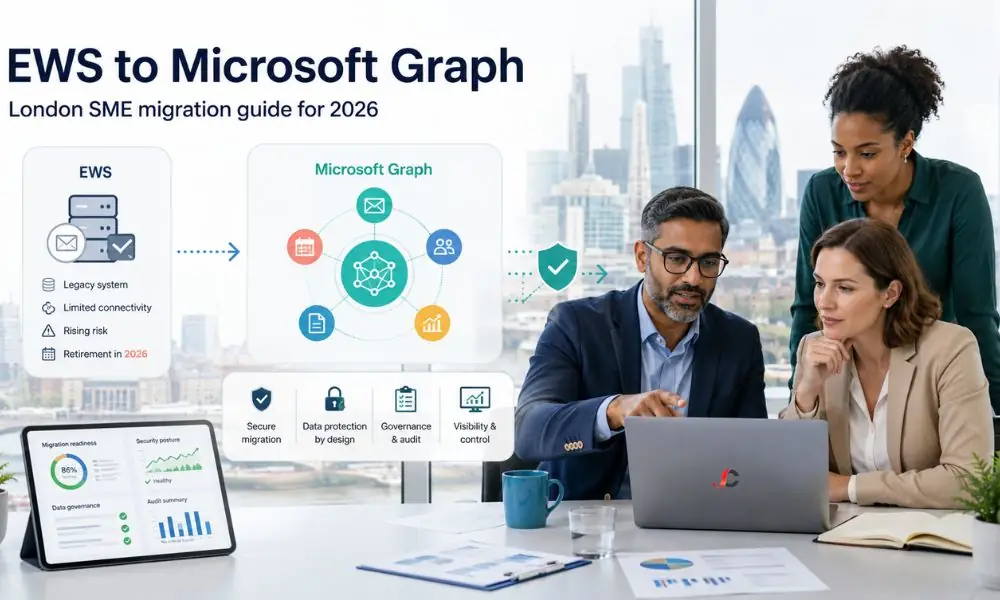
This guide explains what is changing, why Microsoft is making the move, and what a practical migration to Microsoft Graph looks like for a 25 to 250-seat London business. Speaking with our Microsoft 365 consultancy team in London is a sensible first step for firms in regulated sectors. The substantive planning work, however, begins with understanding the scope and timeline laid out below.
What the Exchange Web Services Retirement Actually Means (and What It Does Not)
Exchange Web Services, often shortened to EWS, is a SOAP-based application programming interface that Microsoft introduced with Exchange Server 2007. It has been the primary route for third-party applications, scripts, and integrations to read and write Exchange mailbox data, including messages, calendar items, contacts, and tasks. Two decades later, Microsoft is replacing it with a modern REST-based equivalent: the Microsoft Graph API.
The deprecation of Exchange Web Services applies only to Exchange Online in the Microsoft 365 environment, not to Exchange Server deployed on-premises. This is a crucial factor often overlooked in most vendor recommendations. Exchange Server 2016, 2019, and the recently released Exchange Server SE will support EWS on-premises for mailbox environments after April 2027.
The change is also tenant-controlled rather than a single big-bang switch-off. Microsoft has built in a phased disablement mechanism using a tenant property called EWSEnabled, alongside an AppID Allow List that allows specifically approved applications to keep working during the transition window.
The Confirmed Microsoft Timeline
A timeline is important because every milestone affects the administrator’s ability to complete tasks without disrupting service. This timeline has been verified in subsequent Microsoft Message Centre announcements and from Microsoft Learn.
- July 2018 — Microsoft announces EWS will no longer receive new feature work.
- September 2023 — Microsoft formally announces the full retirement of EWS in Exchange Online.
- January 2024 — The Midnight Blizzard incident accelerates Microsoft’s effort to remove EWS dependencies from its own products.
- October 2025 — It is important to note that the Shared Service Principal for Hybrid Exchange is no longer available and that a hybrid application within Entra ID is required.
- End of August 2026 — Last date for configuring AppID Allow List and setting EWSEnabled=True for tenants seeking extension.
- 1st October 2026 — Microsoft starts blocking EWS by defaulting EWSEnabled to False on tenants that do not choose to opt in.
- 1st April 2027 — Permanent, irreversible shutdown of EWS in Exchange Online with no further admin re-enablement.
According to Microsoft, a stress test will be conducted before October 2026, during which Exchange Web Services will be disabled for some tenants to detect any dependency issues. The authoritative reference for these mechanics is Microsoft’s official EWS deprecation guidance on Microsoft Learn, which is updated as parity gaps close.
Why Microsoft Is Retiring EWS
The first reason concerns security. When the technology was initially developed, Exchange servers were on-premises, running behind corporate firewalls, with no threats such as identity theft at that time. The use of SOAP, legacy authentication, and broad permissions does not match today’s zero-trust approach.
The Midnight Blizzard incident clearly demonstrated this in early 2024—the scope of impacted software broadened to include not only third-party software but also Microsoft software.
The second reason is platform consolidation. Microsoft Graph already serves Teams, SharePoint, OneDrive, Entra ID, and increasingly Copilot. Bringing Exchange Online fully under the same API surface gives developers a single, consistent endpoint, a unified permissions model, and a single audit trail.
For UK SMEs that want to strengthen their IT infrastructure security, consolidating onto Graph reduces the legacy attack surface.
The third reason is developer experience. Microsoft Graph offers REST endpoints, OAuth 2.0 authentication, fine-grained scopes, and near-complete feature parity with EWS for most mailbox scenarios. EWS, by contrast, has received no new features for seven years and will receive only security patches between now and shutdown.
Exchange Online vs On-Premises Exchange — Different Rules Apply
This is the most important distinction an SME owner must understand when dealing with such hybrid estates. The EWS restriction that will begin from October 2026 applies only to mailbox servers in Exchange Online. On-premises mailboxes in Exchange Server will continue to use EWS, with no retirement plans.
In a hybrid scenario, the situation becomes asymmetric. Applications that connect to a user mailbox in Exchange Online must migrate to Microsoft Graph. Applications that connect to a user mailbox still hosted on an on-premises Exchange server can continue to use EWS, with Autodiscover routing requests to the correct location.
There is, however, a substantial caveat for hybrid customers running Exchange 2016 or Exchange 2019. Microsoft has stated that only Exchange Server SE will support Graph API calls into Exchange Online for hybrid coexistence. Hybrid SMEs may therefore need to plan a parallel Exchange Server SE upgrade as part of the broader Exchange Web Services retirement programme, rather than treating it as a separate piece of work.
The Shared Service Principal that previously underpinned hybrid features such as Free/Busy lookups, MailTips, and profile photo synchronisation was retired in October 2025. Microsoft now requires hybrid customers to deploy a dedicated hybrid application in Entra ID and to adopt Graph-based authentication to enable these coexistence features. Where hybrid SMEs are still running Exchange Server 2016 or 2019 with mailboxes split across on-premises and Exchange Online, the longer-term plan should align the EWS migration with a move to Exchange Server SE, which is the only on-premises version Microsoft has committed to support for Graph calls into a tenant’s Exchange Online environment.
Why London Hybrid SMEs Face a Sharper Deadline
The biggest SME clusters in London that will be affected by this shift are financial service companies in the City and Canary Wharf, legal firms in Holborn and the West End, and accountancy and professional service companies in central London. All these firms share something that makes their EWS retirement situation critical. First, they use various regulatory-grade archiving and journaling solutions. Second, they have a hybrid Exchange estate that has been gradually built up over a decade. Third, they operate a hybrid model at the London office, with remote UK-based employees and occasional visits to client locations.
The Compliance Overlay for Finance, Legal and Accountancy Firms
FCA-regulated firms operating under SYSC 9 record-keeping obligations, SRA-regulated practices managing client file retention, and any firm processing personal data under UK GDPR all rely on archiving and journaling tools that have historically used EWS to capture mailbox content. Mimecast, Commvault, and several other archiving and eDiscovery vendors fall into this category, although most major vendors have already published Graph-based migration paths.
If these software products cease collecting any further messages from 1st October 2026 due to the blocking of their respective EWS connections, a regulated business will immediately create a compliance gap. This is very much a practical consideration, as a couple of weeks of archival service outage could render a firm unable to prove to the FCA, the SRA, or the ICO that its archives are complete.
The NCSC Cloud Security Principles reinforce the same direction of travel, emphasising modern authentication, least-privilege access, and auditable API calls. Moving from EWS to Microsoft Graph will not contradict the above-stated principles. In contrast, it will support them.
Discovering EWS Usage Across Remote and On-Site Tenants
A hybrid workforce makes discovery difficult. The EWS footprint created by a finance team working out of a corporate headquarters and executing a reconciliation process based on SQL scripts is quite different from the one created by fee earners working solely from home and relying on third-party calendar synchronisations, CRM integrations, or stand-alone mobile email applications.
The only source of truth for the whole tenant is the EWS Usage Report in the Microsoft 365 admin centre. It captures every application that makes EWS calls to the tenant, regardless of which user, location, or device the call originated from. This is the only practical way to surface the long tail of remote-worker integrations before they break.
The Feature Gaps That Will Trip Up SMEs
As reported by Microsoft, Graph already supports all features which are available in EWS. It is important to note that some features on the list are still areas where Microsoft is lagging. However, those features are important for SMEs regulated by compliance laws.
The acknowledged gaps as of 2026 include the import and export of mailboxes (currently in preview), import and export of public folders, import and export of Microsoft 365 Groups, event delta operations for recurring meetings, and Sticky Notes create-read-update-delete operations. Public folders remain a common pain point in London legal and accountancy firms, where shared client correspondence has accumulated for years.
This also implies that very few SMEs would need to discontinue use of the ineffective workflow process, rework the entire workflow by utilising other means, such as shared mailboxes or Microsoft 365 groups, or create an AppID Allow List Extension. It is not an easy decision to make in a matter of minutes; hence, conducting discoveries in the early part of 2026 makes sense.
Building Your EWS-to-Graph Migration Plan
A structured migration plan is preferable to a reactive one. The work breaks naturally into four steps, and an SME without internal Graph development capability can either run them in-house with vendor support or engage a partner to deliver them as a fixed-scope project.
Step 1 — Audit EWS Usage with the Microsoft 365 Admin Centre
Begin in the Microsoft 365 admin centre by opening the EWS Usage Reports. The report lists every application that calls EWS in the tenant, along with the request volume and the date the application was first observed. For deeper code-level analysis of in-house applications, Microsoft has published the EWS Analyser tool, which maps EWS operations to their Graph equivalents and flags any that fall into known parity gaps.
[MEDIA: Annotated screenshot — Microsoft 365 admin centre EWS Usage Report with numbered callouts on (1) Application Name, (2) Request count, (3) First-seen date]
Step 2 — Triage Apps into Migrate, Rebuild, or Retire
Once the audit is complete, each application typically falls into one of four categories:
- In-house .NET or PowerShell scripts owned by the IT team — refactor to the Microsoft Graph SDK using the official client libraries.
- Third-party vendor applications — check against the vendor’s published Graph roadmap, and escalate any vendor without a credible plan.
- One-off PowerShell scripts — rebuild cleanly using the Microsoft.Graph PowerShell module, or replace with a Power Automate flow where appropriate.
- Orphaned integrations with no clear business owner — retire rather than carry forward, and document the decision for audit purposes.
This triage stage is where most genuine project risk is identified. Vendor responses are the long pole in the tent, and an early conversation in the first quarter of 2026 buys more flexibility than the same conversation in August.
Step 3 — Configure the AppID Allow List as Insurance
The use of the AppID Allow List is a tactical stopgap for SMEs unable to migrate before October 2026. By enabling EWSEnabled=True in the tenant and adding only essential app IDs, the organisation will be able to maintain its EWS operations until April 2027. This is the right time to engage our London Migration-as-a-Service practice if internal capacity is limited.
Microsoft has also stated that starting in September 2026, they will automatically populate the allow list based on tenant behaviour. However, this measure falls short for organisations that follow UK law. It is necessary to manually approve and scrutinise the list.
Step 4 — Test in a Pilot Tenant Before Cutover
Before any production migration, testing must be conducted in either a non-production tenant or a sandbox app registration. Assess the OAuth 2.0 authentication process and ensure that your app registration uses the least-privilege Graph scopes (such as Mail.Read versus Mail.ReadWrite). Check that there have been no changes to data residency requirements according to UK GDPR.
Practical Next Steps for London SMEs
Working backwards from 1st October 2026 produces a sensible cadence for the Exchange Web Services retirement programme. The EWS Usage Report audit and application triage should be complete by the end of March 2026. Migration of in-house applications should be completed by the end of June 2026.
Evaluation of the third-party vendor migration will be required by the end of August 2026. On the other hand, the AppID Allow List is expected to be formed immediately after as an alternative approach. Companies that conduct business in regulated industries would need to consider how to obtain evidence of FCA, SRA, and ICO audits.
Compiling a short audit record, along with triage decisions and vendor responses, will be much easier during the task than collecting them afterwards. An experienced managed IT support partner in London can carry that documentation burden where internal teams are stretched.
When exactly will Microsoft block Exchange Web Services in Exchange Online?
Blocking of EWS by Microsoft will begin from 1st October, 2026. This date marks the point at which the property “EWSEnabled” for the tenant will automatically become “False” if the tenant has not created an “AppID Allow List”. Permanent blocking of EWS will take place from 1st April, 2027.
Does the EWS retirement affect on-premises Exchange Server?
No. This retirement is limited to Exchange Online in Microsoft 365. On-premises Exchange Server versions such as Exchange 2016, Exchange 2019, and the latest version, Exchange Server SE, will continue to support EWS for on-premises mailboxes after April 2027. It should be noted that hybrid customers will need to make their plans, as cloud mailboxes will meet the same fate as other tenants.
What is Microsoft Graph, and why is Microsoft moving us to it?
Microsoft Graph is a single REST API that provides developers with access to all Microsoft 365 services, such as Exchange Online, Teams, SharePoint, and OneDrive, via a modern endpoint secured by the OAuth 2.0 authentication protocol. Microsoft Graph has replaced the EWS protocol, which is based on SOAP and offers similar functionality.
What if we cannot finish migrating before October 2026?
The alternative is to use bridges. Here, the Tenant Administrators will need to ensure that the AppID Allow List has been generated and that EWSEnabled = True is set by the end of August 2026, thereby ensuring that EWS functions until 1st April, 2027. Although Microsoft will generate such a list automatically in September 2026, it is up to UK firms to verify it.
Which Microsoft 365 features still lack full Graph parity?
The main outstanding gaps as of 2026 are mailbox import and export (in preview), public folder create-read-update-delete operations, Microsoft 365 Group import and export, event delta for recurring meetings, and Sticky Notes operations. Microsoft is actively closing these gaps, but SMEs that depend on any of them should review their integrations early.
How do we find out which of our applications still use EWS?
Start in the Microsoft 365 admin centre by opening the EWS Usage Reports, which list every application making EWS calls into the tenant, along with request volumes and first-seen dates. For deeper analysis of in-house applications, the EWS Analyser tool maps EWS operations to Graph equivalents. SMEs without in-house developers can engage an external Microsoft 365 partner to deliver this audit as a fixed-scope engagement.
Does the EWS retirement affect Outlook for Windows, Outlook for Mac, or Teams?
No. Microsoft has confirmed that the changes in Exchange Online do not affect Outlook for Windows, Outlook for Mac, Microsoft Teams, or any other end-user Microsoft product. The retirement targets the application programming interface, not the user-facing clients.
Is there a risk to UK data residency when moving to Microsoft Graph?
Microsoft Graph adheres to the same data residency assurances as Microsoft 365 for its data. The mailbox data stored in the UK data centre region will remain there, even when accessed through Graph. The UK GDPR responsibilities related to processors, data processing, and logging remain unaffected. Nonetheless, the newly registered apps need to be logged under the company’s data processing activities log.