
Email security is no longer a luxury for London businesses. It is a fundamental requirement. Threat actors often impersonate trusted domains to launch phishing attacks. This makes robust authentication essential. Domain-based Message Authentication, Reporting, and Conformance acts as the final gatekeeper for your outbound communications.
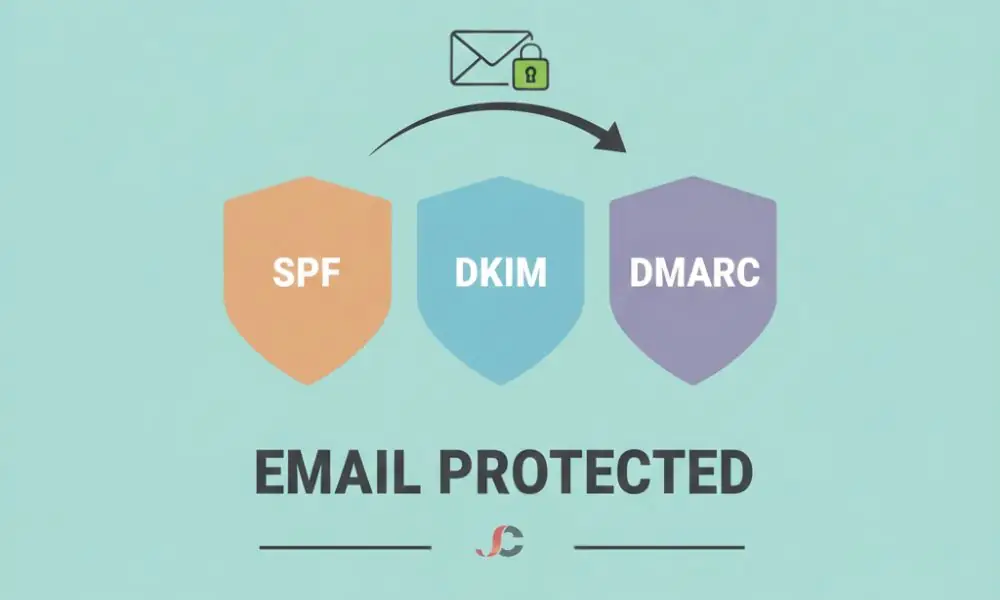
Configuring DMARC for Microsoft 365 ensures that your legitimate emails reach the inbox while fraudulent ones are blocked. This process relies heavily on your existing Exchange Online mail flow and authentication settings. Without this layer, your domain remains vulnerable to spoofing. It remains a technical necessity.
DMARC for Microsoft 365: What it is and How to Set it Up.
DMARC is an email authentication protocol. It determines the authenticity of an email message by checking Sender Policy Framework and DomainKeys Identified Mail. If a message fails both checks, the DMARC policy instructs the receiving server on how to handle it. You can choose to do nothing, quarantine the mail, or reject it entirely.
How DMARC Protects Your London-Based Business
A financial services firm in the City might issue thousands of invoices per month. If a cybercriminal spoofs that firm’s domain, the reputational damage is immediate. DMARC prevents this. It provides a reporting mechanism that allows IT managers to see every server sending mail on their behalf. Visibility is the first step toward total protection. You cannot defend what you cannot see.
How DMARC Relates to Exchange Online Mail Flow
Microsoft 365 processes millions of emails per second. When you send an email, it contains digital signatures. The server receiving the email checks your DNS settings to validate the digital signatures. If your DMARC settings for Microsoft 365 are absent, the receiving server will not know how to process a suspicious “from” address.
Exchange Online Protection (EOP) uses these protocols to filter inbound spam. DMARC protects your outbound reputation. It ensures other organisations trust your mail. It creates a transparent trust loop across mail servers worldwide. This handshake is vital for maintaining high deliverability rates across the platform.
Pre-requisites for Microsoft 365 DMARC Implementation
Do not start with DMARC. You must verify your SPF and DKIM records first. SPF lists your authorised IP addresses. DKIM adds a cryptographic signature to your headers. DMARC requires at least one of these to be functional and “aligned” with your domain.
With alignment, the domain in the “From” header matches the domain referenced by the SPF or DKIM records. If they do not match, DMARC will fail. This is a common issue when using third-party marketing tools. You must ensure that every service sending mail on your behalf is authenticated.
Step-by-Step: Setting Up Your DMARC TXT Record
You must log in to your DNS hosting provider to create a new TXT record. This record resides at the _dmarc subdomain—for example, _dmarc.yourdomain.co.uk. The syntax must be exact. Even a single misplaced character will cause the protocol to fail validation. For detailed syntax variations and tag definitions, refer to the official Microsoft guide on DMARC configuration.
Defining Your Policy
The policy tag (p=) is the most critical element. It dictates how to manage failed emails.
| Tag | Name | Action Taken by Recipient | Use Case |
| p=none | Monitoring | No action: email is delivered. | Initial setup and data gathering. |
| p=quarantine | Soft Fail | The email is sent to the Junk folder. | Testing phase after verifying sources. |
| p=reject | Hard Fail | Email is blocked entirely. | Full protection for established domains. |
Configuring RUA and RUF Reporting Addresses
Reporting is why DMARC is superior to SPF alone. The rua tag specifies where aggregate reports should be sent. These XML files typically arrive daily, though frequency depends on your specific DMARC record configuration. They contain data on which IPs are using your domain. They do not contain private email content—only metadata.
Achieving Identifier Alignment
Alignment is the foundation of a successful DMARC implementation. Three specific tests accomplish it:
- SPF Alignment: The domain used in the Return-Path address must correspond to the domain in the “From” header.
- DKIM Alignment: The d= tag in the email signature must match the domain displayed in the “From” header.
- DMARC Pass: At least one of the above should be present and aligned for the email to pass.
In a Microsoft 365 environment, this often requires configuring custom DKIM selectors. You should not rely on the default onmicrosoft.com signatures. Custom signatures ensure that your brand identity remains consistent across all security checks.
Licensing After Upgrade: Security Features in Microsoft 365
Many organisations ask if specific licences are required for DMARC. The protocol itself is a DNS standard. While DMARC is a DNS standard available to all, advanced visibility is integrated into the Microsoft 365 Defender portal for Business Premium and Enterprise users. Advanced email security solutions often provide better analytics for these reports.
If you upgrade to Business Premium or Enterprise E5, you gain access to Microsoft Defender for Office 365. This tool provides a far more granular view of impersonation attempts. It complements your DMARC record by adding an extra layer of AI-driven threat detection.
Common Pitfalls in Microsoft 365 Email Authentication
Syntax errors are the primary cause of DMARC failure. A missing semicolon can invalidate the entire record. Another issue involves over-securing too quickly. Moving to p=reject without auditing your mail sources will block legitimate mail.
Consider your external senders. Payroll systems, CRM platforms, and website contact forms often send mail from your domain. If they are not included in your SPF or DKIM setup, DMARC will block them. This leads to broken business processes and lost revenue. You must use the monitoring phase to catalogue every legitimate third-party sender.
Validating Your Configuration and UK Compliance
Once the TXT record is published, use a lookup tool to verify it. Monitor your rua reports for at least two weeks before changing your policy from none to quarantine. This period is essential for data collection and risk mitigation. Validation is an ongoing process. It is not a set-and-forget task.
As your business adopts new cloud services, your DNS must reflect those changes. This is a core component of modern cybersecurity solutions. For UK organisations, DMARC is a critical baseline control within the 2026 Cyber Essentials Plus framework, demonstrating the proactive defence required for certification.
Handling Aggregate Reports (RUA)
Aggregate reports provide a high-level overview of all traffic claiming to be from your domain. They include the source IP, the number of messages sent, and the SPF/DKIM authentication results. They are sent to the address defined in your rua= tag. Focus your strategy on aggregate data from the rua tag rather than on forensic reports, which are often blocked for privacy reasons.
Next Steps for Enterprise Email Security
The implementation of DMARC for Microsoft 365 is a significant achievement. It protects your perimeter and your brand. But email is only one attack vector. It is necessary to consider identity management and device compliance across the whole organisation.
If you find the technical nuances of DNS and mail flow headers complex, seek professional assistance. Handling such records demands accuracy. Misinformation may disrupt communication across the entire staff. Expert Microsoft 365 support will ensure a smooth, secure transition to a “Reject” policy. By securing your email domain, you are building a foundation of trust for your London business.
Does Microsoft 365 set up DMARC automatically?
No, you will need to create a TXT record manually.
Can I use DMARC without DKIM?
You can, but DMARC requires either SPF or DKIM; having both is best practice.
What is the ‘p=none’ policy used for?
This monitoring mode gathers data without impacting email delivery.
How long does DMARC take to propagate?
DNS updates usually require 24 to 48 hours to propagate globally across DNS servers.
Will DMARC stop all spam?
No, it specifically prevents domain spoofing and impersonation of your own domain.
Is DMARC required for Cyber Essentials?
It is a critical baseline control for the 2026 Cyber Essentials Plus framework.
What is an RUA report?
It is an aggregated XML file that includes metadata identifying who is sending email on your domain’s behalf.
What happens if my DMARC record is misconfigured?
Legitimate emails may be sent to junk folders or blocked entirely.