
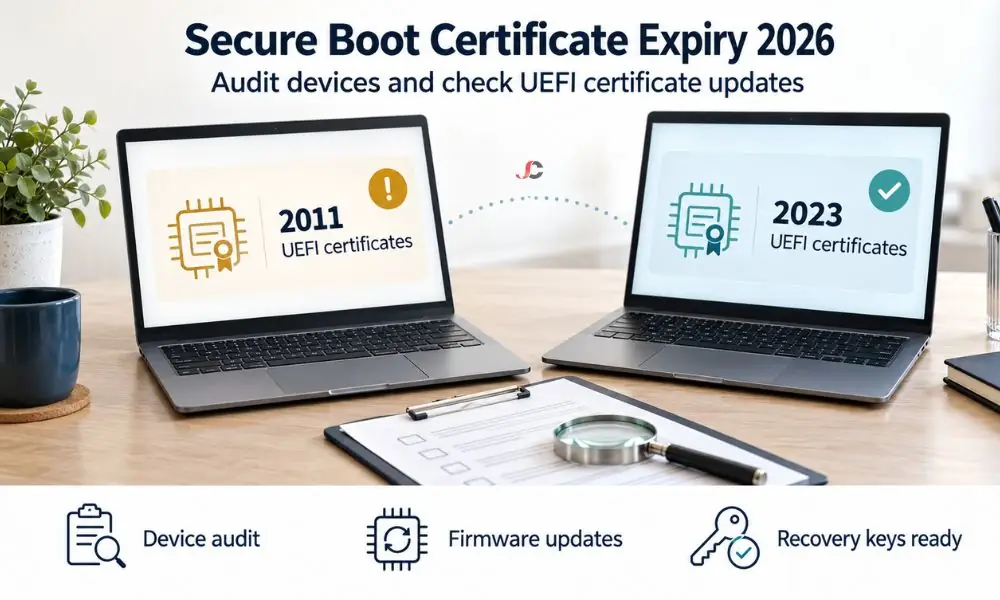
All three Microsoft Secure Boot certificates issued in 2011 have now expired. Most affected laptops and desktops still start normally, which is exactly why a missed update can go unnoticed for months. This guide treats the Secure Boot certificate expiry as an audit task, showing how to find devices that missed the change through your Intune endpoint management tools and how to fix them.
Key Takeaways
- Expiry dates: Microsoft’s Secure Boot certificates of 2011 will expire on 24th June, 27th June, and 19th October 2026.
- Impact: Machines that lack the 2023 certificates continue to boot and receive regular updates from Windows; however, they no longer receive new boot-level security protections.
- Reporting: Microsoft 365 Business Premium tenants can check the status in the Windows Autopatch Secure Boot status report in Intune.
- Risk: Microsoft warns that some devices may ask for a BitLocker recovery key when the new certificates arrive.
Which Secure Boot certificates expired in 2026?
Three Microsoft certificates stored in device firmware expired in 2026. The Microsoft Corporation KEK CA 2011 expired on 24 June, the Microsoft UEFI CA 2011 on 27 June, and the Microsoft Windows Production PCA 2011 on 19 October. Each has a 2023 replacement that must be written to the device firmware.
| Expired certificate | Expiry date | 2023 replacement | What it signs |
| Microsoft Corporation KEK CA 2011 | 24 June 2026 | Microsoft Corporation KEK 2K CA 2023 | Updates to the DB and DBX databases |
| Microsoft UEFI CA 2011 | 27 June 2026 | Microsoft UEFI CA 2023 | Third-party boot loaders and EFI applications |
| Microsoft UEFI CA 2011 | 27 June 2026 | Microsoft Option ROM UEFI CA 2023 | Third-party option ROMs |
| Microsoft Windows Production PCA 2011 | 19 October 2026 | Windows UEFI CA 2023 | The Windows boot loader |
The KEK sits above the other databases and authorises changes to them. The DB lists what is trusted to start, and the DBX lists what has been revoked. Microsoft’s Secure Boot certificate expiration guidance states that both the DB and the KEK need the 2023 versions.
What happens to a device that missed the certificate update?
A device that missed the update still starts and still installs normal Windows updates. However, Microsoft states that it can no longer receive new security protections for the early boot process, including Windows Boot Manager updates, Secure Boot database and revocation list updates, and mitigations for newly discovered boot-level vulnerabilities.
This makes Secure Boot certificate expiry a silent risk rather than a disruptive one. On that day, everything will still function normally; the problem arises only when a new boot-level threat appears.
Boot-level malware is hard to detect because it loads before Windows and before most security tools. Keeping Secure Boot current is one of the main controls that blocks it at that stage.
How do you check whether a Windows device has the 2023 certificates?
On a single device, check the UEFICA2023Status registry value under HKLM\SYSTEM\CurrentControlSet\Control\SecureBoot\Servicing and look in the System event log. Event ID 1808 confirms the new certificates are in the firmware, while Event ID 1801 means they have not been applied. The Windows Security app also shows whether Secure Boot is on.
You can run these checks on a single device without extra tools. Microsoft’s guidance for IT professionals covers four of them.
- Secure Boot enabled: confirm with the Confirm-SecureBootUEFI PowerShell cmdlet or the Windows Security app.
- Servicing status: read UEFICA2023Status and check for a UEFICA2023Error value.
- Targeting: check the AvailableUpdates value to see whether the device has been targeted.
- Event log: look for Event ID 1808 (success) or Event ID 1801 (not applied).
Single-device checks suit a handful of machines. For a whole estate, use a report instead.
Which Intune report shows Secure Boot status for Business Premium tenants?
Business Premium tenants should use the Secure Boot status report in Windows Autopatch, found in the Intune admin centre under Reports> Windows Autopatch> Windows quality updates, then the Reports tab. Windows Autopatch is included with Microsoft 365 Business Premium, whereas Intune Remediations need Windows Enterprise E3 or E5 licences.
| Windows Autopatch Secure Boot status report | Intune Remediations detection script | |
| Licence | Included with Microsoft 365 Business Premium | Windows Enterprise E3 or E5 (or Education A3 or A5) |
| What it shows | Secure Boot on or off, certificate status, trust configuration, confidence level, alerts | Registry status, event IDs, firmware and model details per device |
| Set-up | Devices must be Autopatch-managed and send required diagnostic data | Upload Microsoft’s detection script and assign it to device groups |
| Limits | Teams Rooms devices are not supported; status can take up to 12 hours to update | Not available on Business Premium alone |
According to Microsoft’s Secure Boot status report documentation, the report requires devices enrolled in Windows Autopatch, the Data Processor Service for Windows enabled in the tenant, and the required diagnostic data turned on. Devices that have been inactive for more than 28 days may show as Unknown. If you are unsure what your licences include, review your Business Premium licensing before choosing a method.
How do you fix devices that still have the 2011 certificates?
Work through each flagged device in order: confirm Windows Update is running, confirm the operating system is still supported, confirm Secure Boot is on, apply any firmware update from the manufacturer, then target the certificate update using Microsoft’s IT guidance. Replace devices whose firmware cannot accept the new certificates.
- Windows Update: Ensure that there is no pausing of any updates. Most machines get the 2023 certificate via regular monthly updates.
- Supported operating system: As Windows 10 had its end of support on 14 October 2025, the machines using Windows 10 require the Extended Security Updates for Secure Boot patches.
- Secure Boot on: A device with Secure Boot off needs no certificate change, but it also has none of the protection.
- Manufacturer firmware: Some devices need a firmware update before the certificates can be written. Check the manufacturer’s support site, especially for older models.
- Targeted update: For managed devices, follow Microsoft’s IT guidance on targeting. Microsoft notes the update can take about 48 hours and require one or more restarts.
- Hardware replacement: older, unsupported devices that cannot take the update should be scheduled for replacement.
Secure Boot is one layer of device protection. Pair it with Defender for Endpoint protection so that threats which do reach Windows are still detected and contained.
Why might BitLocker ask for a recovery key after the update?
Microsoft warns that some devices may enter BitLocker recovery after they receive new certificates following the Secure Boot certificate expiry. The user then needs the 48-digit recovery key to start Windows. Confirm every recovery key is stored in Microsoft Entra ID before you target any devices.
If your partner gets an unscheduled recovery prompt on their laptop at 8 am, then this support call could have been avoided. Review key escrow in the Intune admin centre for all flagged devices and provide a helpdesk script to retrieve the keys.
Roll the update out to a small pilot group first. Expand only once those devices have restarted cleanly and report the new certificates.
What should regulated firms record for auditors and insurers?
Keep dated evidence that you checked every device, fixed what could be fixed and planned replacements for the rest. A saved export of the Secure Boot status report, a list of exceptions with reasons, and a replacement plan for unsupported hardware answer most auditor, insurer and client security questionnaire questions about the Secure Boot certificate expiry.
Finance, legal and recruitment firms routinely answer client questionnaires about device security and patching. A short record of this audit shows that a known, dated risk was managed rather than assumed.
Store the evidence with your other security records and review it at the next quarterly device check. Note any device left on the 2011 certificates, who accepted that risk and when it will be replaced.
Who can help audit your Windows devices?
Server Consultancy helps UK firms in finance, legal and recruitment run device audits like this as part of day-to-day Microsoft 365 management. We can pull the Secure Boot status report, work through flagged devices with each manufacturer, protect BitLocker recovery keys and give you a clear record of what was fixed.
Our managed IT services cover ongoing device monitoring and updates, so the next Secure Boot certificate expiry does not depend on someone remembering a date. For a wider review of device and identity protection, see our cyber security solutions.
Will a device stop booting because the certificates expired?
No. According to Microsoft, devices without the 2023 certificate keep operating without any problems. They stop getting any new boot-level security updates.
Does Windows Update install the 2023 certificates automatically?
In most cases, when the devices are supported. The certificates will be provided using Windows Update, although some will require an additional firmware update by the manufacturers.
Do Windows 10 devices still get the Secure Boot update?
But this is possible only if it is Extended Security Updates. Windows 10 support ended on 14th October 2025, so you can’t receive any Secure Boot updates.
Should we turn off Secure Boot to avoid problems?
No. Turning Secure Boot off removes the protection entirely. Fix or replace the device instead.
Do we need a firmware update from the manufacturer?
Sometimes. Microsoft advises checking with the device manufacturer because some firmware must be updated before the new certificates can be applied.
How long does the certificate update take on a device?
Microsoft says it can take about 48 hours and one or more restarts after a device is targeted. Plan restarts outside working hours where you can.
Can Intune Remediations be used with Business Premium?
No. Remediations need Windows Enterprise E3 or E5 (or Education A3 or A5) licences. Business Premium tenants should use the Windows Autopatch Secure Boot status report instead.
Are Microsoft Teams Rooms devices included in the Autopatch report?
o. Microsoft lists Teams Rooms devices as not supported in the Secure Boot status report, so check them separately with the manufacturer.