
In London, downtime costs money. Resolution speed depends on the quality of the initial report. With high rents and hybrid working, lost uptime is unacceptable. Organisations relying on comprehensive IT support services understand that efficiency is a two-way street, where clear communication speeds up technical fixes.
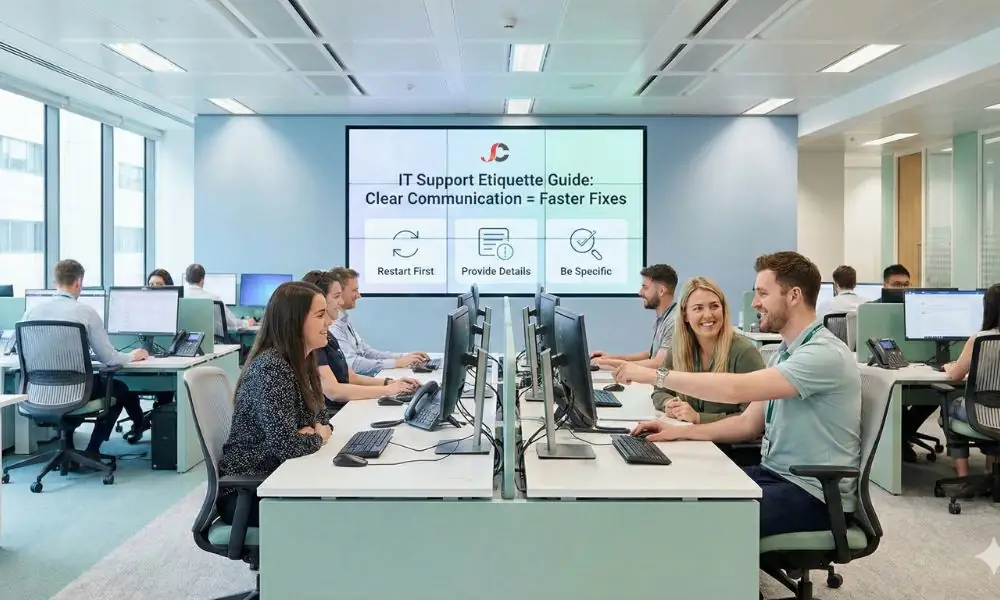
This guide defines proper IT support etiquette for London employees to ensure your team gets back to work without delay. Following the above procedures, not only will your staff members’ issues be resolved quickly, but the business will also run as usual.
Why IT Support Etiquette for London Employees Matters
Many staff expect IT to have a “magic button” that fixes problems instantly. Engineers must troubleshoot methodically and rely on evidence, clues, and context. Good IT support etiquette for London employees is not only about politeness; it helps the helpdesk run efficiently and keeps costs under control.
Vague tickets force engineers to chase basic details rather than resolving the issue, creating a “ping-pong” cycle of questions such as “What is the error code?” or “Which computer are you using?” It helps to train personnel on the need to provide clear, high-quality information to reduce re-ticketing.
Discipline in log entries also increases ownership. Knowing the technical consequences of their log entries, workers can distinguish between human error and a system malfunction, which is cost-saving in the end.
Before You Log: The Pre-Ticket Checklist
Before logging a ticket, staff can resolve inevitable glitches themselves. A pause to verify the basics can make a big difference in the number of tickets.
Check for Announcements
Check whether your IT provider or building manager has already reported an outage. If the whole building or Microsoft 365 is affected, multiple reports can overload the system. Check the intranet or team notices first.
The “Restart” Rule
It clears cache files, cleans RAM, and stops any hung processes in the background. It is recommended that you reboot the application or device before contacting the helpdesk.
A critical part of IT support etiquette for London employees is attempting a restart first. This is a convenient tip that solves many temporary issues with printer connections, unresponsive spreadsheet applications, and slow browser loading. However, if the error persists after restarting, it is not a temporary issue and requires technical support.
Is It Actually Broken?
Sometimes, a “bug” is a feature or a permissions issue. Before reporting a bug, it helps to ask a coworker whether they are observing the same symptom. If not, it is specific to your computer or user account. If so, it may be a larger network issue. This alone is crucial information to provide to tech support.
How to Log IT Issues Effectively
The core of IT support etiquette for London employees lies in the initial ticket submission. A well-constructed ticket acts as a roadmap for the engineer, guiding them directly to the root cause. Conversely, a poor ticket is a riddle that delays your solution.
The Ticket Quality Matrix
To help your team understand the difference, use this comparison table during onboarding.
| Feature | Vague Request (The Problem) | Detailed Request (The Solution) | Result |
| Subject Line | “Help” or “Not working” | “Cannot access Outlook Web App via Wi-Fi; Error 503” | Immediate routing to the correct specialist. |
| Description | “My computer is slow.” | “Excel freezes when opening large files (50MB+). Started after Monday’s update.” | Faster diagnosis of the root cause. |
| Evidence | None. | Screenshot of the error message attached. | Eliminates the need for engineers to ask for “proof”. |
| Contact Info | “Call me.” | “Please call my mobile [Number] as my desk phone is down.” | Prevents missed connections. |
Anatomy of a Perfect Ticket
When communicating IT problems clearly, specificity is king. Ensure your staff includes the following three pillars of information:
- The “What”: The asset tag from the device label should be included. In this way, the engineer can verify the hardware specification and warranty status immediately.
- The “When”: Is this a problem that began after an update to a program or a new plugin? This information helps engineers connect this problem to current changes.
- The “How”: Give instructions to reproduce the problem. Describe exactly what actions were performed before running into trouble, such as: “I opened my PDF, clicked on ‘Sign’, and the screen froze.”
Issues regarding expert Office 365 support often require specific error codes from the Microsoft portal (e.g., “Error 0x8004060C”) to pinpoint the failure. “Outlook is broken” is not a sufficient description. The engineer can look up the hexadecimal error code directly in the Microsoft knowledge base.
Understanding Urgency and Impact
A key part of IT support etiquette for London employees is setting the correct priority. If every ticket is marked “Urgent”, the label loses its value. Poor prioritisation also creates alert fatigue for the service desk and can lead to genuine emergencies being missed.
Defining Priority Levels
- P1 (Critical): The whole business is offline, such as a server failure or a total internet outage, with an immediate impact on revenue.
- P2 (High): If a department is unable to work, or a VIP is affected, for example, when payroll fails on payday, it should be treated as a higher priority. Knowing how to set priorities is a core part of IT support etiquette for London employees.
- P3 (Normal): One user is affected but can still work (e.g., Printer glitch, one slow application).
- P4 (Low): Service requests (e.g., “I need a new mouse” or “Please create a folder”).
Security Exceptions
There is one major exception to the standard logging process. If you suspect a data breach, malware infection, or phishing attempt, immediate action from a comprehensive cybersecurity solutions provider is required. In these security instances, it is acceptable—and encouraged—to bypass standard ticketing portals and call the emergency line immediately. Speed is the only defence against active compromise.
Staff Training on IT Helpdesk Use
Make IT support etiquette for London employees a formal element of your onboarding. Issue new starters with an onboarding guide covering IT support processes, delivered together with their hardware.
The Induction Week Checklist
To ensure consistency, managers should include the following steps in the first week of employment:
- Portal Walkthrough: Physically show the new starter how to access the ticket portal and where to find the “Help” icon on their desktop.
- The “Cheat Sheet”: Provide a one-page PDF summarising the key contact numbers and the “Ticket Quality Matrix” above.
- Mock Ticket: Get them to log a mock ticket labelled “Test” to confirm the account is active and that they understand the required fields.
- SLA Awareness: Explain Service Level Agreements. This should be communicated clearly to prevent members of staff from requesting updates if they know how long it should take, such as 4 hours for a non-critical password reset.
Top 5 Etiquette Offences to Avoid
- The “Drive-By”: Stopping an engineer in the corridor to ask for help without a ticket.
- The “Silent Treatment”: Failure to respond to the request of the engineer for more information.
- The “Duplicate”: Recording the same problem three times in an hour in the hope of getting a quick solution.
- The “Vague Subject”: Using subject lines like “Urgent” or “Question” without context.
- The “Angry Chase”: Being rude to support staff. Professionalism is paramount.
Communication Best Practices
After submitting your ticket, this is only the start of your conversation. The etiquette of IT support in London dictates that you must have some level of professionalism in your verbal and non-verbal communication.
- Avoid Jargon: Describe the symptoms rather than offering a technical diagnosis. For example, simply state, “The screen goes blank when I press print,” rather than guessing, “The driver has corrupted the kernel.”
- Be Patient: Complex server issues take time to rebuild. Trust that the team is working on it.
- Respond Promptly: If an engineer asks for more information to support IT, reply as soon as possible. A ticket often automatically closes after 3 days without a response, requiring you to restart the process.
Conclusion
Good IT support etiquette is essential for London workers to interact effectively with support. When tickets are correctly filled out, downtime and frustration are eliminated, since the engineer has enough information to work on other improvement areas.
For long-term planning and implementation of your infrastructure, strategic IT consulting services may be employed to analyse your current workflow. Invest a little in training today and save hundreds of hours later.
What is the most vital information to give IT support?
Please provide your error message (including any error numbers), your asset tag number from your device, and what you were working on.
How does IT support etiquette for London employees improve speed?
By providing clear, accurate information upfront, engineers do not have to waste time asking clarifying questions. This eliminates back-and-forth delays and allows them to start fixing the problem immediately.
Why do engineers always ask me to restart my computer?
Restarting a computer clears temporary memory (RAM), resets network connections and kills stuck background processes. It is a fast, non-invasive way to fix many transient software glitches.
What is the difference between a P1 and a P4 issue?
A P1 (Priority 1) issue is a business-wide emergency, such as a server failure. A P4 issue is a minor request, such as a new software installation, that does not stop you from working.
How should I report a suspected cybersecurity breach?
If you suspect a hack or data breach, act immediately and call your IT support team. Speed matters when containing a security threat.
Should I call the helpdesk or email them?
If, for some reason, work cannot continue, contact the helpdesk straight away. Otherwise, for routine bugs or non-urgent requests, raise a ticket by email or via the web portal.