
For London SMBs, a single server failure or security breach can wipe out days of productivity and cause severe financial loss. A robust IT maintenance checklist for SMBs helps reduce this risk and keeps your infrastructure aligned with your business goals.
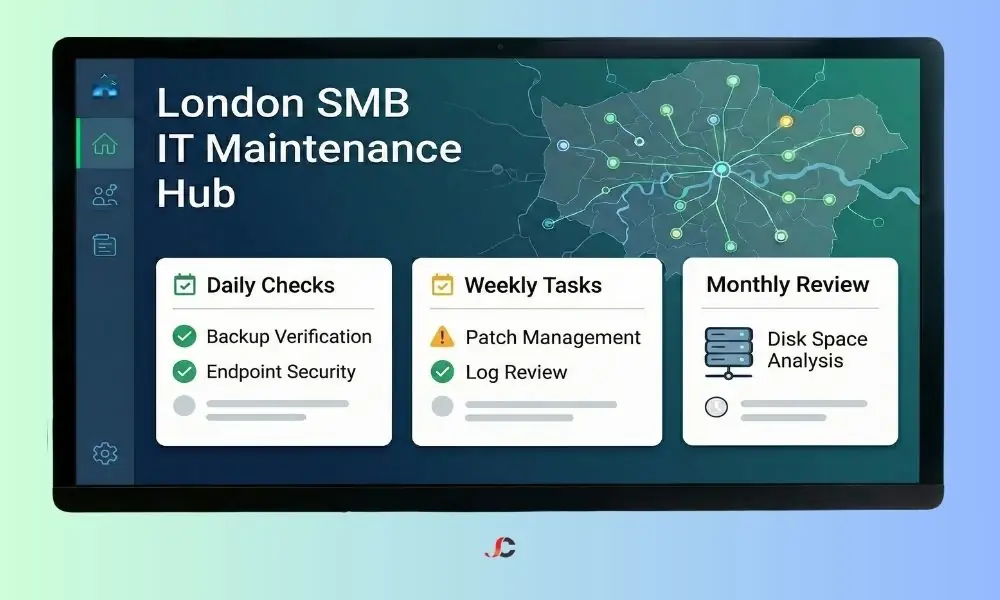
Unmanaged IT leads to failing components, weaker security and compromised storage, increasing the risk of cyberattacks and UK Data Protection Act 2018 breaches. This IT maintenance checklist for SMBs covers daily tasks to annual reviews, with comprehensive managed IT services available for proactive support.
Why a Proactive Maintenance Schedule Matters for London Businesses
For businesses in London, IT interruptions are more costly than elsewhere in the UK, due to premium rents, higher employment overheads, and the city’s high-speed commercial climate. A reactive approach—fixing things only when they break—often results in emergency call-out fees and extended periods of inactivity.
Regulatory compliance is also crucial. London businesses that manage personal data must comply with GDPR and UK data privacy rules, and a schedule routine IT maintenance checklist for SMBs can help demonstrate due diligence. By keeping security protocols up to date and regularly testing backups, you can prove that your business takes data protection seriously, which is essential during a compliance audit.
Daily and Weekly Routine Checks
High-frequency checks are designed to catch immediate issues before they escalate. These tasks should be performed daily or weekly by an assigned IT administrator or your support partner.
Verifying Critical Data Backups
Data loss is the primary threat to business continuity. You must verify that your backups are not only running but are also completing successfully.
- Check backup logs daily: Confirm that no items are listed as “Failed” or “Incomplete.”
- Evaluate a file restore weekly: Randomly select a non-critical file and attempt to restore it to ensure the data is not corrupt.
- Off-site synchronisation: Confirm that your local backups have successfully replicated to your cloud storage or off-site data centre.
Endpoint Security Updates
Your antivirus and anti-malware definitions change daily as new threats emerge. Ensuring every device on your network is up to date is a non-negotiable part of maintaining robust IT infrastructure security.
- Definition Checks: Confirm antivirus software on all workstations is running the latest version.
- Scan Reports: Review weekly scan logs to identify and isolate any quarantined threats immediately.
The Monthly IT Maintenance Checklist for SMBs
Monthly tasks involve deeper dives into system health and performance. This is where you identify trends, such as a server slowly running out of disk space or a recurring error in your event logs.
The table below sets out the main routine IT maintenance checklist for SMBs that ought to underpin your monthly plan:
| Maintenance Task | Priority | Description |
| Disk Space Analysis | High | Check servers for free space. Delete temporary files and old logs if usage exceeds 80%. |
| Event Log Review | Medium | Scan Windows/Linux event logs for “Critical” or “Error” warnings that occur repeatedly. |
| User Access Audit | High | Remove accounts for staff who have left and deactivate inactive guest accounts. |
| UPS Battery Test | Medium | Check the Uninterruptible Power Supply (UPS) to ensure it can hold a load during a power cut. |
| Software Patching | Critical | Apply non-critical operating system updates and third-party software patches. |
Implementing this ultimate IT maintenance checklist for SMBs monthly ensures minor issues are resolved before they affect your team’s ability to work.
Quarterly and Annual Infrastructure Reviews
Quarterly reviews are less about day-to-day stability and more about long-term strategy and lifespan, including physical checks and warranty management.
Hardware and Environment Checks
London offices are often warm and dusty, which can shorten the life of your hardware. Every quarter, make sure you:
- Clean Server Intakes: Wipe or vacuum dust from server fans and air conditioning vents to reduce the risk of overheating.
- Cable Management: Neaten and secure any loose cables in the server room to help prevent accidental disconnections.
- Warranty Audit: Review the warranty status of all critical servers and workstations. If a warranty is expiring, plan for a renewal or hardware replacement.
For complex environments, engaging professionals for strategic IT infrastructure management can help you forecast these lifecycles accurately, ensuring you are not caught off guard by an obsolete server.
Security and Patch Management Protocols
One of the most frequently overlooked aspects of the IT maintenance checklist for SMBs is third-party patching. While Windows updates are often automated, software like Adobe Reader, Chrome, and Java requires manual intervention or specialised tools.
Patching and updates for small business environments are critical because hackers often exploit outdated software vulnerabilities to gain access to networks.
- Automate where possible: Use tools like Microsoft Endpoint Manager or third-party RMM (Remote Monitoring and Management) software.
- Evaluate before deployment: Never deploy a major patch to all machines at once. Evaluate it on a pilot group first to ensure it does not conflict with your line-of-business applications.
For authoritative guidance on securing your systems, we recommend following the NCSC Small Business Guide, which provides a UK government-approved baseline for cybersecurity.
When to Transition from In-House to Professional Support
Small businesses often start by managing their server and endpoint maintenance checklist using internal resources. However, as your business grows, the complexity of the technology stack increases. If your team is spending more time fixing printer issues and running updates than on strategic work, it is time to outsource.
A professional partner ensures that your preventative IT maintenance for SMBs is executed consistently, without relying on a single employee who might go on holiday or leave the company. By integrating reliable network support solutions, you gain access to enterprise-grade monitoring tools that detect faults instantly, often fixing them before you are even aware a problem exists.
Conclusion
Regular, planned maintenance—not one-off fixes—is what makes IT dependable. This IT maintenance checklist for SMBs helps reduce downtime and keep your data secure as cyber threats evolve. Whether you manage these tasks in-house or with a specialist, staying proactive is essential because a well-maintained IT environment quietly underpins many successful businesses.
How often should I use an IT maintenance checklist for SMBs?
Schedule checks at set intervals — daily for backups, weekly for security patches, and monthly for in-depth system reviews.
What is the most critical task in an IT maintenance schedule?
Backup verification is the most critical task. If your data is lost and backups fail, the business impact is immediate and severe.
Why is patch management important for small businesses?
Patching fixes security holes in software. Without regular patching and updates for small business systems, you are vulnerable to cyberattacks.
Can I automate my IT maintenance tasks?
Yes, many routine IT maintenance tasks, such as disk cleanups and updates, can be automated using Remote Monitoring and Management (RMM) tools.
What is the difference between server and endpoint maintenance?
Server maintenance focuses on the core (data, applications, and user access), while endpoint maintenance focuses on individual devices, such as staff laptops and desktops.