
The security of your database infrastructure is the foundation of your operational integrity. For many organisations, legacy systems still power critical applications. However, sticking with old tech is a gamble. SQL Server 2012 and 2014 end-of-support upgrade requirements are no longer a distant concern. They are an immediate necessity.
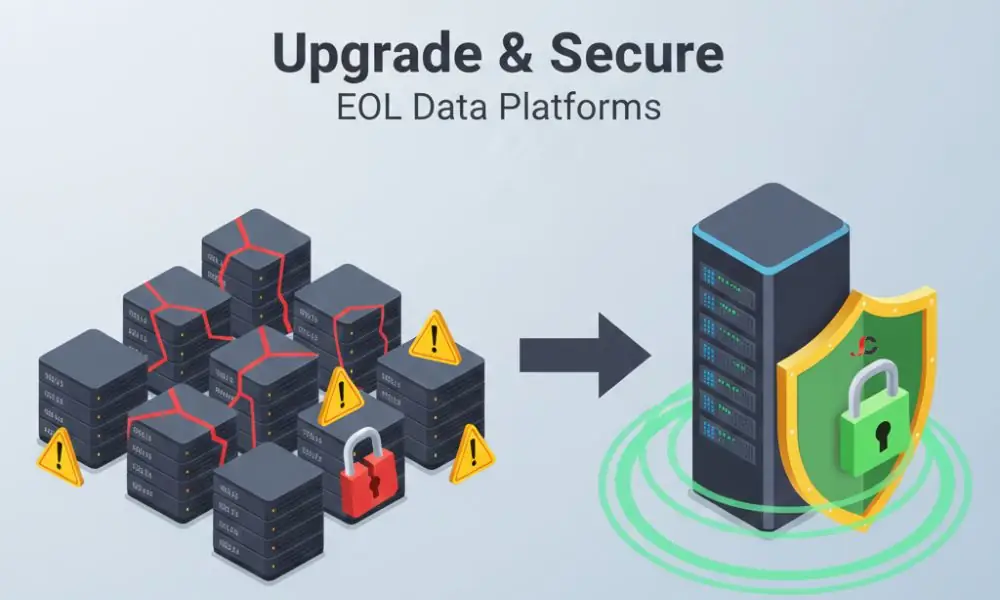
Cyber threats do not wait for your budget cycle. Running unsupported software is an open invitation to vulnerabilities. We provide expert IT consultancy services to help London firms navigate these transitions safely. The window for planning has closed. It is time for execution.
The Critical Risks of Post-EOL SQL Infrastructure
Security is the primary casualty of expired support. Given that we no longer receive patches for those versions, we are referring to critical security patches that can protect against new exploits. If we find a problem tomorrow, your software is now a liability, not a legacy system.
Compliance and Regulatory Impacts for UK Firms
The UK’s data protection regulations are extremely strict. The Information Commissioner’s Office also places significant emphasis on the use of supported software in businesses. However, non-compliance carries severe consequences for businesses. Under Article 32 of the UK GDPR, organisations are legally required to implement proper technical measures to ensure security. Non-compliance may result in substantial fines.
In line with Article 5(2) of the UK GDPR, organisations must demonstrate accountability by setting out how they secure personal data. A London financial services firm must adhere to the latest ICO and NCSC guidance regarding the decommissioning of obsolete digital assets. NCSC guidance on decommissioning assets warns that unpatched databases are primary targets for lateral movement and unauthorised data exfiltration.
Selecting Your Migration Pathway
Audits save time. Assumptions cost money. You have the choice between current on-premises versions and cloud-native environments. Note: Virtual machine allocations should start at 2GB RAM for a successful SQL 2025 installation.
| Migration Path | Best For | Benefit |
| In-place Upgrade | Small environments | Faster execution with minimal hardware changes. |
| Side-by-side Migration | Critical systems | Lower risk; allows for testing before the final cutover. |
| Azure SQL / Managed Instance | Cloud-first firms | Removes the need for physical server maintenance. |
| Extended Security Updates | Emergency bridge | High-cost temporary safety net for legacy apps. |
A side-by-side migration is often the safest bet. You must build a unique environment, assess the applications, and migrate the data. This reduces the risk of corruption during the upgrade from SQL Server 2012 or 2014 to the end of support. Modern flagships, such as SQL Server 2025, require at least 6GB of disk space; 10GB is recommended for production environments.
Technical Evolution: SQL Server 2012 and 2014 vs. SQL 2025
To understand the necessity of this transition, one must examine the shift from perimeter-based defence to a “Zero Trust” architecture. Legacy versions were built for a different threat landscape. Modern versions assume the network may already be compromised.
| Feature Category | SQL Server 2012 and 2014 (Legacy) | SQL Server 2025 (Modern) |
| Data Encryption | TDE is limited to the Enterprise edition. | Always Encrypted with Enclaves. Shield data from admins. |
| Access Control | Standard Role-Based Access (RBAC). | Microsoft Entra ID. Supports MFA and Conditional Access. |
| Integrity Checks | Manual page checksums. | SQL Ledger. Tamper-evident blockchain auditing. |
| Network Security | TLS 1.0 / 1.1 (Now vulnerable). | TLS 1.3 Support. Superior cryptographic cypher suites. |
Always Encrypted with Enclaves and SQL Ledger
In the 2012 and 2014 era, encryption primarily protected data at rest. SQL Server 2025 uses Always Encrypted with Enclaves to create a secure execution environment in memory. This ensures data remains encrypted even during computation.
The introduction of SQL Ledger also provides a cryptographically linked audit trail. Every transaction is hashed, making any unauthorised alteration immediately detectable. For London businesses in regulated sectors, this provides an immutable record of integrity that legacy triggers cannot match.
Pre-Upgrade Checklist: Ensuring Data Integrity
Successful preparation leads to a successful project. Thorough preparation mitigates the risk of failure common in poorly scoped migrations. The initial stage of project preparation is to review the current environment and identify all applications that connect to the database. You also need to consider the hardware capabilities. Evaluate your hardware architecture; modern flagships, such as SQL Server 2025, require at least 10GB of disk space and significantly higher compute resources than the legacy 2012 version. You must also ensure that a robust backup and disaster recovery plan is in place.
Look for complex T-SQL code that needs to be simplified to be compatible with the new query optimiser. Use the Data Migration Assistant to highlight any deprecated features and provide suggestions for performance improvement specific to database systems.
Step-by-Step: Upgrading to a Supported SQL Version
A structured, methodical approach is necessary to prevent regression. The following steps should be done in the following order:
- Execute Full Backup: Rely on a full backup as your sole safety measure.
- Install: Install the latest version onto the new hardware or the virtual machine.
- Migrate: To migrate schemas and data, use DMA or rely on backup and restore methods.
- Update: Direct your application connection strings to the new server address.
- Test: Validate reports and user permissions using the new compatibility level.
Detailed Post-Migration Validation
Once the data is migrated, you should do thorough validation. Parity is imperative. Verify row counts from source to destination as a means of ensuring data integrity. Checksum Verification: This method checks the binary integrity of the data being transferred.
Professional server support is often required to manage this complexity without causing downtime. Technical specialists can fine-tune the tempdb configuration and memory settings, which are often overlooked during manual upgrades.
Clearing Technical Debt: The Migration Dividend
Legacy databases can also carry technical debt, such as inefficient queries, which can degrade overall system performance. Moving to the latest version is an opportunity to clean up your environment. Identify and prune unused tables and indexes to streamline the data footprint.
You should also adopt a long-term database lifecycle management strategy. This involves scheduling regular patch windows and performance reviews to avoid another sudden emergency upgrade. Current versions offer superior automation tools to streamline these maintenance tasks.
Licensing After Your Upgrade
The shift from CAL-based to Per Core licensing requires a careful audit. If you require clarity on the latest models, consult our software licensing guidance to avoid overspending. For those ready to finalise their deployment, we help with purchasing SQL Server licences to ensure compliance and efficiency.
Professional Assistance for Complex Migrations
Transitioning away from the end-of-support upgrade cycle for SQL Server 2012 and 2014 is a significant project. It involves more than just clicking “Next” on an installer. It requires a deep understanding of database architecture.
Downtime costs money. A botched migration costs even more. Expert intervention ensures that data remains consistent and available. We manage the technical workload on your behalf so you can focus on running your business operations. Our team ensures that your transition to a supported environment is seamless and secure.
Summary of Your Upgrade Path
Legacy software is a liability. Contact us today to secure your infrastructure. Upgrading to SQL Server 2012 or 2014 is the only way to guarantee your database remains secure. Plan your migration today. Audit your licences. Secure your data.
- SQL Server 2012: Extended Support ended on 12 July 2022; the last on-premises ESU program closed in July 2025, leaving those legacy installations unpatched.
- SQL Server 2014: Extended Support ended 9 July 2024; it is currently in the second year of its three-year ESU programme (covering July 2025 to July 2026). The last year will end in July 2027.
Secure your data today; contact our London consultants for an immediate database audit.
When did SQL Server 2012 reach its end of life?
It ended on 12 July 2022, and the last on-premises ESU programme ended in July 2025, leaving them completely unpatched.
Can I still get security updates for SQL Server 2014?
Extended Support for SQL Server 2014 ended 9 July 2024; it is currently in Year 2 of its 3-year ESU programme.
What are the risks of staying on an EOL database version?
Unpatched vulnerabilities, non-compliance with UK law, and legacy hardware failure.
What are the key differences between an in-place upgrade and a side-by-side migration?
In an in-place upgrade, the latest version of SQL is installed over an existing version on the same Operating System. In a side-by-side migration, data is moved to a new server or instance.