
Choosing an IT support partner is rarely a small decision. The right provider becomes a quiet operational asset — your team barely notices them because everything works. The wrong one shows up in late tickets, missed patches, surprise invoices and, in the worst cases, a security incident your insurer questions because basic controls were not in place.
A small business in the United Kingdom with teams working both locally at its London headquarters and remotely across the country will face more complications than others. No matter how good your service provider seems, he will not be right for you if he cannot send an engineer to your Manchester office or your Bristol home-based team.
This guide sets out the 12 questions to ask before hiring IT support that go beyond the surface-level checklists most agencies publish. They are written for UK buyers, anchored to UK frameworks such as NCSC guidance and Cyber Essentials, and built around the real shape of modern SME IT — a Microsoft 365 estate, Azure workloads, distributed people and tight cyber-insurance scrutiny.
If you would rather skip the homework, you can compare any provider against our own comprehensive UK IT support services as a baseline. Please, however, ask these questions of every shortlist candidate, including us.
Why the Wrong IT Support Provider Costs UK SMEs More Than You Think
Costs resulting from substandard performance by service providers may not appear on an invoice. It may be four hours of downtime for your sales team resulting from a Teams failure that eats into a quarter of their working day. It could be a ransomware claim that your insurance company will not honour because there is insufficient evidence that your backups are immutable.
There is also the cultural drag of staff who stop reporting issues because tickets disappear into a queue. Over time, a weak provider trains your people to work around problems rather than fix them — a hidden productivity tax that compounds quarter after quarter.
This is the risk UK SMEs face in such a hostile environment. The National Cyber Security Centre claims that half of small businesses in the UK are targeted by cyberattacks annually. The procurement process, supplier validation process, and customer due diligence processes often refer to Cyber Essentials certification and supply chain management control.
Good decision-making is now essential. The following questions have been formulated to highlight potential shortcomings when it is still affordable to change suppliers rather than when it becomes a matter of urgency.
How to Use This Vetting Checklist
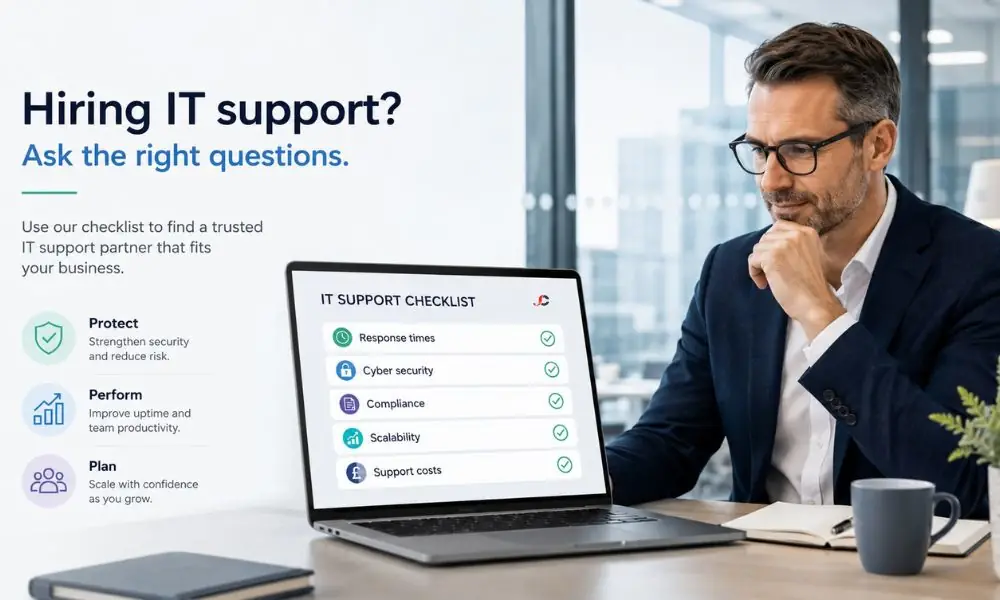
The 12 questions to ask before hiring IT support, set out below, should not be raised casually during a discovery call. Send them in writing, ideally as part of a formal request for information, and require written answers with supporting evidence such as sample SLAs, certification numbers and reference reports.
Use the following criteria to evaluate each response with an Amber, Red or Green rating. Proceed with commercial discussions only for candidates with green ratings on most criteria and ask probing questions when you receive any Amber ratings related to security, resilience, or withdrawal plan.
The above methodology transforms the IT support due diligence process into a rational procurement process. It is helpful to the finance director signing the deal and to the board, which would like proof of rational decision-making.
Service Coverage and Response
Q1. What is in your SLA — and does it cover response and resolution?
Providers usually specify a response period. However, far fewer will assure the resolution period, while very few will provide service credits if the resolution is not achieved. Get the complete Service Level Agreement document before your next meeting.
Look specifically for severity tiers — a Priority 1 for total outage, a Priority 4 for cosmetic issues — with both a response target and a resolution target for each. Look for a financial credit mechanism, such as 5% of the monthly fee for each missed P1 resolution, capped sensibly. A provider unwilling to put resolution targets in writing is a provider unwilling to be measured.
Q2. Do you offer 24/7 support, or only business-hours cover?
“24-hour monitoring” can be a marketing gimmick in which alerts are sent to a dashboard that no one watches after everyone goes home. Push them to explain who is responding to alerts in the middle of the night.
Confirm whether there is a duty engineer on call out-of-hours, what the escalation path looks like, and whether the response SLA at 02:00 matches the response SLA at 14:00. UK SMEs with finance month-ends, retail peak trading, or international clients cannot afford “we will pick that up Monday” as the answer to a Sunday-night outage.
Q3. How do you support hybrid teams across the UK?
This is the question competitors miss entirely. If your business has a London HQ but employees in Edinburgh, Leeds and Plymouth — plus contractors, freelancers and site-based tenants — your provider must support people, not just an office.
Find out what process they follow for bringing in a new employee in Cardiff, how they deal with the issue of a laptop failing on someone working from Cornwall, and if they deliver devices that have been configured using Windows Autopilot via Microsoft Intune. Get their perspective on hybrid identity, Entra ID conditional access, and protecting endpoints that are rarely accessing the corporate network. Those service providers who still believe that everyone comes in through the office door every day are living in the past.
On-Site Reach and People
Q4. Can your engineers attend site visits across the UK?
There are cases where hardware must be managed physically: a switch that is not functioning in a branch office, a projector screen in a conference room in a remote location, or an uninterruptible power supply that is no longer functioning on a collocated rack.
Find out whether the supplier employs its engineers or must hire a third party to provide field engineering services regionally. This may be okay if you need normal engineering, but it can often prove inadequate when faced with difficult diagnostics that require knowledge of your specific system setup. You must have a signed commitment concerning site SLA response times in your postcode area.
Q5. Who exactly will work on our account?
The “we have 50 engineers” answer hides a multitude of sins. The correct model is a small, named pod of engineers — typically three or four — who hold the account documentation, know your environment and rotate cover predictably.
Ask for the engineer’s biographies, certifications, and the pod’s coverage schedule. Ask what happens when your primary engineer is on holiday. There should be no degradation in service, as the next engineer can consult the documented runbook for your environment. If the provider cannot clearly describe their team structure, you are buying a lottery ticket, not a service.
Security, Compliance and Data Protection
Q6. What is your security stack — and are you Cyber Essentials certified?
A modern UK MSP should hold Cyber Essentials Plus as a minimum — not just for their own protection, but as a signal they understand the controls well enough to implement them in your environment. Self-certification without independent verification is the weaker signal.
Beyond certification, ask about the practical security stack they will deploy in your environment. At a minimum, expect to see:
- Endpoint detection and response (EDR) with a managed XDR or 24/7 Security Operations Centre tied to it.
- Conditional access policies built around Entra ID, with risk-based sign-in controls and MFA enforcement.
- Privileged access management for administrative accounts, including just-in-time elevation.
- Email protection beyond default Microsoft 365 settings — typically Defender for Office 365 with safe-link rewriting and impersonation rules.
The NCSC publishes NCSC guidance for small and medium organisations, including an SME’s guide to selecting and working with managed service providers — read it before your meetings. Then probe each provider’s cybersecurity vetting processes against that benchmark. A strong provider will welcome the comparison; a weak one will try to change the subject.
Q7. How do you manage UK GDPR, ICO obligations and data residency?
Under the UK GDPR, your MSP is a processor; you are the controller; and the relationship requires a written Data Processing Agreement. Ask for theirs in advance and have your solicitor review it before signing anything else.
Confirm where their support systems, backup data and remote-monitoring tooling store your data. UK or EU residency matters for many regulated sectors, and an offshore helpdesk introduces transfer-mechanism considerations that must be documented. Ask how they would manage a personal data breach involving your tenant within the 72-hour Information Commissioner’s Office notification window — and request a redacted example of a past incident report if available.
Resilience, Cloud and Microsoft Capability
Q8. What does your backup and disaster recovery process look like?
A daily Veeam job is not a disaster recovery strategy. Ask about the 3-2-1 rule — three copies, two media types, one off-site — immutability against ransomware, and Recovery Point and Recovery Time Objective commitments aligned to your business tolerance.
Most critically, ask how often they evaluate restores. “We back up nightly” without a quarterly tested restore is a single point of failure waiting to happen. Strong providers run tabletop exercises with clients and produce documented backup and disaster recovery capability reports that show successful recovery drills against real RTO and RPO targets.
Q9. What Microsoft partner designations and Azure skills do you hold?
If your estate is Microsoft 365 and Azure — which, for most UK SMEs, it is — partner credentials matter materially. Self-described “Microsoft experts” without verifiable designations are a yellow flag.
Ask which Microsoft Solutions Partner designations the provider holds — these include Modern Work, Security, Infrastructure (Azure), Data & AI (Azure), Digital & App Innovation (Azure) and Business Applications. Ask how many certified engineers are on staff, and whether the firm is an Azure Expert MSP. Cloud architecture sits on Microsoft’s shared responsibility model; a provider who cannot clearly explain where their responsibility ends and yours begins is one you will be arguing with after an incident, not before.
Q10. Can you optimise our Microsoft 365 and Azure licensing?
In our experience, UK SMEs tend to spend more than necessary on Microsoft licensing. The reasons are well known: old licenses that were not cancelled, subscription tiers that provide far more than users need, and unnecessary scaling of Azure services based on non-existent peak loads.
Ask whether the provider runs quarterly licence reviews and reports on unused or over-tiered licences. Ask whether they advise on Business Premium versus E3 or E5 trade-offs, and whether they help you take advantage of Azure Reserved Instances or the Azure Hybrid Benefit. A provider that renews whatever you have is not earning their fee — they are processing a transaction.
Commercials, Scalability and Exit
Q11. Can you scale — and do you offer a co-managed model?
Your headcount in three years will not match your headcount today. Confirm the provider has tiered packages that scale and that there is no punitive uplift for adding seats midway through a contract term.
Equally important: many UK SMEs have a small internal IT lead who needs backup, not replacement. Ask whether the provider offers a co-managed arrangement where they manage out-of-hours, security operations and project work while your internal lead retains day-to-day ownership. Mature providers offer fully managed IT services alongside flexible co-managed tiers without forcing you into a binary choice.
The areas where co-managed support typically delivers the highest value include:
- Out-of-hours and weekend cover — your internal lead reclaims evenings and holidays.
- Security operations — 24/7 SOC monitoring requires a headcount that most SMEs cannot justify on their own.
- Project delivery — migrations, refreshes and rollouts that would otherwise stall internal priorities.
Q12. What are the exit terms if we choose to leave?
This is the question that separates honest providers from those who profit from lock-in. Read the termination clauses before signing, not when you want to leave.
Notice period — 30 days is reasonable, 90 days works, more than that is alarming. Data return requirements — Your data in standard formats within the stipulated period, including handing over of credentials, transferring documents, and guidance through the process for the new service provider, along with any exit costs hidden in the fine print.
If you would value a second opinion on a contract you have already been offered, an independent IT consultancy review before signing can pay for itself many times over in avoided lock-in costs.
Choosing With Confidence
The questions to ask before hiring IT support set out above are deliberately uncomfortable. Providers who welcome them, respond in writing, and back up their answers with evidence are the providers worth shortlisting. Providers that bristle, deflect or rely on “trust us” are telling you everything you need to know.
Knowing how to choose IT support is about replacing instinct with evidence. The matrix, the SLA, the certifications, the reference calls and the exit clauses — taken together, they will tell you far more than any sales meeting ever could.
If you would like to evaluate these questions against a real provider, we would welcome the conversation. Bring the checklist, mark us honestly, and compare answers across your shortlist.
How long should I take to choose an IT support provider?
Between 4 and 8 weeks are required to complete the SME’s IT support checklist review. It includes RFI, shortlisting, Q&A, telephone references, contract evaluation, and the transition period.
Should I always go with the cheapest IT support quote?
No. Price-driven decisions in IT services have been found to correlate strongly with negative results. An organisation offering its services at 30 per cent lower rates than other firms in the industry would be operating with inexperienced personnel, lacking proper equipment, or adopting competitive pricing policies.
What are Cyber Essentials, and do I need my MSP to have it?
Cyber Essentials is a UK government-backed certification covering five core security controls — firewalls, secure configuration, user access control, malware protection and security update management. Yes, your MSP should hold it at minimum, and ideally Cyber Essentials Plus, which involves independent technical verification rather than self-assessment alone.
Is 24/7 IT support necessary for an SME?
If your business operates outside 9 to 5 — finance month-ends, retail, hospitality, international clients, or remote workers in other time zones — yes. If you genuinely operate within strict office hours, extended cover may suffice, but confirm precisely what “out of hours” means for true emergencies.
What is the difference between managed IT services and IT support?
IT support is reactive — tickets, fixes, helpdesk. Managed IT services are a broader, proactive bundle that includes support, monitoring, patching, security operations, strategic planning, and roadmap delivery. Most modern providers blend the two under a single agreement.
Should I ask for client references when vetting an MSP?
Yes, and ideally references from clients of comparable size and in the same sector. Ask specific questions about response-time experience, what has gone wrong, how it was managed, and what onboarding and offboarding terms felt like in practice — not the rehearsed marketing version.
What is a co-managed IT support model?
Co-management involves sharing tasks between the internal IT manager and the external provider. Usually, the internal staff handles daily support and liaison functions, while the external partner is responsible for managing security, projects, cloud services, and after-hours activities.
Can I switch IT support providers without disruption?
Yes, with a meticulously planned 60- to 90-day transition. The new provider should run a discovery phase, document the environment, take administrative handover in stages and shadow the outgoing provider on tickets before going live independently.