
With a firm deadline looming, Microsoft will withdraw the final Extended Security Updates (ESU) for Exchange Server 2016 and Exchange Server 2019 on 14 April 2026. For organisations in London that run an Exchange Server build, an important milestone is that the Exchange Server ESU ends in April 2026. The biggest dilemma is whether to upgrade to Exchange Server Subscription Edition (SE) or switch to Exchange Online.
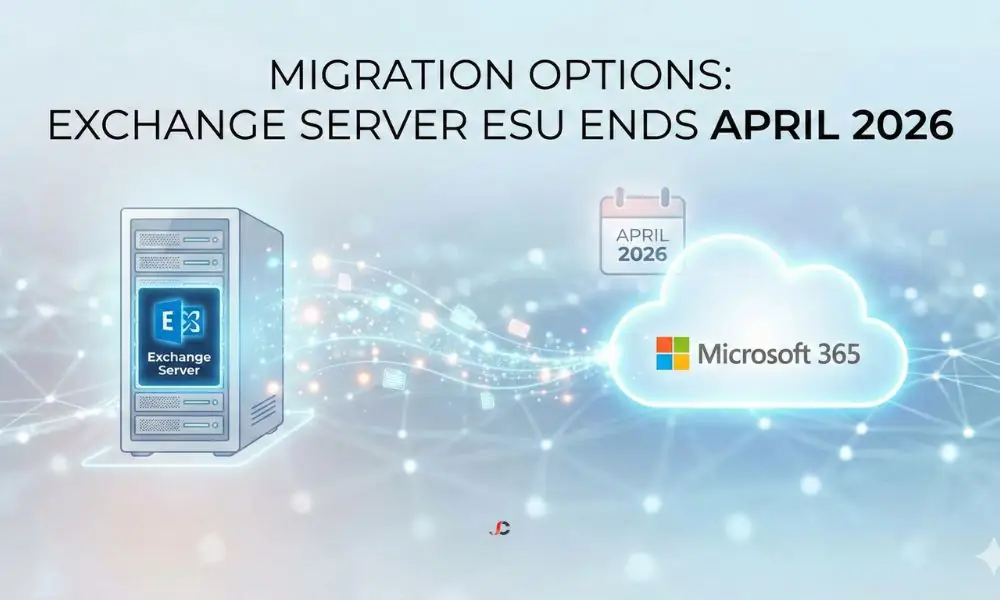
The 14 April 2026 Deadline Explained
Microsoft follows a Fixed Lifecycle Policy, although the normal end of life for the Exchange Server versions 2016 and 2019 has already lapsed in October 2025, with the end of the grace period offered by the ESU program expiring on 14th April 2026. This hard stop creates a bottleneck for IT consultancies and migration experts as a significant portion of the global marketplace scrambles to exit the platform simultaneously.
After this April cut-off date, Microsoft will withdraw all support. There will be no more technical support, no time zone updates, and—most importantly—no further security patches. Crucially, the Extended Security Update (ESU) programme will also cease. While ESU has served as expensive life support since October 2025 to bridge the gap, it is not a long-term solution. It will no longer be available to save organisations that fail to migrate by the April deadline.
What Are the Risks of Using an Unsupported Exchange Server?
Doing nothing is not a viable strategy. Running unsupported software exposes your organisation to significant operational and legal threats.
Security and Patching Gaps
The most likely threat in this case is cybersecurity, with cybercriminals targeting email servers, which are highly valuable targets. Once the Exchange Server ESU ends in April 2026, any new vulnerability discovered in the software will remain unpatched forever, as the ESU programme will have ceased operations. Hackers actively scan for unpatched Exchange servers, knowing they are often the weakest entry point into a corporate network. If, after the deadline, a “zero-day” exploit is released and weaponised, it could place your entire network at risk even before you become aware of the threat.
UK Compliance and GDPR
For London-based firms, particularly in finance or law, data protection is paramount. The UK GDPR requires organisations to adopt suitable technical and organisational controls to ensure personal data is kept secure. Running software that no longer receives security updates is a failure to meet this standard.
If a data breach occurs via an unsupported server, the Information Commissioner’s Office (ICO) may view this as negligence. To counter these risks, ensure your infrastructure includes strong backup and disaster recovery protocols to protect it against ransomware, which is common when vulnerabilities go unpatched.
The Cost of Procrastination
Organisations that have not yet begun planning face imminent cost penalties and resource shortages. Migrations would need auditing, testing, and, sometimes, cleanup of Active Directory issues before a single mailbox is migrated. With the deadline nearing, there would be a shortage of available, capable engineers, leading to higher project pricing.
Exchange Online vs. Subscription Edition: Price and Features Comparison
Organisations must choose between moving to the cloud or remaining on-premises through a new subscription model. The following table outlines the stark differences between the two paths.
| Feature | Exchange Online (Microsoft 365) | Exchange Server Subscription Edition (SE) |
| Licensing Model | User-based subscription (OpEx). | Core-based subscription (OpEx) + Hardware costs. |
| Updates | Automatic and continuous. Always supported. | Requires manual Cumulative Updates (CUs) and patching. |
| Hardware | None required. Microsoft manages the infrastructure. | Requires on-premises servers, cooling, and power. |
| Security | Built-in AI threat defence and Zero Trust features. | Dependent on the local firewall and manual patch management. |
| Ideal For | SMBs are seeking flexibility and lower overhead. | Regulated industries with strict data sovereignty rules. |
Option 1: Full Migration to Exchange Online
For most SMBs, the cloud is the strategy of choice because migrating to Exchange Online eliminates hardware upgrades and server management, and offers additional benefits such as Microsoft Teams and OneDrive, larger mailbox storage capacity, and enterprise-grade security.
Option 2: Exchange Server Subscription Edition (SE)
Microsoft has positioned Exchange Server Subscription Edition (SE) as the successor to Exchange 2019, and it is not a perpetual licence. Running Exchange SE requires valid subscription licences, often via Software Assurance (SA).
Exchange SE is code-equivalent to Exchange 2019 CU15 and supports in-place upgrades from 2019. Exchange 2016 does not support in-place upgrades, so an upgrade to Exchange 2019 is required first, or perform a full cross-forest or swing migration to new SE servers, which creates additional cost and complexity. While this can be understandable if it’s for manufacturing purposes or if cloud storage is banned by law, otherwise, an on-premises option is just too expensive and complex compared to cloud services.
Option 3: The Hybrid Compromise
Some larger businesses keep a minimal on-premises management footprint while moving most mailboxes to the cloud, but the management server still needs careful planning. In Azure AD Connect, most existing infrastructure designs have the Hybrid Exchange server managing mail attributes, and this server needs to be upgraded from Enterprise Edition to Subscription Edition, whether it hosts mailboxes or not, because it is no longer supported.
Common Migration Pitfalls for London SMBs
Migrating from traditional Exchange deployments also comes with unique issues that, if not identified and resolved early in the process, can jeopardise the project.
- Legacy Archive Data (PSTs): Many businesses still store gigabytes of email data in local PST files scattered across employee laptops or network drives. These files are prone to corruption and are not centrally backed up. A migration project is the ideal time to ingest these into the cloud, but finding and uploading them over standard office broadband can take weeks.
- Public Folder Complexity: “Modern” Public Folders in Exchange 2016/2019 behave differently from older versions. Migrating complex hierarchies with heavy permissions usage often results in errors. We frequently see organisations underestimate the time required to map and migrate these shared resources.
- Bandwidth Limitations: Even in central London, with fast fibre internet, there are often upload speed restrictions in Greater London or in older buildings. Terabyte mailbox transfers require a robust internet connection, so seeding or throttling files is needed to prevent the office internet connection from being congested during business hours.
- Application Relays: Photocopiers, scanners, and legacy CRMs often use the local Exchange server IP for automated emails. If you retire the server without switching them to Microsoft 365 authenticated SMTP (or a new relay), workflows can fail immediately.
Why Relying on ESU is a Temporary Fix
Extended Security Updates should be considered a penalty because their cost tends to rise each year, and these releases contain only security fixes, with no new features or non-security bug fixes. You are paying a premium simply for standing still. Funds allocated to ESU fees are “dead money” that does not improve your business capabilities.
Critical Timeline for London Businesses (Q1 2026)
With Exchange Server ESU ending in April 2026, there is no time to switch to a standard plan. Organisations now need an accelerated migration schedule to reduce risk before the deadline:
- January 2026: Immediate Audit & ESU Verification
Run an emergency audit to find systems using Exchange relays, such as printers, scanners, and older CRM software, and confirm your servers are covered by the ESU Lifeline.
- February 2026: Pilot Phase & Procurement
Confirm the target platform, fast-track budget approval, and start a pilot by moving non-critical mailboxes to test for bandwidth or routing issues.
- March 2026: Full Cutover
Migrate the remaining mailboxes and data, then use the budget to secure Office 365 for compliance with MFA, Intune, and Data Loss Prevention.
- 14 April 2026: Hard Decommission
Retire the old servers safely: shut down all Exchange services and isolate the hardware from the network to prevent any vulnerabilities from being exploited.
Conclusion
The deadline of 14th April 2026 has been set, and you now need to decide whether to upgrade to the Exchange Server Subscription Edition (SE) or move entirely to the cloud. Do not let procrastination push you into taking an expensive final solution. If you are confused about which plan is best for your business, we can analyse your setup and Microsoft 365 migration plans before it is too late.
What happens when Exchange Server ESU ends in April 2026?
When Microsoft ends security updates, time zone fixes, and technical support for Exchange 2016 and 2019, your server becomes immediately vulnerable to new threats.
Can I still use Exchange 2016 after April 2026?
The software will still run, but it will be insecure and may breach GDPR and insurance requirements.
How much does the Exchange ESU programme cost?
Microsoft has not released final UK pricing for 2026, but historically, ESU costs have been a significant percentage of the original licence cost and have increased annually.
Is Exchange Server Subscription Edition better than Exchange Online?
Generally, no. Subscription Edition is best for organisations that legally cannot move to the cloud. Exchange Online offers better security, features, and cost-efficiency for most businesses.
Does running an unsupported Exchange Server violate GDPR?
It can be considered a violation of the requirement to maintain secure processing systems. If an unpatched weakness leads to a breach, the resulting penalties may be severe.
Will my hybrid server need to be upgraded?
Yes. If you use an on-premises Exchange server for management in a hybrid setup, that server must also be a supported version (i.e., upgraded to Subscription Edition) to receive updates.