
Windows Autopatch for SMBs gives London businesses a practical, low-friction way to stay secure and productive without drowning IT teams in routine patching. In 2025—fast-moving threats, hybrid work, and high user expectations—Autopatch updates Windows, Microsoft 365 Apps, Microsoft Edge, and Microsoft Teams in controlled phases so endpoints stay current with minimal disruption.
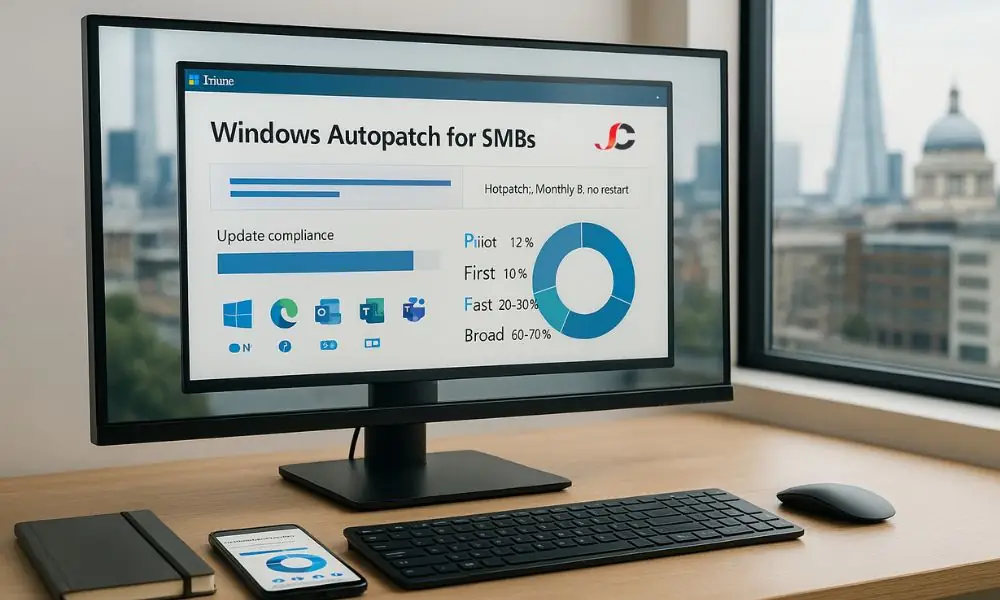
What Changed in April 2025 (and Why It Matters)
- Business Premium Support: Autopatch capabilities are now available to Microsoft 365 Business Premium and A3+ licences—enterprise-grade automation within reach of London SMBs.
- Feature Activation Removed: Features are streamlined and enabled by default, reducing setup friction.
- Staged Rollout: Changes arrive in waves. If your tenant looks different from current guidance, you are still in the rollout window—plan adoption, then enable when available.
Key Benefits for London SMBs
- Stronger Security Posture: Continuous, phased quality updates reduce exposure windows; standardised policies support UK compliance with less effort.
- Fewer Reboots with Hotpatch: Monthly “B” security updates can be applied without a restart where eligible—less downtime; ideal for frontline and customer-facing roles.
- Less Admin Overhead: Autopatch groups and update rings automate scheduling, deferrals, and approvals—freeing time for endpoint hardening and threat reduction.
- Faster Feature Adoption: Feature updates land in pilot first, then progress safely—users gain capabilities sooner while IT retains control.
What London SMBs Should Do Next
- Confirm devices are in Intune and mapped to sensible pilot and broad rings.
- Verify licence coverage (Business Premium or equivalent) for the right users.
- Enable hotpatch where eligible.
- Set maintenance windows around UK working hours and bank holidays.
- Track compliance on a weekly basis; remediate lagging devices promptly.
- Prepare brief end-user communications on what changes and how reboots are handled.
What Is Windows Autopatch?
A Microsoft-managed update service that plans and delivers operating system and app updates through Microsoft Intune, providing a predictable, centrally governed cadence for London SMBs.
What It Updates
- Windows: Monthly quality updates and scheduled feature releases.
- Microsoft 365 Apps: Monthly Enterprise Channel.
- Microsoft Edge: Stable channel releases are delivered progressively.
- Microsoft Teams: Automatic client updates.
How It Works
- Staged Rings: Devices move from pilot to broad in order.
- Service Signals: Telemetry guides continue, slow, or pause decisions.
- Policy-Based Control: Intune policies define deferrals, deadlines, and end-user experience.
- Health Visibility: Reports show status, exceptions, and devices needing attention.
What Changed in 2025 (Summary)
- Feature Activation Removed: Enabled by default.
- Licensing Expanded: Business Premium and A3+ now eligible, alongside existing enterprise and frontline plans.
- Staged Rollout: Wave-based release; tenant experiences may differ temporarily.
Immediate Actions
- Confirm Intune management and eligibility.
- Verify licence assignments (especially Business Premium) and align to user groups.
- Create or review pilot and broad rings reflecting your workforce (admin, finance, frontline).
- Align Autopatch policies to UK working patterns.
- Run an Autopatch readiness review to ensure reporting and alerts work.
Windows Autopatch for SMBs Check: Are You Eligible?
Core Requirements
- Intune-Managed Devices: Corporate devices enrolled and reporting health/compliance; clear device groups for pilot and broad rings.
- Correct User Licences: Microsoft 365 Business Premium, F3/E3/E5, or A3/A5; assign licences to in-scope users/devices.
- Corporate-Owned, Supported Windows Editions: Windows 10/11 Pro, Enterprise, or Education on hardware you control; BIOS/UEFI and driver support in good standing to avoid update blocks.
- Government Cloud Caveats: Availability and timing can differ; validate tenant type and plan for variations.
Practical Next Steps
- Map cohorts (pilot, first, fast, broad) to Intune groups.
- Confirm licence coverage per cohort.
- Verify corporate ownership and Windows edition; reassign personal or unsupported endpoints.
- Document any government cloud constraints and adjust timelines.
How Autopatch Works for London SMBs
- Autopatch Groups: Bind Microsoft Entra groups to update policies (for example, pilot users, finance, frontline), keeping related workloads together (Windows quality and feature updates, Microsoft 365 Apps, Edge, Teams).
- Update Rings and Phased Rollouts: Order is pilot → first → fast → broad; quality updates are monthly, and feature updates are scheduled and multi-phase; per-ring deferrals, deadlines, and user experience settings control timing and impact.
- Service Level Objective: Keep most devices on the latest supported quality update; Intune reports surface exceptions.
In Practice
- Define clear groups and ring sizes per risk appetite.
- Align maintenance windows to UK hours and bank holidays.
- Review compliance weekly; fix stragglers without blocking wider rollout.
Features You Get
Core Capabilities (Business Premium, A3+, E3+, F3)
- RBAC: Manage who can view reports, modify policies, and act on devices.
- Update Rings: Define deferrals, deadlines, and user experience.
- Autopatch Groups: Link Entra groups to policies for targeted deployments.
- Windows Quality Updates: Staged monthly releases to maintain security and stability.
- Windows Feature Updates (Multi-Phase): Schedule annual feature releases across phases.
- Driver and Firmware Governance: Approve, hold, or stage vendor drivers and firmware before broad rollout.
- Microsoft 365 Apps Cadence: Maintain the Monthly Enterprise Channel for Office apps.
- Microsoft Edge Progressive Rollout: Receive Stable channel updates progressively.
- Microsoft Teams Auto-Updates: Keep the Teams client current.
- Reporting and Device Alerts: Track compliance, identify outliers, and remediate update issues promptly.
Hotpatch
- Apply Monthly “B” security updates without a restart on eligible devices.
Licence Nuances
- Business Premium: Ideal for cloud-managed SMB devices.
- E3+/F3: Suited to larger or frontline workforces; feature access is comparable, but cohort design may differ.
- A3+: For education environments, policies and rings typically align to academic terms and lab devices.
- Eligibility Nuances: Options such as hotpatch depend on device and Windows edition support, not just the user licence.
Practical Next Steps
- Confirm licence assignments.
- Map Autopatch groups to Entra groups that reflect pilot, first, fast, and broad rings.
- Enable hotpatch on eligible devices.
- Review reports weekly and act on exceptions.
Step-By-Step Setup for London SMBs
- Confirm Tenant Prerequisites and Admin Roles: For the complete Windows Autopatch prerequisites, ensure devices are Intune-managed and on supported Windows editions; assign only required roles (for example, Intune Administrator or Policy Manager); verify naming standards for devices and groups.
- Register Devices with Autopatch in Intune: Enrol corporate devices and confirm they report compliance and health; tag or place devices in source groups for Autopatch; resolve baseline issues (disk space, failed updates, outdated drivers).
- Create Autopatch Groups and Map Entra Groups: Set up pilot, first, fast, and broad; include a cross-section of hardware and roles in pilot (finance, sales, frontline).
- Configure Update Rings: Choose sensible deferrals, deadlines, restart behaviour, and active hours; align maintenance windows with UK working patterns and bank holidays.
- Enable Hotpatch in the Quality Update Policy: Turn on hotpatch for supported devices; start with pilot, verify stability, then expand.
- Configure Multi-Phase Feature Update Releases: Target the desired Windows feature version; stagger phases; allow time for validation; keep rollout notes.
- Set Driver and Firmware Approval Flow and Scoping: Require approvals; roll out trusted drivers to pilot first; hold or block known-bad versions; scope policies to the right groups.
- Confirm App Update Channels: Use Monthly Enterprise Channel for Microsoft 365 Apps; keep Microsoft Edge on Stable with progressive rollout; ensure Microsoft Teams auto-updates are enabled.
- Validate Reporting and Baseline Compliance: Review weekly; act on failures and deadline misses; record baseline (coverage, success rates, average deferral).
Best-Practice Rollout Plan (MSP-Tested)
- Ring Design and Acceptance: Pilot 1–2%, First 10%, Fast 20–30%, Broad 60–70%; define entry/exit criteria (for example, zero critical incidents for 7–14 days).
- UK-Aligned Windows: Schedule installs and restarts outside core UK hours; avoid bank holidays and peak periods (payroll, quarter-end, retail); for frontline teams, use shorter windows and communicate clearly.
- Sequenced Rollout with Safety Checks: Start small, monitor health signals, then expand; use expedites only for critical risk (actively exploited vulnerabilities); pause or roll back a ring if issues surface.
- Driver and Firmware Governance by Default: Require approvals; quarantine known-bad versions; test vendor updates in pilot first; promote when stable.
- Operational Cadence and Compliance Tracking: Review weekly; focus on devices marked “not up to date”; track coverage, success rate, average deferral, and devices needing attention; maintain exceptions register with owner, reason, and time-bound expiry.
- Practical Checks: Map Autopatch groups cleanly to Entra groups; align restart behaviour and user experience to culture (gentle prompts before forced restarts); prepare user communications templates for pilot, fast, and broad; keep a lightweight rollback playbook.
Security and Compliance for London SMBs
- Shortening the Vulnerability Window: Regular quality updates on a steady cadence; fast progression from pilot to broad once stable; expedite options for critical fixes; hotpatch applies Monthly “B” updates without a restart where eligible.
- GDPR-Aligned Operations and Hybrid Teams: Document controls (policies, rings, restart settings); prove compliance (reports, exceptions, remediation); align maintenance windows to UK working hours; set clear prompts and provide a self-service reboot window; enforce encryption, compliance policies, and device health checks; minimise data exposure with RBAC and scoped groups.
- Frontline (F3) Users and Shift Patterns: Place kiosks, shared, and POS devices in dedicated rings with tighter controls; schedule installs and restarts between shifts; use a low-touch user experience with shorter deadlines and clear communications; approve critical drivers for frontline hardware in pilot first; keep a simple pause and rollback playbook.
Troubleshooting and Rollback
- Pausing a Ring or Excluding a Device: Pause when multiple devices show the same fault, a critical line-of-business app is affected, or reliability signals indicate risk; stop promotion, suspend deployments, and extend deferrals until fixed; exclude a device via group change or temporary policy exception and record reason, owner, and expiry; resume only after acceptance criteria are met (for example, stable for 7–14 days with no critical incidents).
- Handling App or Driver Conflicts and Deciding When to Roll Back: Triage quickly (confirm symptom, reproduce on a test device, gather logs, check recent changes); contain by holding rollout and blocking the suspect driver or version; for driver issues, revert to last known-good and quarantine the bad version; for application issues, apply vendor mitigation or temporarily exclude the affected cohort; roll back a cohort if business-critical functions are impacted, thresholds are exceeded, or vendor/Microsoft advisories recommend; move the cohort back to the previous stable phase, uninstall the problematic update or driver where appropriate, and document the window and outcome.
- Where to Find Device Alerts and Health Insights in Intune: Use Windows update reports for quality and feature status; monitor device alerts for repeated failures, deadline misses, and devices stuck on older builds; use Autopatch group and ring views to confirm rollout progress; check endpoint health to correlate failures with configuration drift, disk space, or incompatible drivers; export weekly snapshots, track remediation actions, and close exceptions with an owner and expiry.
Cost and Licensing Notes
- Eligible Licences: Microsoft 365 Business Premium, F3/E3/E5, and A3/A5; devices must be Intune-managed and on supported Windows editions.
- Supported Windows Editions: Windows 10/11 Pro, Enterprise, or Education on corporate hardware; Windows Home and personal devices are out of scope; virtual or specialised scenarios may require additional rights—confirm before rollout.
- Government Cloud and Tenant Differences: Availability and timing may vary; staged rollouts mean tenant experiences can differ—validate capabilities before broad enablement.
- Cost Clarity: Autopatch is included with the licences above; there is no separate Autopatch SKU; budget for implementation and operations (ring design, reporting, exception handling).
- Hotpatch Eligibility: Depends on device capability and Windows edition; pilot first to validate.
- Quick Checklist: Confirm licence assignments; verify Intune-managed devices; note any government cloud limitations; record hotpatch-eligible cohorts and schedule testing.
Windows Autopatch vs DIY (WUfB/WSUS/ConfigMgr)
- When Windows Autopatch Is Ideal: Cloud-first Intune management with minimal on-premises infrastructure; lean IT teams; need for a predictable cadence across Windows, Microsoft 365 Apps, Edge, and Teams; hybrid and remote users across London and the UK; preference for standardisation; central driver and firmware approvals; desire to focus on hardening, identity, and user experience.
- When DIY Suits Better: Deep customisation of maintenance windows, deadlines, or niche reboot behaviours; extensive third-party patching tied to change windows; strict network content control or air-gapped segments; legacy or specialised estates (non-Intune management, labs, kiosk/OT, bespoke drivers); heavy compliance overlays demanding bespoke workflows; co-management dependencies with existing Configuration Manager processes.
- A Pragmatic Middle Path: Use Windows Autopatch for most Intune laptops and desktops; keep WSUS/ConfigMgr or targeted Windows Update for Business policies for labs, POS, and specialist devices; segment by risk with clear acceptance criteria; review weekly compliance; quarantine known-bad drivers; expedite only for critical risk.
Windows Autopatch for SMBs: 10-Point Readiness Checklist
- Tenant Ready: Confirm Microsoft 365 tenant settings, security baselines, and update policies align with your Windows Autopatch approach.
- Intune Enrolled: Ensure all in-scope, corporate-owned devices are enrolled in Intune, compliant, and reporting health reliably.
- Licences Confirmed: Verify coverage for users in scope (Business Premium, F3/E3/E5, A3/A5) and reconcile any gaps.
- Groups Mapped: Align Microsoft Entra groups to Autopatch groups so targeting is clean and auditable.
- Pilot Users Defined: Select a small, representative cohort with clear acceptance criteria and a feedback path to IT.
- Ring Sizes Set: Agree ring proportions—Pilot 1–2%, First 10%, Fast 20–30%, Broad 60–70%.
- Hotpatch Reviewed: Identify eligible devices, enable hotpatch where supported, and document reboot expectations.
- Driver Policy Set: Implement driver and firmware approvals, hold known-bad versions, and define a straightforward rollback plan.
- Reporting Scheduled: Set a weekly review of compliance, failures, and exceptions; track progress against internal service objectives.
- Communications Template Prepared: Draft messages for pilot, fast, and broad rings, including maintenance windows, restart guidance, and a service desk brief.
Conclusion and Next Steps
Windows Autopatch for SMBs provides London businesses with a safer, more predictable way to stay current, offering stronger security, fewer restarts with hotpatching where eligible, fewer routine administrative tasks, faster feature updates, and transparent governance.
Autopatch Readiness and Policy Review (Recommended)
- Eligibility Check: Confirm Intune management, licences, and supported Windows editions.
- Ring Design: Agree on pilot, first, fast, and broad sizes that match risk appetite.
- Hotpatch Plan: Identify eligible devices and set restart expectations.
- Driver Governance: Define approvals, holds, and rollback steps.
- Maintenance Windows: Align to UK working hours and bank holidays.
- Reporting Baseline: Set weekly compliance reviews and exception handling.
Your First 30-Day Plan
- Week 1: Run a Windows Autopatch readiness review; map Microsoft Entra groups to Autopatch groups; select pilot users and define acceptance criteria.
- Week 2: Configure update rings (deferrals, deadlines, user experience); enable hotpatch on eligible devices in the pilot ring; set driver and firmware approval workflow.
- Week 3: Launch the pilot; monitor health, device alerts, and user feedback; address any application or driver issues; adjust policies; prepare communications for the next ring.
- Week 4: Promote to the first ring if the pilot is stable; review compliance, success rates, and exceptions; document lessons learned and confirm the schedule for fast and broad.
Server Consultancy can plan and deliver a tailored Windows Autopatch rollout—covering eligibility checks, ring design, hotpatch enablement, and weekly compliance reporting—so your London business stays secure with minimal disruption.
What Are the Windows Autopatch Requirements for London SMBs?
The Windows autopatch focuses on licensing, device state, and management via Intune.
–Licences: Microsoft 365 Business Premium, F3/E3/E5, or A3/A5.
–Supported Editions: Windows 10/11 Pro, Enterprise, or Education on corporate-owned hardware (Windows Home and personal devices are out of scope).
–Management: Devices must be enrolled in Microsoft Intune, ensuring reliable reporting of health and compliance.
–Groups and Rings: Microsoft Entra groups mapped to Windows Autopatch groups (pilot, first, fast, broad).
–Drivers/Firmware: Vendor drivers and firmware in good standing to avoid update blocks; approval workflow recommended.
–Connectivity: Ability to reach Windows Update/Microsoft CDN endpoints; no blocking proxies for update traffic.
–Tenant Variations: Government/sovereign clouds may see different timing and availability; validate your tenant.
–Hotpatch: Eligibility depends on device capability and Windows edition (pilot first to confirm stability).
How Do We Enable Windows Autopatch and Roll It Out Safely?
In effectively enabling Windows Autopatch and utilising the Windows Autopatch service (also referred to as Microsoft Windows Autopatch), follow a staged approach, allowing you to confidently Autopatch Windows without disrupting users.
–Prerequisites: Confirm Intune management, supported Windows editions, and correct licence assignments.
-Register Devices: Add corporate devices to Autopatch scope; resolve baseline issues (low disk space, failed updates, outdated drivers).
–Design Rings: Create pilot, first, fast, and broad rings with precise entry/exit criteria (for example, zero critical incidents for 7–14 days).
–Configure Policies:
Update Rings: Deferrals, deadlines, and end-user experience (restart behaviour, active hours).
Feature Updates: Multi-phase scheduling with time to validate between phases.
Drivers/Firmware: Require approvals; quarantine known-bad versions.
Apps: Microsoft 365 Apps on Monthly Enterprise Channel; Microsoft Edge Stable progressive rollout; Microsoft Teams auto-updates.
–Hotpatch: Enable where eligible to reduce reboots during Monthly “B” releases.
–Maintenance Windows: Align installs/restarts to UK working hours and avoid bank holidays/peak periods; adjust for frontline shift patterns.
–Monitor & Act: Review compliance and device alerts weekly; remediate outliers promptly; pause or roll back a ring if signals show risk.
–Communications: Use short, role-specific messages for pilot/fast/broad cohorts, including reboot expectations and support contacts.