
Microsoft has finished moving Teams Android devices from Android Device Administrator to AOSP Device Management in Microsoft Intune. For UK SMEs, the question is no longer how to migrate, but how to enrol, secure, and troubleshoot meeting room devices under the new model. This guide covers Teams Android AOSP device management as it works now, and how it fits with your wider mobile device management.
Key Takeaways
- Scope: The AOSP Device Management is limited to Teams Rooms on Android, Teams Phone devices, and Teams Panels, but not Android Phones in general.
- Status: Microsoft has stated that the migration from Device Administrator has been done for all users apart from GCC-High.
- Licensing: An Intune licence is required for Intune enrolment, which is provided in Teams Rooms Pro but not Teams Rooms Basic.
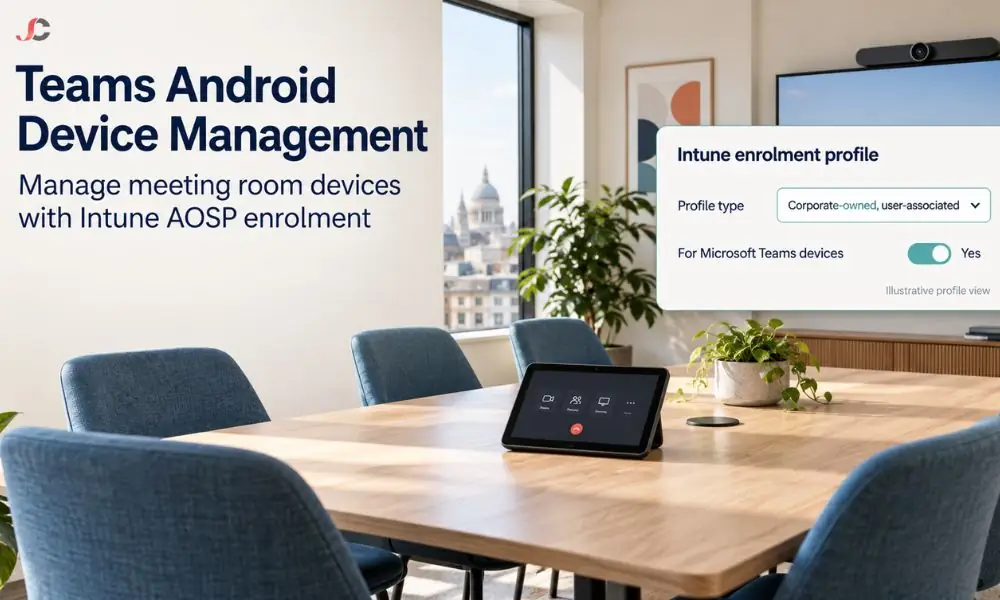
- Profile: Enrolment Profile should be a Corporate-owned user-assigned profile where For Microsoft Teams devices is checked.
What is AOSP device management for Teams Android devices?
AOSP Device Management is the Intune enrolment method for Android devices that run without Google Mobile Services, such as Teams meeting room hardware. It replaced the older Android Device Administrator method for Teams Rooms on Android, Teams Phone devices and Teams Panels, and gives administrators a cleaner way to apply policies to shared devices.
Teams Android devices need only the Teams app, an authentication app, and a management agent. They do not need the Google services found on a phone, which is why the Android Open Source Project suits them. The result is a smaller attack surface and a management model built for shared hardware.
For an SME, the practical impact of Teams Android AOSP device management is simple. Meeting room consoles, desk phones, and room panels now enrol in Intune through a dedicated profile and appear alongside your other managed devices.
Has the move from Device Administrator to AOSP finished?
Yes. Microsoft says the migration is complete for all customers except those in GCC-High, and that all supported Teams devices should now run AOSP firmware. New devices and new environments should use the AOSP enrolment process directly. Some older models that could not receive AOSP firmware remain on Device Administrator.
Rollout was conducted between 2024 and 2025. The Teams admin centre rolled out AOSP firmware manually, then automatically in 2025. Manufacturers were supposed to roll out AOSP firmware themselves, without guidance.
If you still have devices on Device Administrator, check whether the model is on Microsoft’s unsupported list. Unsupported devices will not receive AOSP firmware, so plan to replace them as part of your next hardware refresh.
Which licence do Teams Android devices need for AOSP management?
Intune enrolment needs an Intune licence on the Teams resource account or user account. Teams Rooms Pro includes Intune, Microsoft Entra ID P1 and Defender for Endpoint Plan 2. Teams Rooms Basic does not include Intune, so Basic devices do not enrol and only need AOSP-capable firmware.
| Capability | Teams Rooms Basic | Teams Rooms Pro |
| Device limit | Up to 25 per organisation | Unlimited |
| Microsoft Intune | Not included | Included |
| Conditional Access through Entra ID P1 | Not included | Included |
| Teams Panels | Cannot be licensed | Can be licensed |
| Remote configuration and device analytics in Pro Management | Not included | Included |
Microsoft sets out the full comparison in its Teams Rooms licensing guide. For most SMEs with more than a couple of rooms, Pro is the practical choice for Teams Rooms deployments because it brings Intune and Conditional Access together.
Choosing Basic is a valid decision if you do not need Intune control. In that case, remove the Intune licence from the resource accounts and skip the enrolment profile entirely.
How do you enrol a Teams Android device with AOSP in Intune?
Create an AOSP enrolment profile in the Intune admin centre under Devices > Enrolment > Android > Android Open Source Project, selecting Corporate-owned, user-associated devices. Turn on For Microsoft Teams devices and leave the token expiry at its default. The device then enrols when it signs in with its resource account.
- In the Intune admin centre, open Devices, then Enrollment, then Android.
- Under Android Open Source Project (AOSP), select Enrollment Profiles and Corporate-owned, user-associated devices.
- Create a profile, for example, named AOSP Teams Devices, and set For Microsoft Teams devices to Enabled.
- Leave the token expiration date at the default, which is 65 years ahead.
- Sign in on the Teams device with its resource account, which triggers enrolment.
Only one enrolment profile per tenant can have For Microsoft Teams devices enabled, so plan it alongside your other Microsoft Endpoint Manager profiles. The profile shows a QR code, but Teams devices do not use it, because they enrol with the resource account credentials instead. Microsoft documents every setting in its AOSP enrolment guide for Teams devices.
Do you need a compliance policy for Teams Android devices?
You need one if Conditional Access requires a compliant device to sign in. Without an Android (AOSP) compliance policy, devices cannot meet that requirement and will sign out. Microsoft’s example blocks rooted devices, sets minimum and maximum operating system versions and requires storage encryption.
Assign the policy to all devices or to a dynamic group. Assigning to all devices only affects AOSP-enrolled devices, so it will not clash with your Windows or iOS policies. If you also manage other AOSP devices, use a dynamic device group based on the enrolment profile name.
odata
(device.enrollmentProfileName -eq “AOSP Teams Devices”)
Keep the policy deliberately simple. Meeting room devices are shared and unattended, so a policy that demands user interaction will cause sign-outs at the worst possible moment.
Why will a Teams Android device not enrol or stay signed in?
Most enrolment failures come from licensing, an expired token, a missing compliance policy or an unsupported sign-in method. Check that the resource account holds an Intune licence, that the enrolment token is valid and that a compliance policy exists if Conditional Access requires one. Then confirm the device firmware is AOSP-capable.
| Symptom | Predicted cause | Fix |
| Device will not enrol in Intune. | No Intune licence on the resource account | Assign Teams Rooms Pro or another Intune licence |
| New devices cannot enrol. | Enrolment token has expired | Renew the token or create a profile with the default expiry |
| Device signs out after enrolling. | No compliance policy while Conditional Access requires compliance | Create an Android (AOSP) compliance policy and assign it |
| Sign-in fails with multifactor authentication. | Device code sign-in no longer supports interactive MFA | Sign in directly on the device |
| Enrolment fails on a reused account. | Account is a Device Enrollment Manager account | Remove it from the DEM list, which AOSP does not support |
To confirm a healthy device, open it in the Teams admin centre. The History tab should show a successful software update, and the Health tab should list the Microsoft Intune app and the Authenticator app.
How should UK SMEs secure Teams Android devices?
Treat meeting room devices as another endpoint that can access corporate data. Use Teams Rooms Pro licensing for the meeting rooms for Intune and conditional access to be applied; use encryption via compliance policies and allow sign-in only from compliant devices. Check device firmware and health monthly via the Teams admin centre.
Regulated companies have their own reasons to be concerned. Law firms discuss privileged information in their meeting rooms, while FCA-regulated businesses hold client meetings that may contain personal information protected by UK GDPR. A common room device is an easy loophole in otherwise strict control measures.
- Licensing: Use Teams Rooms Pro for every room that joins confidential meetings so that Conditional Access can apply.
- Accounts: Use dedicated resource accounts with strong passwords, never a staff member’s account.
- Compliance: Require encryption and block rooted devices through an Android (AOSP) compliance policy.
- Vendor guidance: Check your device maker’s advice before applying Intune device restrictions, as some can break remote management features.
Build these controls into your standard approach to Teams Android AOSP device management. Every new room device then inherits the same protection from the day it is enrolled.
Getting Teams Android AOSP device management right mostly comes down to licensing, one correct profile, and a simple compliance policy. Server Consultancy helps UK SMEs in finance, legal and recruitment secure meeting room devices as part of their enterprise mobility security and Microsoft Teams management. Talk to us about a meeting room device review.
Is Android Device Administrator still supported for Teams devices?
Microsoft has moved supported Teams Android devices to AOSP Device Management. Only older models that cannot receive AOSP firmware remain on Device Administrator, and they should be planned for replacement.
Do I need Teams Rooms Pro for AOSP?
Only if you want Intune enrolment. Teams Rooms Basic devices do not enrol in Intune and only need AOSP-capable firmware.
Which enrolment profile type should I use?
Use Corporate-owned, user-associated devices under Android Open Source Project in Intune. Enable For Microsoft Teams devices on that profile.
Can I have more than one Teams enrolment profile?
You can create several AOSP profiles, but only one per tenant can have For Microsoft Teams devices enabled. Use that one for all Teams Android devices.
Why did my room device sign out after enrolling?
Usually because Conditional Access requires a compliant device and no Android (AOSP) compliance policy is assigned. Create and assign the policy, then sign in again.
Do Teams devices use the QR code on the enrolment profile?
No. Teams Android devices enrol using the resource account credentials when they sign in, not the QR code.
Does AOSP management apply to Teams Rooms on Windows?
No. AOSP Device Management applies only to Teams Android devices. Teams Rooms on Windows is managed through Windows management in Intune.
How do I check that a device is enrolled correctly?
In the Teams admin centre, the Device History tab should show a successful update. The Health tab should list the Microsoft Intune app and the Authenticator app.