
Moving through the transition to an automated work environment means more than just buying software. It means a rigorous approach to architecture. For many organisations in London and the UK, the move towards intelligent extensions has created a complex set of permissions and prerequisites. This guide examines how to manage AI add-on licensing in Microsoft 365 governance to ensure your infrastructure remains lean, secure, and fully compliant with local data standards. Before deploying these advanced capabilities, it is essential to understand your foundational environment by reviewing a Microsoft Office 365 services overview.
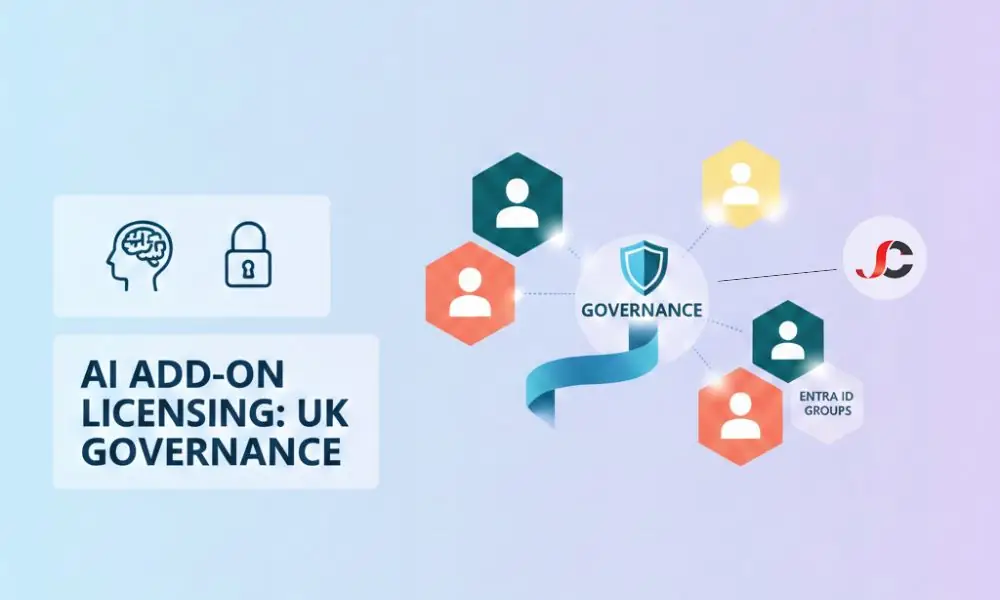
AI Add-on Licensing in Microsoft 365
An add-on is not a standalone product. It is a functional layer that attaches to a qualifying base subscription. You cannot purchase these advanced tools in isolation. They require a host.
Think of the base licence as the physical office space. The AI add-on is the specialised equipment you install within it. If the office lease expires, the equipment becomes inaccessible. This hierarchy is the first hurdle in AI add-on licensing in Microsoft 365 governance for IT managers.
Framework for AI Licensing Governance
Governance is about control. It is about knowing who has access to what and why. Without a framework, costs spiral. Security gaps emerge.
Tenant Readiness: The Hardware Check
Compatibility is the primary technical barrier. While basic AI chat is now included in Business Basic, premium extensions still require a Business Standard or E3 foundation. You must audit your tenant SKU (Stock Keeping Unit) before attempting an assignment.
Verify your current standing by visiting the page to compare Microsoft 365 subscription plans to identify necessary baseline upgrades.
Data Residency and UK Compliance
UK organisations face unique regulatory pressures. The National Cyber Security Centre (NCSC) provides clear parameters for cloud data processing. When you activate an AI add-on, you must confirm where the data is processed.
Is it remaining within the UK South or UK West regions? For a London financial services firm, this is non-negotiable. You must configure your tenant settings to ensure that the “intelligence” layer respects the geographic boundaries of your primary data store.
Governance means verifying that your add-on does not inadvertently move sensitive data to a secondary, non-compliant region during processing. Audit your tenant properties to confirm that your Multi-Geo Capabilities do not conflict with the residency requirements of your AI extensions. This prevents data from being “sharded” across different jurisdictions where the UK GDPR is harder to enforce.
Categorising AI Extensions
The ecosystem is expanding. We see productivity tools, security enhancers, and low-code builders. Each carries a different licensing weight.
| Add-on Category | Example Functionality | Common Base Requirement (2026 Update) |
| Productivity | Real-time meeting summaries & drafting | Business Standard, E3, or E5 |
| Security AI | Automated threat hunting & remediation | Microsoft 365 E3 + Security Add-on |
| Low-Code | AI-driven app logic & data flows | Power Apps Per User Licence |
| Specialist | Industry-specific insights | Dynamics 365 or Azure AI Services |
Licensing After Upgrade: Managing the Transition
Upgrading a base seat often breaks the link to the add-on. This is a critical failure point. When a user moves from Business Premium to Enterprise E5, the system might not automatically re-associate the existing AI add-on.
You must follow a strict “Check-Change-Verify” protocol. First, ensure the new base licence is fully provisioned. Second, check the ‘Licences’ tab in the Admin Centre. Third, manually confirm that the add-on status remains ‘Active’.
Failure to do this leads to service downtime. A consultant loses their drafting tool mid-project. A security officer loses their automated alerts.
Organisations managing a large-scale migration should seek Office 365 consultancy support to automate this re-assignment via PowerShell. Automated scripts can detect “orphaned” add-ons that have lost their base anchor during a SKU transition. It safeguards a seamless user experience while the foundation systems are upgraded in the background.
Strategies to Avoid Over-Licensing
Waste is common in the cloud. Organisations often buy 100 packs of licences but only deploy 60. This is inefficient.
Implement a ‘Just-in-Time’ (JIT) licensing model. Do not assign an AI seat until the user has completed a mandatory training module. This ensures the tool is actually used. It also prevents “licence squatting” where seats sit idle while other departments wait for a budget.
Regularly audit your usage reports. If a user has not interacted with an AI feature for 30 days, reclaim the licence. Move it to a user on the waiting list. This keeps your monthly spend optimised.
For complex procurement strategies, professional software licensing advice can identify further cost-saving opportunities. Searching for hybrid benefits or academic/charity discounts, if available, can help reduce the total cost of ownership of AI software.
Governance Checklist for UK IT Managers
- Define User Personas: Use AI requirements to map job roles rather than a blanket approach.
- Verify Base Eligibility: Verify that all target users are on a supported Microsoft 365 or Office 365 SKU.
- Review Privacy Settings: Turn off “Connected Experiences” if they do not meet your risk appetite.
- Audit Permissions: Use the principle of least privilege; AI only sees what the user can see.
- Monitor Consumption: Set up billing alerts for consumption-based AI services to avoid “bill shock.”
Effective AI add-ons licensing in Microsoft 365 governance relies on this list being checked monthly. The update pace is too high for a “set and forget” mentality.
Technical Assignment and Group-Based Licensing
Group-based licensing is the most efficient way to scale. Instead of individual assignments, you should link add-on seats to Entra ID (formerly Azure AD) groups. When a user joins the ‘Marketing’ group, they automatically receive the necessary AI extensions.
Your IT team can avoid much of the manual admin that would otherwise be required. It also ensures that when a user leaves a department, the licence is automatically revoked and returned to the pool. This circular economy of licensing is the hallmark of a mature IT strategy.
Summary of Microsoft AI Licensing Logic
You build the house (Base Subscription). You add the security system or the high-end kitchen (AI Add-ons). You ensure the plumbing is compliant with local regulations (UK Governance).
For those specifically looking at the flagship productivity tool, consult the Microsoft 365 Copilot overview and licensing for granular details on that extension.
Mastering AI add-on licensing in Microsoft 365 governance requirements ensures that your organisation stays at the forefront of innovation without sacrificing budgetary discipline or data integrity. It requires constant attention. It is the new standard for the modern UK workplace.
Can I buy AI add-ons without a base Microsoft 365 subscription?
No. These are tools that are designed as extensions. You need to have a qualifying underlying license to attach the AI seat.
Does an AI licence automatically grant access to all company data?
It does not. AI tools respect existing SharePoint and OneDrive permissions. If a user cannot normally see a file, the AI cannot see it either.
How do I manage AI licensing for a London-based hybrid workforce?
Licensing is tenant-wide. But you need to make sure that your conditional access policies include users accessing AI capabilities from unmanaged home networks.
What happens to my AI add-on if I upgrade from E3 to E5?
The add-on usually remains in the tenant. However, you must manually verify that it is still correctly assigned to the user after the base licence change.
Are there specific AI add-ons for security, such as Microsoft Sentinel?
Yes. While some AI features are built into E5, others require separate consumption-based or per-user add-ons to unlock full automation.
Can I immediately reassign an AI licence to a different user?
Yes. You can unassign a licence from one user and give it to another through the Admin Centre. It may take up to 24 hours for the change to propagate.
Do AI add-ons require a specific version of the Office desktop apps?
Generally, yes. You often need to be on the ‘Current Channel’ or ‘Monthly Enterprise Channel’ to access the latest AI integrations within Word or Excel.
Is there a minimum seat requirement for AI licensing in the UK?
Most AI add-ons no longer have a 300-seat minimum, though certain 2026 enterprise promotions require at least 100 seats.