
What are Roaming Signatures in Outlook?
Roaming Signatures in Outlook is designed to save users time and maintain brand consistency across devices. Traditionally, when you set up an email signature in Outlook, it only applies to the device on which it was created. If you changed computers or logged in from a different location, your custom signature would not follow you. Roaming Signatures solves this issue, ensuring your signature is consistent across devices and even across different installations of Outlook.
Understanding the Power of Roaming Signatures in Outlook
It’s no secret that the advent of email has revolutionised communication. The ease of sending messages swiftly and securely has made it a staple in my personal and professional life. With the importance of email so firmly established, it’s essential to utilise tools that enable us to make the most of this form of communication. One such tool is the Roaming Signatures feature in Microsoft’s flagship email service, Outlook.
Microsoft Office 365 is a blessing in disguise to the corporate world, offering effective cloud services with utmost security at an affordable cost. Office 365, now transformed into Microsoft 365, comes out with great value providing solutions to all the drawbacks of an office atmosphere. The problem can be significantly small or big, but Microsoft Office 365 has unique solutions customised according to each business’s needs, which are also user-friendly.
One of its innovative Office features is “Roaming Signatures in Outlook”, designed to meet the challenges encountered when using the same signature on different PCs.
Highlights of the Feature Roaming Signatures in Outlook
Let us explore in detail the highlights of this outstanding feature. The Corporate world is all about branding. In this competitive world, branding is crucial in promoting products to stand firm in the market in the long run.
To make branding attractive, captivating signatures must be remembered and make a positive impression in the growing market. A customised signature can be readily available, but updating it technically on individual PCs is a hectic task.
The Benefits of Roaming Signatures in Outlook
Roaming Signatures in Outlook offer several advantages that simplify email communication and contribute to a more professional image.
- Consistency: Your signature remains the same regardless of where you log into your Outlook account. This consistency builds a stronger brand image and helps prevent any confusion arising from variations in your signature.
- Time-saving: No need to spend time recreating or modifying your signature every time you switch devices or reinstall Outlook. Your signature is always ready and waiting for you.
- Ease of Management: For companies, the Roaming Signatures feature allows the IT department to manage and standardise email signatures across the organisation, ensuring that everyone adheres to the company’s branding guidelines.
Issues Addressed by the Feature
For every issue you may face, Microsoft Office 365 provides solutions. The obstacle created by updating signatures every time on various individual PCs is nullified by the bloom of “Roaming Signatures in Outlook” for Microsoft Outlook.
With the evolution of this feature, companies can now use their customised signature on any PC they sign into. Now the hindrance created by updating signatures on different PCs is tackled, making it user-friendly and saving much of your precious time.
Let us look from a practical perspective. If you are a blogger with a website, you might have customised your signature to target your audience, increasing traffic. You may use any device on the go to stay connected with your followers.
Your customised signature would be readily available on any device you log into because you use the updated Outlook feature of Roaming Signatures. You won’t have trouble creating your signature repeatedly because this feature is now stored as default.
How to Use Roaming Signatures in Outlook
Creating Roaming Signatures in Outlook is a simple process, and once set up, your signature will be at your disposal regardless of where you log in from. Here’s how to get started:
- Open your Outlook desktop client and click “File” in the top left corner.
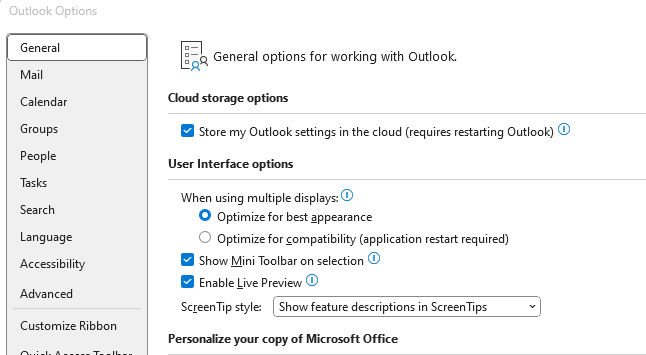
- Click on “Options”, then select “Mail”.
- In the “Compose messages” section, click on “Signatures”.
- Click on “New” to create a new signature. Type your preferred information in the editing pane (e.g., name, title, company, contact details), and format it as desired. You can also add images or logos.
- Once you’ve created and saved your signature, make sure to choose it for “New messages” and “Replies/forwards” in the “Choose default signature” section.
- Once done, click “OK” to exit. Your new roaming signature can accompany your messages wherever you log in.
More Advantages
A breathtaking characteristic of this Outlook feature is it doesn’t block you from updating signatures through its Options section.
Hence, you can change and update the signature accordingly conveniently. The changes to the Outlook signature will be synchronised with Exchange Online.
When starting Outlook, you can verify if the signature in the mailbox is updated and can download the same information if needed.
Microsoft Roaming Signature is a susceptible feature, so third-party add-ins will not function in this customised functionality. However, this can be overcome by disabling roaming signatures.
The user can quickly turn off this feature by updating the registry’s DWORD value. As technology continues to evolve rapidly, we can expect that Microsoft will soon come out with a solution to combat this issue by allowing add-ins to work with roaming signatures.
Roaming signatures is necessarily a milestone in Office features that technology has longed for, for a long time. With this sophisticated signature Outlook option to manage corporate signatures, corporate branding will be more feasible than expected.
It is high time we get updated to this current Outlook platform offered by Microsoft Office to enhance performance and optimise device management. We can proudly credit “Roaming Signatures” as a boon to the technological world.
Conclusion
Roaming Signatures in Outlook is a feature that brings convenience and consistency to your email communications. Whether you’re an individual striving for a professional touch or a business aiming for uniform branding across your team, this feature is an excellent tool to leverage. Outlook is more than just an email client; with features like Roaming Signatures, it’s a robust platform that can streamline and enhance communication.