
This IT support playbook first 90 days is a structured plan for new or newly empowered IT support leaders to stabilise operations, build trust, and deliver measurable improvements within three months. It focuses on predictable activities and lightweight documentation. The aim is to guide London and UK SMB teams through a repeatable journey that reduces risk and accelerates value.
Who the IT Support Playbook First 90 Days Is For
This article supports SMB decision-makers who need clear accountability, simple governance, and a plan that fits real-world constraints such as payroll calendars, VAT deadlines, and peak trading. It also helps direct IT leads and service desk managers who must align executive expectations with day-to-day ticket realities. For additional context on operational scope, see this overview of business IT support in London, which clarifies typical support areas and response expectations for SMBs.
Day 1–30: Stabilise and Learn
The first month focuses on visibility and calm. You will create a reliable picture of ticket inflow, service health, and team workload while preventing risky changes. You will also build early rapport with department leads to reduce noise and gather a concise list of well-chosen early wins.
Baseline KPIs for Stability
Establish a simple KPI stack that can be measured today and tracked weekly: ticket backlog, first contact resolution (FCR), SLA attainment, mean time to resolve (MTTR), and incident recurrence. Set your initial baseline without judgment. The goal is to see trends rather than chase perfect numbers in week one.
Use labels or categories to identify avoidable reopens and misrouted tickets. Then produce a weekly one-pager of KPI deltas and next steps. This KPI rhythm becomes the heartbeat of your IT support playbook first 90 days, guiding week-by-week adjustments and demonstrating visible progress.
Quick Wins Without Disruption
Choose two or three no-risk wins that make a visible difference without needing major change windows. For example, simplify self-service request forms, refresh the top ten knowledge-base articles, and tighten first-line triage notes to speed escalations. Explain these changes in plain English, highlighting saved minutes for users and shorter queues for the team. Used within an IT Support Playbook First 90 Days, this approach builds early momentum without disruption and, supported by a small, sensible KPI set, turns clear improvements into a visible show of control and competence.
Day 31–60: Standardise and Communicate
The second month focuses on consistent ways of working and clear status updates to all stakeholders. By now, you have enough data to tune queues, tidy knowledge, and strengthen the flow from first line to specialists.
Stakeholder Communication Cadence
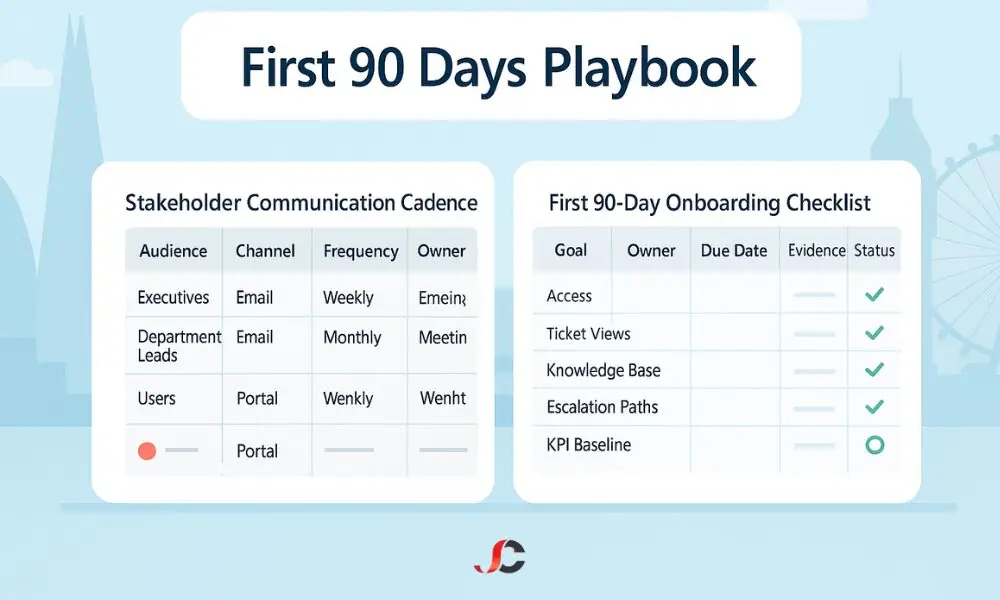
Create a cadence matrix that defines audience, channel, frequency, and owner. Executives receive a monthly one-page summary with KPIs, top risks, and planned change windows; department leads receive a weekly note covering upcoming changes, service health, and tips that reduce repeat tickets; users receive short notices for any changes that may affect their day. Base the format on widely recognised project stakeholder communication best practices, keeping messages short, specific, and regular.
Knowledge Base and Escalation Paths
Identify top repeating issues and ensure there is a current, peer-reviewed article for each. Confirm who owns each article and set a review date to prevent anything from becoming stale. Publish a clear escalation path with definitions of severity, target response times, and expected updates, and ensure this is visible to the whole team. These artefacts sit at the heart of your IT support playbook first 90 days, providing teams with a standard reference and reducing onboarding time. By the end of day sixty, new joiners should be able to follow the flow without private handholding.
Day 61–90: Optimise and Forecast
The third month prepares the service for sustainable improvement. You will introduce selective automation, plan training where it matters most, and produce a short roadmap that outlines quarter-two priorities.
Automation, Self-Service, and Training Plan
Use your KPI deltas and ticket categorisation to find two or three repetitive steps that can be automated safely. Prioritise tasks that save time across many tickets rather than clever automations that touch only edge cases. Frame these changes within your IT support playbook first 90 days.
Build a training plan based on the top two skills gaps that are slowing resolution or driving rework, and assign owners and dates for each module.
Quarterly Review and Next-Quarter Roadmap
Publish a 90-day review that shows before-and-after KPIs, early wins, and the current risk profile. Provide a one-page roadmap for the next quarter, listing three to five initiatives with estimated impact and rough effort. Invite feedback from executives and department leads, then refine the plan and lock it in with clear monthly checkpoints.
UK-Specific Change Freeze Rules (When and Why to Pause Changes)
Change freezes reduce the probability of business disruption during sensitive periods. For UK SMBs, use these as default guardrails and secure formal approval for exceptions, freezing during payroll run windows, VAT submissions, year-end, and known-advance high-traffic retail or trading periods. Where technical change is unavoidable, schedule out-of-hours windows with tested rollbacks and ensure a communication plan is ready. Document these controls explicitly in your IT support playbook first 90 days, so teams have clear expectations and a shared reference.
Define what counts as a change under freeze and what is exempt, such as emergency security patches with explicit risk acceptance. Maintain a single calendar for freezes and planned work so stakeholders can quickly see the risk. Revisit the freeze policy every quarter and after each exception to capture lessons learned and to tune the criteria.
Risk Register Template for IT Support
A compact risk register keeps attention on the few problems that matter most. Use a one-page table with columns for Risk, Impact, Likelihood, Mitigation, Owner, and Review Date, and keep the language short and operational while avoiding broad statements that cannot be actioned. Update weekly during the first month and bi-weekly thereafter to maintain momentum and visibility. Position this artefact centrally in your IT support playbook first 90 days to ensure risks drive weekly priorities and stakeholder updates.
Start with five to ten common risks in SMB support environments and keep mitigations visible and owned. Typical entries include backup failures in critical systems, single-point-of-failure networking gear, unpatched endpoints outside update rings, undocumented admin access, and unsafe exception processes for urgent changes, each with a named owner and a target review date. Tie every mitigation to a visible action so that the register moves from tracking to treatment.
Onboarding Checklist for the First 90 Days
An onboarding checklist ensures nothing essential falls through the gaps while the team learns its new rhythm. Keep it concise and aligned to outcomes, covering service account access, ticket view setup, queue triage standards, escalation paths, top knowledge base articles, user communication templates, and the initial KPI baseline. Add fields for Goal, Owner, Due Date, Evidence, and Status so that progress is visible without extra commentary.
Share the checklist with executives and department leads to show progress and to invite practical suggestions while keeping the tone factual and brief. When an item is complete, attach the evidence succinctly, such as a link to the updated escalation matrix or a KPI snapshot, to encourage support for the next phase and reduce the need for ad-hoc updates. Frame these communications as part of your IT support playbook first 90 days, so stakeholders recognise the cadence and intent.
Network Stability and Support Touchpoints
Reliable networks are the backbone of every other improvement in the playbook, and a steady approach prevents noisy oscillations in ticket volume. During the first 30 days, confirm monitoring coverage for core switches, firewalls, and critical links, and ensure alert thresholds are realistic rather than noisy. In days 31–60, target recurring network incidents and stale firmware or configuration drift; in days 61–90, align maintenance windows with change-freeze rules and use documented templates to standardise common changes.
For further reading on the operational angle, review this guide to network support and monitoring, which outlines typical health checks and reporting cycles for SMB environments. This context helps situate your IT support playbook first 90 days within a clear operational baseline for capacity, availability, and incident readiness.
Microsoft 365 User Support in the First 90 Days
User-facing issues in Microsoft 365 often dominate ticket queues, so provide simple pathways for password resets, mailbox permissions, Teams call quality checks, and queries about SharePoint or OneDrive access. Use plain-English guides that match your communications cadence and keep them visible in self-service portals so that users can help themselves with confidence, thereby reducing avoidable tickets. As your processes settle, refine these guides based on the most common question patterns surfaced in weekly reviews.
For a concise overview of everyday tenant considerations for smaller teams, consult this page on Microsoft 365 user and tenant support, which frames common request types and escalation points. Position these considerations alongside your IT support playbook first 90 days to align day-to-day requests with clear escalation and governance.
Core Infrastructure Support and Recovery Readiness
Stability rests on predictable servers, storage, and identity, supported by a steady routine that avoids surprises during peak trading or financial deadlines. In days 1–30, confirm supportability basics: monitoring is in place, warranties are current, backups succeed, and restore points are tested and documented. By days 31–60, document maintenance tasks and standard operating procedures for patching and capacity checks so the team follows a single playbook. In days 61–90, align recurring work with change-freeze windows and issue a concise monthly health report for leadership to keep visibility and accountability tight.
To understand where infrastructure tasks intersect with service expectations, refer to this summary of core infrastructure support services, which clarifies the typical scope across servers, storage, and identity. Mapping these foundations to your IT support playbook first 90 days ensures that operational tasks, maintenance windows, and escalation rules are sequenced sensibly across the first three phases.
Backup and Disaster Recovery in the First 90 Days
Backups are only as good as the last assessed restore. Treat restore tests as first-class work rather than optional exercises. In the first month, confirm that all critical systems are in scope. Ensure recovery points meet business expectations.
In the second month, perform at least one table-top exercise and one live restore test for a representative workload. In the third month, publish a brief plan for quarterly restoration tests and clarify who signs off on the results.
One-Page Summary: IT support playbook first 90 days
This summary is a single page for quick reference, capturing the learn–standardise–optimise rhythm over 90 days and anchoring your IT support playbook first 90 days. The page lists the KPI baseline, the change-freeze calendar, the top five risks with mitigations, the stakeholder communications cadence, and the next-quarter initiatives. Please keep it on your team wall or in your intranet so everyone sees the same plan and updates it after each monthly checkpoint, while archiving previous versions to maintain a transparent record of improvements.
E-E-A-T: Process and Experience
This playbook reflects the typical constraints faced by UK SMBs that must balance stability with change, and it favours visible artefacts over long documents so that leaders and users see progress quickly. The 90-day rhythm helps teams avoid thrash and provides executives with regular, predictable information to guide investment decisions throughout the quarter. Experience shows that the most successful first 90 days combine small, reliable wins with honest reporting, a short KPI set, and regular updates that the whole business can understand.
Conclusion
An IT support playbook first 90 days approach gives London and UK SMBs a clear path from uncertainty to confidence through a balanced mix of a KPI baseline, change-freeze rules, a simple risk register, and a stakeholder communications cadence. Revisit the plan each quarter.
Continue to show progress through short, regular updates that everyone can read and act on without ambiguity.
What Is the Main Goal of a 90-Day IT Support Plan?
The of the IT support playbook first 90 days’ is to stabilise service, standardise working practices, and set a credible roadmap that leadership understands and supports, which builds trust quickly.
Which Metrics Should I Track from Day One?
Track ticket backlog, FCR, SLA attainment, MTTR, and incident recurrence, then trend them weekly with short commentary and simple actions linked to owners.
How Do I Decide Which Windows to Freeze?
Map payroll, VAT, year-end, and known peak trading periods, then enforce a freeze with a formal exception path and tested rollbacks to minimise disruption.
What Belongs in a Risk Register?
Capture the top risks with impact, likelihood, mitigations, owners, and review dates on a single page, and review weekly at first and bi-weekly thereafter.
How Often Should I Update Stakeholders?
Provide a weekly update to department leads, a monthly one-pager for executives, and short user notices when changes may affect their day, keeping the tone succinct. Tie these communications back to your IT support playbook first 90 days so cadence, metrics, and decisions remain aligned and measurable.