
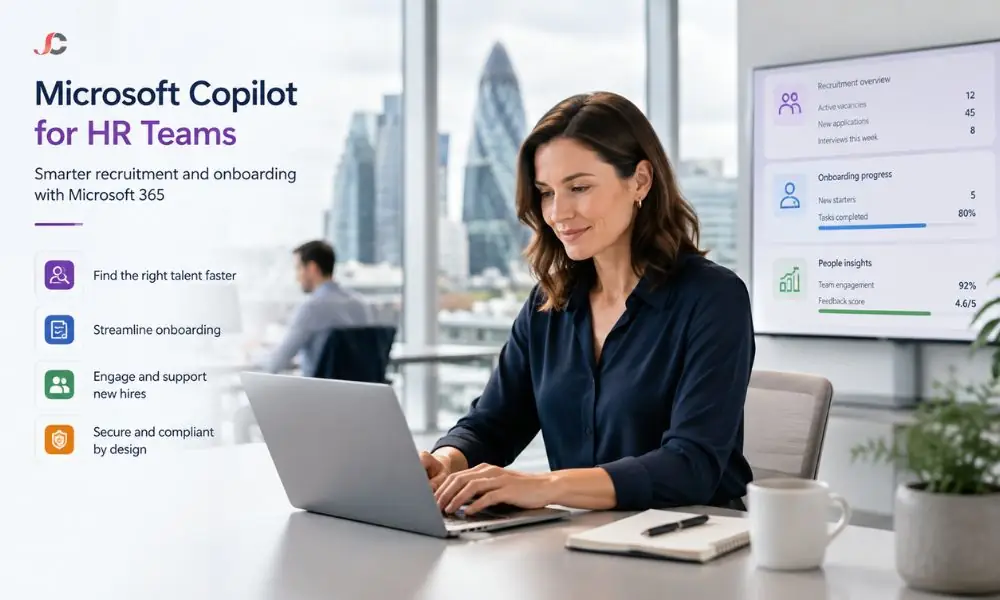
HR managers at UK SMEs spend a disproportionate share of their week on repetitive admin: drafting job adverts, writing up interview notes, chasing up onboarding tasks, and answering the same policy questions on annual leave, expenses, and sickness absence. Microsoft Copilot for HR teams address each of these tasks inside the Microsoft 365 apps your business already pays for, with no separate HR platform needed. This guide works through Word, Teams, Outlook, Planner, SharePoint and Copilot Studio in turn. It shows how Copilot for business can be applied to recruitment, onboarding and day-to-day employee support without exposing sensitive HR records.
Key Takeaways
- Copilot in Word: Generates recruitment ads, policy updates, and handbooks based on a concise briefing in just minutes instead of the usual hours-long process.
- Copilot in Teams: Creates summarised notes from recorded interviews and interview panel discussions to document the hiring process properly without any need for manual note-taking.
- Copilot Studio: Enables an SME to create an FAQ agent within the organisation’s HR, based on the organisation’s SharePoint policy library, without the need for developers.
- Permissions come first: Copilot displays files accessible to the user, so a neat, controlled HR library is essential.
What Can Microsoft Copilot for HR Teams Do at UK SMEs?
Microsoft Copilot for HR teams automates the document-heavy stages of recruitment, onboarding, and employee support within Microsoft 365. It drafts job adverts and policies in Word, summarises interviews in Teams, drafts candidate emails in Outlook, builds onboarding checklists with Planner, and answers policy questions from SharePoint, all within your existing tenant and security boundary.
The practical value for an SME is that no data leaves Microsoft 365, and no new system needs to be procured. Microsoft Copilot can work with the files, chats, and calendars your team already uses and respects the permissions already applied to them.
The matrix below maps common HR tasks to the right Copilot surface.
| HR task | Copilot surface | What to ask for | Output |
| Job adverts and policy drafts | Copilot in Word | A structured draft from role criteria and pay band | Editable advert or policy document |
| Interview and panel debrief | Copilot in Teams | Summary of a recorded meeting with decisions and actions | Structured debrief notes |
| Candidate correspondence | Copilot in Outlook | Offer, rejection or chaser emails in a set tone | Ready-to-review email drafts |
| Onboarding checklists | Copilot with Planner | A repeatable week-by-week starter plan | Assigned tasks with due dates |
| Policy questions | Copilot with SharePoint | Answers grounded in the HR library | Cited answers from approved documents |
| Self-service HR support | Copilot Studio agent | An internal FAQ agent in Teams | 24/7 answers for employees |
How Does Copilot in Word Help HR Teams Draft Job Adverts and Policies?
Copilot in Word generates a structured first draft of a job advert from a short brief that covers the role title, key responsibilities, essential criteria, and salary band. It can also redraft existing policies in plainer language, apply a consistent house tone across documents, and blend two existing role profiles into one advert for hybrid positions.
Time-saving occurs at the blank-paper level: the HR manager reviews and localises an effective draft rather than composing it afresh. Allowing references to earlier ads in the prompt ensures consistent terminology on the careers page.
For policy work, Copilot can compare a draft against the current version and summarise what has changed, which is useful when communicating updates to staff. Microsoft documents the drafting workflow in its official Copilot in Word guidance, which stays the reference point for supported prompts and file types.
Can Copilot Summarise the Employee Handbook for New Starters?
Yes. Copilot within Word can create a one-page summary from an extensive employee manual, categorised by themes such as leave, expenses, conduct, and the use of information technology. Recruits will receive a summarised document on their very first day, while the complete manual serves as the definitive resource.
Handbook summaries work best when the source document is well structured. A poorly organised handbook produces a poorer summary, a useful early signal to tidy the document before it becomes a knowledge source for the FAQ agent covered later.
How Can Copilot in Teams Summarise Interview Notes and Panel Debriefs?
Discussion Notes within Copilot in Teams capture the interview and panel debrief discussions, recording important points discussed, points of divergence and consensus reached. The panel members have a consistent record, and no manual notes need to be taken. The decision to hire is captured in the same format for all candidates.
Two conditions apply. The meeting must be recorded or transcribed for Copilot to work from a full transcript, and candidates must be informed that the meeting is being recorded. Many SMEs record only the internal debrief, which avoids the question in the interview itself.
Prompts can go beyond a generic summary: asking Copilot to summarise each candidate against the five essential criteria produces genuinely decision-ready output. Configuring recording, transcription and retention policies correctly is part of a well-managed Microsoft Teams services estate.
Candidate correspondence follows naturally in Outlook, where Copilot drafts offer letters, polite rejections and interview chasers in a specified tone.
How Do HR Teams Build Onboarding Checklists with Copilot and Planner?
A repeatable onboarding checklist can be created using Copilot, with tasks organised into weeks and assigned to the responsible person: accounts and hardware to IT; introductions and aims to the line manager; and right-to-work and payroll to HR. And every new hire is provided with an exact copy of this tried-and-true plan.
This transforms the onboarding process from purely administrative and memory-dependent to one that is traceable, giving Human Resources insight into overdue tasks for new hires.
A practical structure for a UK SME onboarding plan:
- Before day one: Right to work checks, signing of contracts, account creation and purchase of equipment.
- Week one: Induction sessions, manual overview, training, enrolment into payroll and pensions.
- Month one: Setting objectives, first meeting, system access.
- Probation milestones: Review sessions with reminders assigned automatically.
How Does Copilot Answer HR Policy Questions from SharePoint?
With HR policies organised in the SharePoint library, Copilot answers employees’ questions about their annual leave entitlements, expense restrictions, and sickness rules. Employees get answers based on official information, not myths; also, fewer routine questions land in the HR mailbox.
The necessity for that is to have just one up-to-date and appropriately permissioned policy library. Copilot cannot discern an approved policy from its out-of-date draft in a private folder. The policy consolidation, versioning, and good naming are, therefore, both IT and HR tasks.
This is where the biggest concern of SMEs comes into play: Can Copilot reveal any salary reviews, grievances or disciplinary files to the wrong individuals? The answer depends entirely on permissions, which is why a structured SharePoint Online setup that separates the open policy library from restricted personnel files must precede any Copilot rollout.
How Do You Build an Internal HR FAQ Agent with Copilot Studio?
Copilot Studio enables an HR team to design an FAQ agent for their internal use without any coding skills. This agent is based on the SharePoint HR policy repository, which is published in Teams, and helps resolve common queries regarding leaves, expenses, benefits, and work patterns 24/7. Employees receive immediate responses, while the HR team handles questions that require human decision-making.
This is the highest-value step of the rollout. The build follows five stages:
- Define the scope: Define what the agent should be able to do by listing the twenty questions that HR is typically asked the most. This agent is designed to answer those well, but not in every scenario.
- Ground the agent: Point Copilot Studio at the approved knowledge sources: the policy library, the employee handbook and benefits documents. Personnel files, salary data and casework must never be added as knowledge sources.
- Configure behaviour: Give the agent a tone to use, state that it will provide policy information rather than HR information and set an escalation process to HR.
- Test before publishing: Use the built-in test pane to ask awkward, ambiguous and out-of-scope questions. Confirm that the agent gracefully declines when the answer is not in its sources.
- Publish to Teams: Release to a pilot group first, review the questions employees ask, refine the knowledge sources, then roll out company-wide.
Microsoft’s official Copilot Studio documentation covers the current authoring experience, publishing channels and licensing model, and should be treated as the authoritative build reference.
One framing point matters: this agent is internal and employee-facing. Customer-facing support agents are a distinctive design problem and sit outside the scope of this guide.
How Do You Keep Sensitive HR Data Secure?
All copilots and other Copilot-derived software have permissions per Microsoft 365: they can show only documents that the signed-in user can open. The task at hand then involves auditing SharePoint access, cleaning up old sharing links, separating employee files from the public policy database, and labelling sensitive HR documents.
Oversharing is always due to permission grants made some time ago, such as sharing the site with “Everyone,” an employee folder inherited from the old intranet, or a spreadsheet shared with anyone who had the link. Copilot does not cause the vulnerability, but makes it known.
Therefore, an obligatory permissions audit before the rollout is essential for HR data. Reviewing site membership, sharing links, label policy, and data loss prevention rules is precisely the exercise our infrastructure security consultancy delivers ahead of AI for HR adoption projects.
What Do HR Teams Need Before Rolling Out Copilot?
Three things: eligible Microsoft 365 licenses with Copilot assigned to the HR users who need it, a combined, permission-audited HR document library, and a short, structured introduction to help the team learn effective prompting for HR tasks. With those in place, most SME HR teams become productive within weeks rather than months.
Data hygiene provides most of the benefits. When the agent starts with clean data, it provides clean responses, but Copilot, drawing on a decade of copies, provides noisy responses, thereby increasing the time required for budget preparation. Then, one hour of prompting with advertisements, summaries, and policies avoids the usual problem of licences going unused within the first week.
For help with sequencing licensing, library preparation and rollout, our Office 365 consultancy team supports UK SMEs through this journey, including the HR policy library setup and access controls that make Copilot safe to switch on.
What is Microsoft Copilot for HR teams?
Microsoft Copilot for HR teams is the application of Copilot’s AI assistance to HR work inside Microsoft 365: drafting job adverts in Word, summarising interviews in Teams, building onboarding plans with Planner, answering policy questions from SharePoint, and powering an internal HR FAQ agent built in Copilot Studio.
Does Copilot need a separate HR licence for each user?
No HR-specific licence exists. Copilot is an add-on available on eligible Microsoft 365 plans, assigned per user, so that an SME can license only the HR team initially. Building and publishing agents in Copilot Studio entails its own licensing considerations, which Microsoft’s current documentation outlines and should be confirmed before the build.
Can Copilot see confidential HR records, such as salaries or grievances?
Copilot retrieves information only from documents that the signed-in user has permission to access. This means Copilot cannot override any SharePoint or OneDrive restrictions in place. There is an inherent risk when historical permissions are overly broad.
Can an SME build an HR FAQ agent without a developer?
Yes. Copilot Studio is a low-code tool designed for business users. An HR manager can create the agent, connect the SharePoint policy library as its knowledge source, evaluate it, and publish it to Teams. IT involvement is typically limited to permissions, environment settings and licence assignment.
What documents should go into a SharePoint HR policy library?
Approved versions of policies that employees can seek clarification on include those on annual leave, sickness, expenses, flexible working, conduct, acceptable use of IT and employee handbooks and benefit guides. Staff personal files, pay, and any confidential documents must be stored separately and may not be used by agents for any purpose.
Is Copilot compliant with UK GDPR for employee data?
Copilot analyses the data within your Microsoft 365 tenant in accordance with Microsoft’s enterprise-level commitment, and prompts are not used to train foundation models. However, compliance is up to the employer: permissions, retention policies, lawful basis for processing, and employee notification are all needed.