
The demand for transformation is high for London businesses. Since hybrid working is now expected and resilience is treated as a board issue, relying on the cloud has become necessary. Azure migration is often the correct decision, yet taking that step without adequate preparation is likely to end badly. This Azure migration assessment checklist for London SMBs provides a framework for identifying risks before you allocate your budget. Professional guidance through IT consultancy services for cloud projects ensures nothing is overlooked.
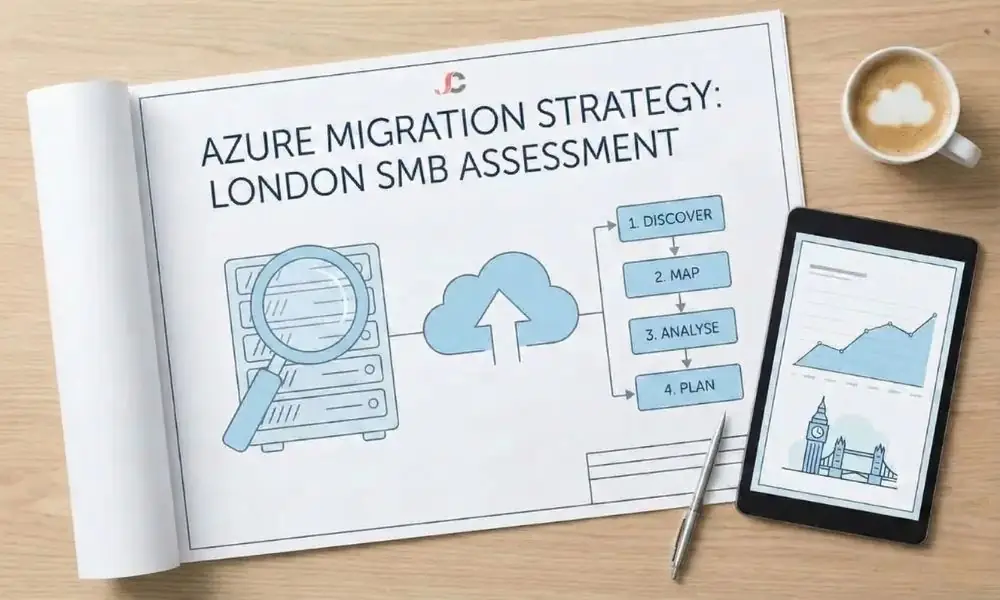
Why an Assessment Must Precede Migration
“Lift and shift” can be dangerous without analysis. Many businesses copy on-premises servers to the cloud and assume they will behave the same, only to face “cloud shock” in the form of unexpected costs and significant performance problems. Applications that run well on a local network can suffer latency when hosted remotely or consume far more resources than expected.
For UK entities, data sovereignty is critical. The data needs to be stored either in Azure UK South (London) or Azure UK West (Cardiff). This is necessary for GDPR and industry compliance. A detailed assessment, per the Microsoft Cloud Adoption Framework, will ensure compliance, security, and technical debt are not violated.
Phase 1: Digital Estate Inventory and Discovery
You cannot move what you do not know exists. You need to start with an automated scan of your environment, as spreadsheets are no longer sufficient.
Cataloguing Hardware and Applications
You require an asset inventory that extends beyond server names and IP addresses. You should document CPU cores (allocated vs. utilised), RAM peak usage, storage IOPS, and operating system versions. Most companies in London use Windows Server 2012 R2 or 2008, which is a security risk if migrated without upgrades or ESU. Systems nearing the end of support should be identified and marked for remediation.
Identifying Shadow IT
Departments often bypass IT to purchase tools that address current requirements. Marketing could employ a cloud-based app integrated with an in-house customer database, while HR could utilise an old payroll solution running on an unseen desktop computer. When the database is migrated without these applications, business processes will break. Conduct interviews with department heads to discover and include these hidden apps in the migration plan.
Phase 2: Application Dependency Mapping
Servers do not usually work alone. They are part of a complex network of interactions. An application server depends on a database server. The database server may rely on a domain controller for authentication. If you move the app server to the cloud but leave the database in your London office, the latency introduced by the internet connection will destroy the user experience.
You must map the traffic flows. Identify which systems communicate constantly and which ports they use. For example, a legacy application might hard-code an IP address rather than using a DNS name. If you change the IP address during migration without accounting for this dependency, the application will fail.
Complex inter-server relationships are the primary cause of migration delays. Use the matrix below to audit your critical applications and score their complexity. The entries below are examples to guide your own documentation:
| Source Server | Application Name | Dependent Database | External Connection | Complexity Score |
| SRV-APP-01 | CRM Legacy | SQL-DB-04 | Mail Gateway (On-Prem) | 4 (High) |
| SRV-FILE-02 | HR Records | None | Payroll SaaS API | 2 (Low) |
| SRV-WEB-01 | Client Portal | SQL-DB-04 | Payment Gateway | 5 (Critical) |
Phase 3: Workload Classification (The 5 Rs)
Not all workloads are immediately ready for Azure. It is necessary to classify each application based on technical fit and business value. This is also known as the “5 Rs of Rationalisation”.
Rehost (Lift and Shift)
This includes moving the servers as is. This is appropriate for standard virtual machines that require no code modifications. For instance, a print server or a file server may be moved with little risk. This is the fastest method but usually the least cost-effective in the long run, as you are not utilising cloud-native features.
Refactor (Re-architect)
This modifies applications to use Platform-as-a-Service (PaaS) capabilities. Instead of running a SQL Server on a virtual machine (which you must patch and maintain), you migrate the data to Azure SQL Database. This significantly reduces management overhead and improves availability, but it requires development time and expertise.
Retain
Some legacy systems must remain on premises. This is usually due to latency constraints (e.g., manufacturing process control) or hardware dongles that cannot be virtualised. In this scenario, a hybrid approach is most suitable, with Azure securely connecting to your local data centre.
It is not easy to decide between these two approaches. Assessing the feasibility of migrating Azure infrastructure will help you determine whether a straightforward move or a full-scale re-architecture is required.
Phase 4: Financial and Security Readiness
Calculating Total Cost of Ownership (TCO)
Cloud cost billing differs from hardware purchasing because the cost structure shifts from CapEx (server replacement every 5 years) to OpEx (monthly billing based on usage). Expenditure can easily go out of control, but proper planning can help cut costs.
Begin with licensing. If your existing Windows Server licences include Software Assurance, you may qualify for Azure Hybrid Benefit, which can lower virtual machine hourly costs by up to 40%. You should also consider Reserved Instances, which can provide substantial savings over pay-as-you-go pricing for a one- or three-year commitment to a VM.
Security and Compliance Gap Analysis
Your current perimeter firewall will not protect a cloud server. You need to assess if your Active Directory is ready to sync with Entra ID (formerly Azure AD). Security must be identity-based, not just location-based. You must implement Multi-Factor Authentication (MFA) and Conditional Access policies before you move a single byte of data.
The NCSC provides specific cloud security guidance to ensure your configuration meets UK standards. Strictly following these recommendations during the assessment phase prevents costly repairs later.
Phase 5: Skills and Operational Readiness
Can your internal team manage a virtual network? Managing physical hardware is different from managing Azure cloud infrastructure, which is based on infrastructure-as-code (IaC) and Azure portal management. Without this expertise, your migration process can stall or pose security risks.
You should evaluate your team’s capability to manage Azure Monitor, Azure Backup, and Microsoft Defender for Cloud. If there are any gaps, you need to prepare for training or seek external help. It is sometimes better to use full migration-as-a-service in London. This will bridge the knowledge gap during the migration period, and your in-house team can learn without jeopardising the project.
Reviewing the Assessment Report
This stage should result in a detailed report that serves as the business case, including a readiness scorecard, a risk register, and a timeline. It should clearly identify blockers, warnings, and key information, map on-premises resources to their Azure counterparts, and include detailed cost-optimisation estimates in Azure. Approval of the migration plan should occur only after you are satisfied with the estimated monthly spend.
Conclusion: Executing Your Azure Migration Assessment Checklist for London SMBs
Given the cost of downtime, it is essential to plan appropriately. This checklist helps with a managed migration by listing dependencies, workload types, and cost projections to ensure business continuity.
Assessments in Azure migrate should be conducted first, not postponed. This is to ensure that budget control, security, and compliance are all in place. If in-house capacity is already at full capacity, then external expertise should be sought to complete the assessment and secure the cloud migration.
Why is an Azure migration assessment necessary for small businesses?
The Azure migration checklist points out incompatibility issues, ensures accurate cost estimation, and prevents downtime during migration.
How long does an Azure readiness assessment take?
Most of the London SMBs will require two to four weeks for a complete assessment, depending on the complexity of the digital environment.
What tools are used for Azure migration assessments?
Standard tools for cloud migration include Microsoft Azure Migrate, which supports automatic and manual discovery of legacy applications.
Does the assessment include cost estimates?
Yes, one of the key outputs is the Total Cost of Ownership (TCO) report, which compares on-premises costs with estimated Azure monthly costs.
Can we migrate to Azure without an assessment?
Technically, yes, but it is hazardous and often leads to higher costs and technical failures due to unmapped dependencies.
What is the difference between rehosting and refactoring?
Rehosting (lift-and-shift) moves servers as-is, while refactoring involves altering the application code to better function in a cloud-native environment.