

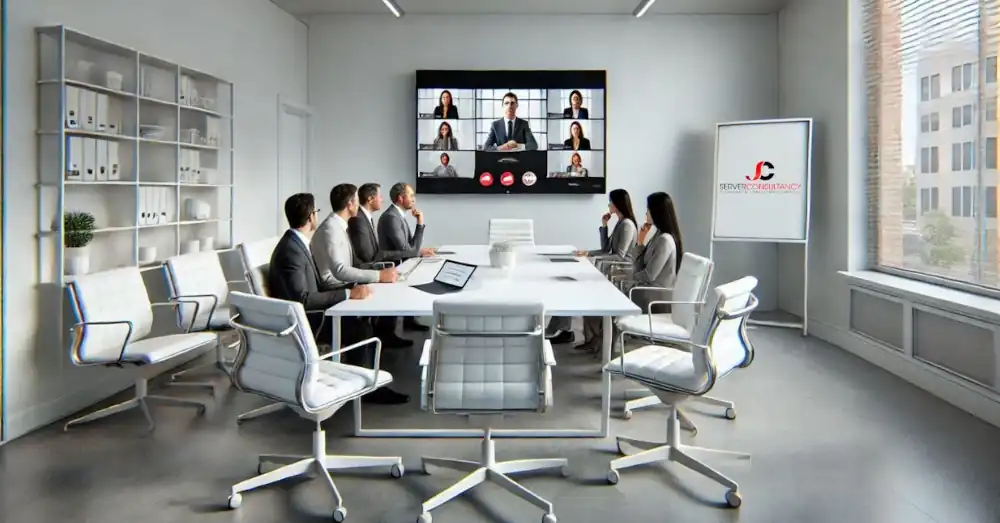
Elevate your meeting experience through Microsoft Teams Rooms, which are professionally implemented and backed by Server Consultancy. These innovative collaboration solutions redefine how businesses communicate, making every meeting inclusive, dynamic, and productive.
Whether you are working with remote teams or in-office participants, Teams Rooms ensure seamless connections and efficient workflows.
What are Microsoft Teams Rooms?
Microsoft Teams Rooms are a complete suite of advanced solutions to enhance your meeting spaces. They create immersive, collaborative environments by combining state-of-the-art audio and video equipment with Microsoft Teams software. Teams Rooms are engineered to simplify meetings and unlock productivity, enabling participants to:
- Seamlessly Integrate: One-touch join options and wireless content sharing make connecting effortless.
- Experience Unmatched Collaboration: HD audio and video, real-time whiteboarding, and live interactions foster effective teamwork.
- Benefit from Smart Technology: AI-powered features personalise the experience, ensuring inclusivity and engagement for all attendees.
- Maintain Robust Security: Teams Rooms safeguard communication channels with end-to-end encryption and centralised management.
By implementing Microsoft Teams Rooms, businesses can bridge the gap between remote and in-office workforces, fostering a sense of unity and collaboration that transcends physical boundaries.
Effortless Meeting Management
Streamline your meeting processes with intuitive features that save time and enhance convenience:
- One-Touch Join and Proximity Detection: Join meetings instantly without fumbling with connection details. Proximity detection ensures quick access to nearby devices.
- Intelligent Room Scheduling: Reserve meeting rooms quickly with integrated scheduling tools that reduce double bookings and last-minute conflicts.
- Wireless Content Sharing: You can share presentations, documents, and videos from any device, eliminating the need for complex cables or adaptors.
AI-Powered Meeting Experiences
Make every meeting smarter with AI capabilities designed to optimise communication and understanding:
- Noise Suppression and Echo Cancellation: Eliminate distractions for more precise, uninterrupted discussions.
- Live Captions and Multilingual Translations: Foster inclusivity by providing captions and translations in real-time, making global collaboration effortless.
- Speaker Attribution and Transcriptions: Automatically attribute speech to participants and generate transcriptions, ensuring clarity and actionable meeting outcomes.
Robust Security and Management
Ensure your organisation’s communications are secure and well-managed with enterprise-grade tools:
- End-to-end Encryption: Protect sensitive information and maintain confidentiality across all meetings.
- Centralised Device Management: Monitor and manage all connected devices through a single dashboard for efficiency.
- Role-Based Access Control: Assign roles and permissions to team members, ensuring secure and organised operations.
Microsoft Teams Rooms Licensing Options
| Feature | Mirosoft Teams Rooms Basic | Microsoft Teams Rooms Pro |
| Supported Experiences | ||
| – Teams Rooms on Windows | ✓ | ✓ |
| – Teams Rooms on Android | ✓ | ✓ |
| – Teams Rooms on Surface Hub | ✓ | ✓ |
| Meeting Scheduling | ||
| – Calendar integration with Exchange, Microsoft 365, and Google | ✓ | ✓ |
| Meeting Join | ||
| – One-touch join | ✓ | ✓ |
| – Proximity joins | ✓ | ✓ |
| – Meet now | ✓ | ✓ |
| – Direct guest join | ✓ | ✓ |
| Meeting Engagement and Collaboration | ||
| – Intuitive, purpose-built app experience | ✓ | ✓ |
| – Video and content layouts (e.g., Together mode, large gallery) | ✓ | ✓ |
| – Chat bubbles | ✓ | ✓ |
| – Raise hand | ✓ | ✓ |
| – Pin video | ✓ | ✓ |
| – Spotlight Video | ✓ | ✓ |
| – Live reactions | ✓ | ✓ |
| – Companion mode | ✓ | ✓ |
| – Live closed captions | ✓ | ✓ |
| – Cloud recording and meeting transcription | ✓ | ✓ |
| – Coordinated meetings with Surface Hub | ✓ | ✓ |
| – Microsoft Whiteboard | ✓ | ✓ |
| – Intelligent content capture | ✓ | ✓ |
| Meeting and Device Controls | ||
| – Room remote in companion mode | ✓ | ✓ |
| – Wireless sharing | ✓ | ✓ |
| – Cast from mobile | ✓ | ✓ |
| – HDMI ingests | ✓ | ✓ |
| – Video and content resolution: 1080p, 30 FPS | ✓ | ✓ |
| – Meeting participants’ roster | ✓ | ✓ |
| – Cortana voice skills | ✓ | ✓ |
| – Dual screen support | ✓ | ✓ |
| – Support for up to 1,000 video participants | ✓ | ✓ |
| – External lighting and environmental controls | ✓ | ✓ |
| Security | ||
| – Credential Guard | ✓ | ✓ |
| – Role-based access control | ✓ | ✓ |
| – Automatic security updates | ✓ | ✓ |
| – Managed security updates | ✓ | |
| Advanced Security | ||
| – Continuous vulnerability and threat detection through Microsoft Defender | ✓ | |
| Management and Administration | ||
| – Securely delegate management access to a partner | ✓ | ✓ |
| – Device inventory views | ✓ | ✓ |
| – Device and peripheral health | ✓ | ✓ |
| – Remote configuration | ✓ | ✓ |
| – Automatic Teams app updates | ✓ | ✓ |
| – Device auto-enrolment | ✓ | ✓ |
| – Call quality analytics | ✓ | ✓ |
| – Active device monitoring and diagnostics | ✓ | ✓ |
| – Centralised room configuration catalogue | ✓ | |
| – Recommended room configuration standards | ✓ | |
| – Deployment rings for staging updates | ✓ | |
| – Cross-organisational insights | ✓ | |
| Managed Operations | ||
| – AI-driven operations | ✓ | |
| – Proactive room configuration settings management | ✓ | |
| – App, firmware, and hardware update curation, management, and validation | ✓ | |
| – Proactive incident detection | ✓ | |
| – Remote incident management and resolution | ✓ | |
| – Around-the-clock escalation support from Microsoft experts | ✓ | |
| – Hardware incident support assistance | ✓ | |
| – Ability to export tickets to Service Now | ✓ | |
| – Operational feature delegation to partners | ✓ |
Note: Certain features may vary based on the operating system or device type. Microsoft Teams Rooms Basic is free for up to 25 rooms, making it an excellent choice for smaller organisations. For advanced features and unlimited room support, Teams Rooms Pro offers enhanced capabilities—contact us directly for detailed information and customised pricing. Let us help you select the perfect solution for your organisation’s needs!
- Teams Rooms Basic: Ideal for small to medium-sized organisations, this plan offers essential meeting experiences at no additional cost for up to 25 rooms. It includes core features such as scheduling, joining meetings, content sharing, collaborative whiteboarding, and fundamental security and management capabilities.
- Teams Rooms Pro: Suited for larger enterprises or organisations with advanced needs, this plan provides all the features of the Basic plan plus enhanced in-room meeting experiences like intelligent audio and video, front row and extensive galleries, and dual screen support. It also offers advanced management features, including remote device management, conditional access policies, and detailed device analytics.
Our Comprehensive Services
Server Consultancy is your trusted partner in implementing and managing Microsoft Teams Rooms. Our end-to-end services, from the initial setup to continuous maintenance, are crafted to address your unique expectations:
- Expert Consultation: Our team begins by assessing your organisation’s needs, identifying challenges, and designing a solution that aligns with your collaboration goals.
- Hardware Selection: Choosing suitable hardware is crucial for ensuring top performance. We help you select certified devices from trusted brands like Poly, Logitech, HP, and Yealink.
- Professional Installation: Our certified technicians handle the installation process, ensuring every aspect is configured for seamless performance and reliability.
- Licensing Guidance: Navigating licensing options can be complex. We simplify the process by helping you choose the right plan to maximise value and functionality.
- Training and Support: Empower your team with in-depth training sessions to maximise Teams Rooms. Our support does not stop at installation—we offer continuous assistance to address any issues promptly.
Why Choose Server Consultancy?
Selecting the right partner for your Microsoft Teams Rooms deployment can make all the difference. Here is why Server Consultancy stands out:
- Microsoft-Certified Expertise: Our team stays updated with the latest advancements in Microsoft Teams Rooms technology.
- Customised Solutions: We tailor every setup to meet your organisation’s goals, space requirements, and budget.
- Proven Track Record: With years of experience, we have delivered successful solutions to businesses across industries.
- Ongoing Support: We are committed to ensuring your team rooms remain operational and practical from installation to maintenance.
Elevate Your Collaboration Today
Are you ready to revolutionise your meeting environments? With Microsoft Teams Rooms, expertly deployed by Server Consultancy, your business can experience a new standard of collaboration. Here is how:
- Seamlessly connect in-office and remote participants with ease.
- Increase productivity through AI-powered features.
- Simplify room management with intelligent scheduling and centralised control.
- Maintain enterprise-grade security for all your communications.
Take the first step toward a more connected, efficient workplace. Schedule a no-obligation consultation with Server Consultancy, where we will:
- Assess your current meeting infrastructure.
- Identify collaboration challenges and goals.
- Provide a customised Teams Rooms recommendation.
- Highlight potential cost savings and productivity gains.
Do not let outdated technology hold your business back. Transform your meeting spaces with Microsoft Teams Rooms with our tailored solutions and Microsoft-certified expertise.
How long does setting up a Microsoft Teams Room take?
Setting up Microsoft Teams Rooms typically takes 10-30 minutes, depending on network and hardware preparation. You can integrate existing hardware like cameras and microphones as they are compatible, but Microsoft recommends using certified devices for best performance. A dedicated Windows or Android system and touch console are required for optimal functionality. Professional consultation is advised to ensure smooth integration and system compatibility.
Can I integrate Microsoft Teams Rooms with existing hardware?
You can use current cameras, microphones, and speakers as long as they are compatible, and Microsoft recommends certified devices for optimal performance. The system requires a dedicated Windows or Android appliance running Teams and a touch console for room control. Integration involves assessing your current setup, selecting complementary solutions, and configuring the system to work with existing equipment. Professional consultation is advised to ensure seamless compatibility and performance. Although integration is possible, using certified hardware typically provides the most reliable and efficient Microsoft Teams Rooms experience.


