

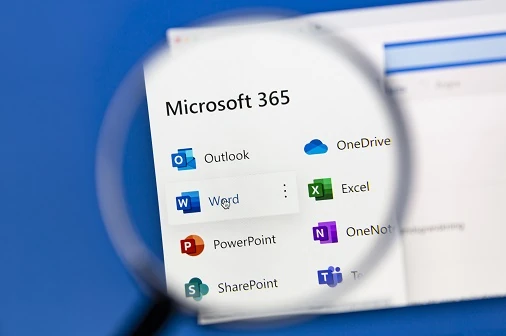
Microsoft 365, formerly Microsoft Office 365, is a SaaS (Software as a Service) solution. Microsoft 365 combines cloud-based productivity and online services like Exchange Online, SharePoint Online, Teams, OneDrive for business, Stream, Yammer and Microsoft Office 365 Suite as the collaboration and communication applications. The brand includes plans that give access to all the software services throughout the subscription period.
Microsoft 365 subscriptions also offer the latest version of Microsoft 365 apps for desktops and offices online. The flexibility of using any device from anywhere makes Microsoft 365 products and services an attractive business productivity suite.
What does Microsoft Office 365 do?
Microsoft 365 transforms the way organisations work with the best productivity applications and intelligent cloud storage. Microsoft 365 is a one-stop solution for every need. Some of the functions of Microsoft 365 are:
- Work is more efficient, planned and well connected with calendar, email, tasks, and contact.
- Communication is more effective due to group chats, calling, online meetings and web conferencing.
- Automate business processes with workflows, Microsoft forms, and customised mobile applications.
- Secure access to information via policy and authentication-based ways.
- Defend an enterprise’s valuable documents and information against suspicious links, attachments, and malware.
Microsoft Office 365 Plan Comparison
| Business Basic1,24 | Business Standard1,24 | Business Premium1,24 | F32 | E32 | E52 | |
| Install Microsoft 365 Apps on up to 5 PCs/Macs + 5 tablets + 5 smartphones per user including Outlook 365 | √ | √ | √ | √ | ||
| Office for the Web – Create/edit rights for online versions of core Office apps. | √ | √ | √ | √ | √ | √ |
| Exchange | Plan 1 (50 GB) | Plan 1 (50 GB) | Plan 1 (50 GB) | EXO K (2 GB) | Plan 2 (100 GB) | Plan 2 (100 GB) |
| SharePoint | Plan 1 | Plan 1 | Plan 1 | SPO K6 | Plan 2 | Plan 2 |
| Teams | √ | √ | √ | √ | √ | √ |
| OneDrive storage | 1 TB | 1 TB | 1 TB | 2GB | 1-5+ TB7 | 1-5+ TB7 |
| Yammer Enterprise | √ | √ | √ | √8 | √ | √ |
| Microsoft MyAnalytics | √ | √ | √ | √ | √ | |
| Microsoft Forms | √ | √ | √ | √ | √ | √ |
| Office Delve | √ | √ | ||||
| Microsoft Graph API | √ | √ | √ | √ | √ | √ |
| Microsoft Planner | √ | √ | √ | √ | √ | √ |
| Microsoft Shifts | √ | √ | √ | √ | √ | √ |
| Microsoft Stream | √ | √ | √ | √10 | √ | √ |
| Microsoft Whiteboard | √ | √ | √ | √ | √ | √ |
| Microsoft Sway11 | √ | √ | √ | √ | √ | √ |
| Microsoft 365 Groups | √ | √ | √ | √ | √ | √ |
| Microsoft Kaizala Pro | √ | √ | √ | √ | √ | √ |
| Microsoft To-Do | √ | √ | √ | √ | √ | √ |
| Power Apps for Microsoft 36514 | √ | √ | √ | √ | √ | √ |
| Power Automate for Microsoft 36514 | √ | √ | √ | √ | √ | √ |
| On-premises Active Directory sync for SSO | √ | √ | √ | √ | √ | √ |
| Mobile Device Management (MDM) for Office 36515 | √ | √ | √ | √ | √ | √ |
| Microsoft Intune | √ | √ | √ | √ | ||
| Exchange Server, SharePoint Server, and Skype for Business Server Client Access License (CAL) equivalency | √ | √ | ||||
| Windows Server, RMS, and Microsoft Identity Management CAL equivalency | √ | √ | √ | |||
| System Center Configuration Manager and System Center Endpoint Protection Management License (ML) equivalency | √ | √ | √ | |||
| Group Policy support, Office telemetry, Roaming settings | √ | √ | ||||
| Shared computer activation | √ | √ | √ | |||
| Data analytics and visualisation (Power BI Pro) | √ | |||||
| Phone System, Audio Conferencing | √ | |||||
| Domestic calling | √23 | |||||
| Content Search | √ | √ | √ | √ | √ | √ |
| Core eDiscovery (incl. Hold and Export) | √ | √ | √ | |||
| Advanced eDiscovery | √ | |||||
| Basic Audit | √ | √ | √ | √ | √ | √ |
| Advanced Audit | √ | |||||
| Apply sensitivity labels or retention labels manually17 | √ | √18 | √ | √ | ||
| Apply sensitivity labels, retention labels or retention policies automatically17 | √ | |||||
| Apply basic org-wide or location-wide retention policies17 | √ | √ | ||||
| Apply retention policies automatically17 | √ | |||||
| Azure Information Protection | Premium Plan 1 | Premium Plan 1 | Premium Plan 1 | Premium Plan 2 | ||
| Office 365 Data Loss Prevention (DLP) for emails and files | √ | √ | √ | |||
| Communication DLP (Teams chat) | √ | |||||
| Email archiving | √ | √ | √ | |||
| Basic Office Message Encryption | √ | √ | √ | √ | ||
| Advanced Office Message Encryption | √ | |||||
| Customer Key for Office 365 | √ | |||||
| Insider Risk Management | √ | |||||
| Communication Compliance (incl. Supervision policies) | √ | |||||
| Information Barriers | √ | |||||
| Customer Lockbox | √ | |||||
| Privileged Access Management | √ | |||||
| Office 365 Cloud App Security | √ | |||||
| Microsoft Cloud App Security | √ | |||||
| Conditional Access | √ | √ | √ | √ | ||
| Office 365 Advanced Threat Protection (ATP) Plan 1 | √ | √ | ||||
| Office 365 ATP Plan 2 (Office 365 ATP Plan 1 + Threat Protection) | √ | |||||
| Windows 10 Desktop Operating System Upgrade | Business20 | Enterprise | Enterprise | Enterprise | ||
| Windows Defender Antivirus, Device Guard, Windows Information Protection, BitLocker and BitLocker To Go | √ | √ | √ | √ | ||
| Windows AutoPilot, Windows Hello for Business | √ | √ | √ | √ | ||
| Windows Analytics Device Health | √ | √ | √ | |||
| Windows Defender Application Guard | √ | √ | √ | |||
| Windows Defender Credential Guard | √ | √ | √ | |||
| Microsoft Defender ATP | √ | |||||
| Azure Advanced Threat Protection | √ | |||||
| Azure Advanced Threat Analytics | √ | √ | √ | |||
| Azure Active Directory Premium | Plan 1 | Plan 1 | Plan 1 | Plan 2 |
Microsoft Office 365 Commercial Plan Comparison
- Business plans include business hours support for all non-critical issues, 24/7 phone support from Microsoft, and a 300-seat cap limit for all Business plans.
- Enterprise plans include 24/7 phone support from Microsoft for all issues and an unlimited seat cap.
- Includes Word, Excel, PowerPoint, Outlook, OneNote, Publisher (PC only), and Access (PC only)
- Core Office mobile apps include Outlook, Word, Excel, PowerPoint, and OneNote. A Microsoft Office 365 login is required.
- Limited to devices with integrated screens 10.1” diagonally or less
- They cannot be administrators. No site mailbox. No personal site. F1 users are unable to create forms.
- Microsoft will provide an initial 5 TB of OneDrive storage per user. Customers who want additional storage can request it by contacting Microsoft support. Subscriptions for fewer than five users receive 1 TB of OneDrive storage per user. Microsoft Office login is required.
- They cannot be administrators.
- Does not include Forms Pro capabilities. Licensed users can create/share/manage forms. Completing/responding does not require a Forms license.
- Consumption only (no publishing or sharing)
- Sway is unavailable for Government Community Cloud (GCC) customers and customers in specific geographies. Some legacy Office 365 plans no longer on the market as of August 2015 may also not have access to Sway.
- Requires adding Business Apps (Free) subscription via the Admin Portal
- Invoicing, Business Center & MileIQ are available only in the United States, Canada, and the United Kingdom
- Limited to 2000 API requests/day
- It included standalone plans for Exchange, OneDrive for Business, SharePoint, and Skype for Business.
- Not available in CSP
- Refer to this spreadsheet for a detailed comparison of information protection and governance features by license.
- Office for the web and Office Mobile only.
- It does not include trainable classifiers (Machine Learning)
- This does not have virtualisation rights, downgrade rights and other versions/edition rights
- Limited to Self-service password reset for hybrid Azure, Azure Multi-factor Authentication, and Conditional Access
- M365 F1 users have provisioned the Exchange Kiosk service plan to enable Teams calendar only, with no rights to deploy mailboxes.
Information Reference: Microsoft Website
How can Server Consultancy Help you?
Server Consultancy has gained knowledge and experience with Microsoft 365 setup and migration. We have helped customers migrate from on-premises servers to Microsoft 365 services like Exchange and SharePoint online. If you are still running end-of-life products like Exchange 2010, It’s time to migrate your Exchange server to Office 365 Exchange online.
We have been a Microsoft partner for over a decade, making us one of London’s leading Microsoft Office 365 support companies.
Contact us today, and we can help you choose the most suitable Microsoft 365 solution ideal for your business, provide calculations and assist in Office 365 download installation and configuration per your business needs.
Is Microsoft 365 available for free?
You can get a 30-day free trial for most Microsoft 365 subscriptions. In most cases, after 30 days, you can extend it for another 30 days upon request. A credit card is required to extend the trial for 30 days.
What is the difference between Office 365 and Microsoft 365?
Microsoft Office 365 is Part of Microsoft 365. However, individual subscriptions include more features in Microsoft 365 than Microsoft Office 365 and are sold as Microsoft 365.
How much does it cost to buy Office 365?
This all depends on your needs. Contact us to request a free quote.
How do I install Office 365 for free?
The Microsoft Website offers a 30-day free trial for Selected Microsoft 365 Business and Enterprise subscription.
What is Microsoft 365?
Microsoft rebranded some subscriptions from Microsoft Office 365 to Microsoft 365. Some are sold as Microsoft 365 instead of Microsoft Office 365.
What happened to Office 365 plans?
Office 365 Plans are available as usual. Please request a quote.


